
Beyond the Hype: Choosing an ERP Partner for Strategic Growth in 2026
Here's a number that should make any CTO sit up: 61% of organizations pursued ERP implementations in Panorama Consulting's 2025 report, up from 50.4% the time before. Everyone's moving. The real question is whether they're moving in the right direction.
I'll be honest. Comparing ERP software companies by feature lists used to be the whole game. It isn't anymore. Most of the big vendors can post invoices and track inventory just fine. What you're really picking is a foundation for the next ten years of growth.
And the money is following that shift. One forecast from The Business Research Company has cloud ERP growing from $113.94 billion in 2026 to $202.26 billion in 2030, a 15.4% yearly pace. Other firms land anywhere from about 12% to 20%, depending on what they count. Either way, it's big.
What a Modern ERP Platform Has to Do
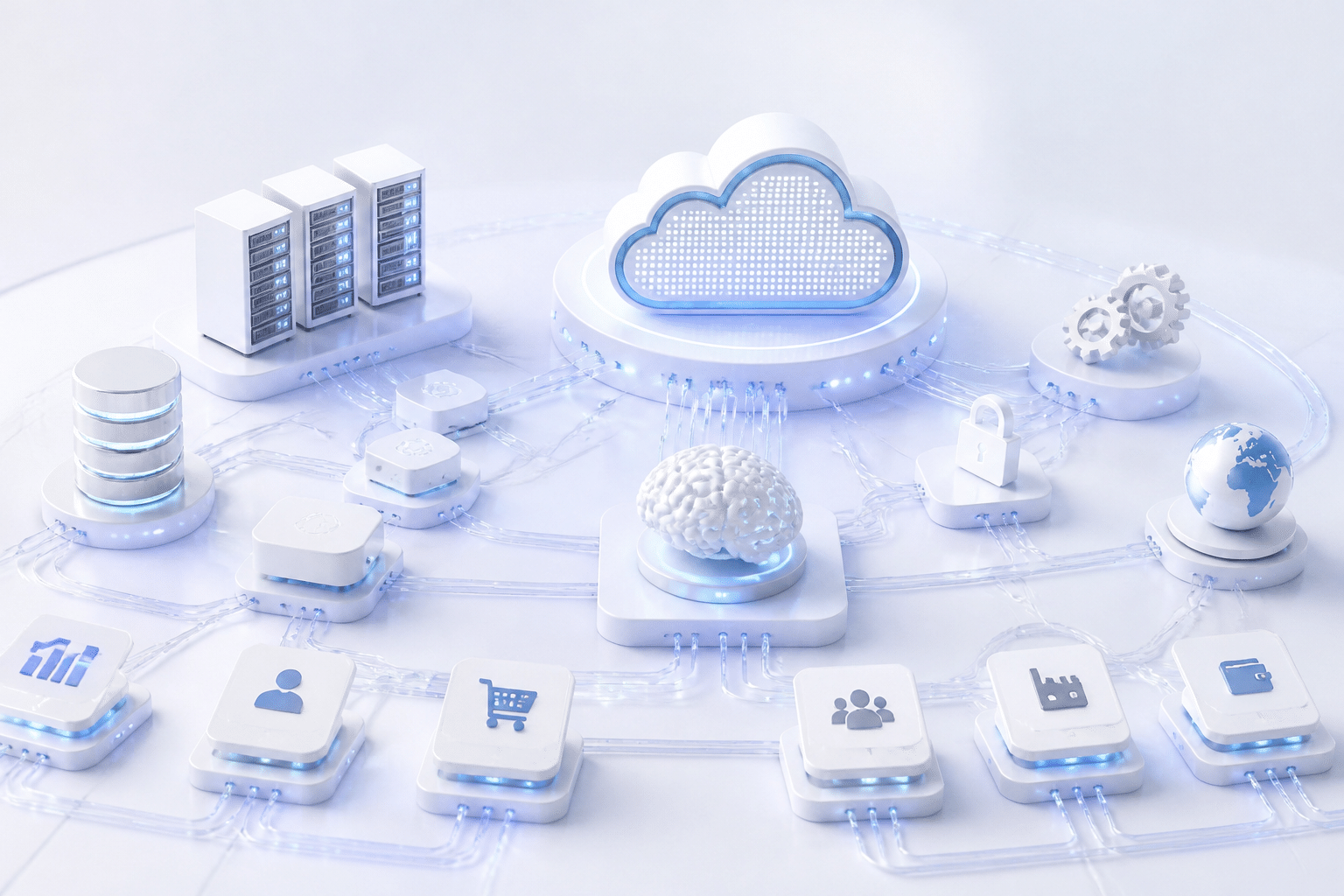
A modern ERP platform can't be a sealed box. It needs to handle three things:
Custom development. Your best processes are probably the ones that set you apart. The platform should let you build around them, not flatten them.
Clean integration. CRM, e-commerce, analytics, legacy apps. An API-first approach means these connect without a pile of fragile point-to-point fixes.
Cloud and AI built in. Bolt-ons age badly. Skip this, and you're signing up for technical debt before go-live.
How We Picked the Top 7
We looked at each vendor through the lens of a CTO or IT director. Four things mattered most:
Criteria | What we looked for |
Customization | Low-code tools, open APIs, room for custom extensions |
Cloud-native architecture | Real SaaS foundations, not hosted legacy code |
Industry fit | Prebuilt functions for your sector, so less custom work |
Total cost of ownership | Licenses, integrations, upkeep and partner fees, not just the sticker price |
The seven picks below range from enterprise giants to open-source challengers. Some suit large enterprises. Others fit mid-sized companies better. Let's start with the heavyweight.
1. SAP S/4HANA Cloud: The Powerhouse for Large-Scale Enterprise Transformation

If your company runs factories in six countries and a supply chain with a few thousand moving parts, SAP is probably already on your radar. Maybe it's already in your server room, running an old ECC system that nobody wants to touch.
That's the sweet spot here. S/4HANA Cloud is built for large enterprises and multinationals with complex manufacturing and supply chains, especially teams moving off legacy SAP. Gartner named SAP Cloud ERP a Leader in its Magic Quadrant for Cloud ERP for Product-Centric Enterprises. I won't call it "number one," because the public summary doesn't say that.
Embedded AI That Does Real Work
SAP builds AI and machine learning right into the system. Think predictive analytics for demand and cash flow, plus automation for routine finance and procurement tasks. Your data stays in one place, so the models aren't guessing from stale exports.
For a CTO trying to get more from company data, that's a real plus. Fewer copies of the truth. Better answers.
SAP BTP: Where Custom Work Lives
Here's the part I find most interesting. SAP Business Technology Platform (BTP) is where you build custom apps and connect outside systems. The idea is to keep the ERP core clean and put your special sauce next to it.
Why does that matter? Because heavy customization inside the core is what makes upgrades painful. Extending through BTP and APIs keeps those upgrades manageable. It also fits the API-first approach we talked about earlier.
Where Migrations Get Bumpy
I'd be lying if I said this was easy. ISG's 2025 SAP research says many U.S. companies now prefer a phased move to S/4HANA. Their reasons are unclear ROI, long projects and data migration risk.
The usual trouble spots:
Messy legacy data with duplicates and old records
Custom code from ECC that won't transfer cleanly
Third-party integrations nobody documented
Users who resist new, standardized processes
SAPinsider also recommends lining up an implementation partner early, since experienced S/4HANA talent can be hard to find. A partner like Buildera can help with legacy modernization, integration design and custom extensions before cutover gets close.
SAP is the heavyweight, but it isn't the only one with a cloud story. Next up is Oracle.
2. Oracle (NetSuite & Fusion Cloud ERP): Tailored Solutions for Mid-Market and Enterprise
Oracle sells two ERP products, and mixing them up is easy. They share a parent company. They don't share a target customer.
Here's the quick version.
Metric / Aspect | NetSuite | Fusion Cloud ERP |
Target size | Fast-growing mid-sized companies | Large, complex, often regulated enterprises |
Core strength | All-in-one financials, CRM, inventory and commerce | Deep financials, HCM and supply chain, added as modules |
Customization | SuiteCloud tools, APIs and SuiteScript | Configurable modules plus Oracle Cloud extensions |
Pricing signal | Quote-based, with estimates near $999/month plus about $99 per user | Negotiated, with one 2026 price list showing $625 per hosted named user per month |
NetSuite: The Scale-Up Favorite
NetSuite is built for companies that outgrew spreadsheets and basic accounting software. One suite handles money, orders, stock and customers. No servers to babysit.
A 2026 CFO survey summarized by Houseblend puts NetSuite at 58% to 67% share among companies with $50 million to $500 million in revenue. I'd treat that as a hint, not gospel, since the survey's methodology isn't clear. Still, it matches what you see in the field. ERP Research also lists the $999 monthly entry estimate and sorts NetSuite into the mid-market group.
Fusion Cloud ERP: Oracle's Answer to SAP
Fusion is the one that goes toe to toe with S/4HANA. You pick the modules you need, like financials, procurement, HCM and supply chain, and add more later. Finance teams tend to love it.
Oracle's also pushing AI hard here. At Oracle AI World 2025, BHE Renewables described running six companies on Fusion and using AI for grid management and demand forecasting. That's a real use, not a slide-deck promise.
Integration: Where Your Existing Stack Gets Tested
This is the part your team will care about most. You probably have a custom-built app or three, plus a CRM and a warehouse tool that nobody wants to replace.
Both platforms support APIs, so outside systems can read and write data. NetSuite adds SuiteScript for custom logic. Fusion plugs into the wider Oracle Cloud. Neither is plug-and-play for old custom software, though. Someone has to design those connections carefully, and a partner like Buildera can help map them before go-live.
Oracle covers mid-market and enterprise. Next, we'll look at a vendor that wins on a different kind of connection.
3. Microsoft Dynamics 365: Unmatched Integration for the Microsoft Ecosystem
Picture your finance team living in Excel, your sales team in Outlook, and your managers staring at Power BI dashboards all day. Now imagine your ERP just... plugs into all of that. No awkward export. No copy and paste at 4pm on a Friday.
That's the pitch for Dynamics 365. And honestly, for the right company, it's a strong one.
Who It Fits Best
Dynamics 365 works for a wide range of sizes. Smaller teams often start with Business Central. Upper mid-market and enterprise companies usually look at Finance and Supply Chain Management. The real dividing line isn't size, though. It's whether you already run on Azure, Microsoft 365 and Power BI.
If you do, the pieces already speak the same language. Sign-in, security, Teams, Outlook, Excel. Your people won't have to learn a whole new world on day one.
Custom Work Without Starting From Scratch
Here's where it gets interesting for a CTO. Dynamics 365 sits on Dataverse, which acts as the common data layer. The Power Platform (Power Apps, Power Automate and Power BI) then builds on top of it. So you can create custom apps and workflows without rewriting the ERP core.
A real example: Avantiico built a purchase-order process using Dynamics 365 Finance & Supply Chain Management, Power Automate and AI Builder. It reads purchase-order data with OCR, picks the right AI model by dealer, and creates quotes on its own. Problem transactions get routed to a person for review.
Now, a warning. Low-code doesn't mean no-skill. Microsoft's Power Platform Developer certification expects experience with Dataverse modeling, REST APIs, Azure, JavaScript and C#. A simple departmental automation? A trained power user can handle it. Complex ERP extensions or high-volume integrations? You'll want a senior developer or architect. That's where a partner like Buildera can fill the gap.
Retail, Field Service and Customer Engagement
Dynamics 365 also reaches past the back office. Retail and field service teams get dedicated capabilities, and CRM functions live in the same family of apps. That means sales, service and finance can see the same customer record.
Microsoft's own COSMO CONSULT case study shows Dynamics 365, Power Apps and Copilot Studio used together to improve sales operations and data quality. Better data means better customer conversations. Simple as that.
One more thing before you get excited about cost. I couldn't find a reliable independent analyst report comparing Dynamics 365's total cost of ownership with rivals. So model it yourself: licenses, add-ons, Dataverse and connector usage, integration upkeep and training.
Next up is a vendor that wins by knowing your industry cold.
4. Infor CloudSuite: Deep Industry-Specific Functionality Out-of-the-Box

Some ERP platforms hand you a blank canvas. Infor hands you a pre-built kitchen. Your sector's quirks are already wired in, so your team isn't starting from zero.
Who Infor Fits Best
Infor works well for mid-sized to large companies in manufacturing, distribution, healthcare and retail. These are the places where "standard" ERP never quite fits, like lot tracking, shop-floor scheduling or clinical staffing. Infor's cloud strategy describes CloudSuites as industry-specific cloud apps built around ERP, with extras like supply chain, warehouse management and product lifecycle tools.
Here's a quick look at a few of them:
CloudSuite | Built for |
Industrial | Discrete and process manufacturers |
Healthcare | Hospitals and care networks needing finance, HR and supply chain together |
Distribution | Order, purchasing, inventory and warehouse operations |
Fashion | Planning, sourcing and merchandising for apparel and retail brands |
Food & Beverage | Traceability, quality and compliance |
Cloud Scale on AWS
Infor runs its cloud suites on Amazon Web Services (AWS). For a CTO, that's a selling point. You get AWS-grade scalability, security and uptime without babysitting servers yourself. I'd still ask for the exact hosting and compliance details in writing, though, especially if you're in a regulated field.
Less Customization, Faster Launch
Here's the real draw. When your industry's workflows already exist, you write less custom code. That usually means a quicker go-live and easier upgrades later.
Benchmark Electronics is one example. It reported standardized processes across global sites, automated workflows and better visibility into a messy supply chain. Miller Industries went further. It consolidated several point solutions and used Infor OS ION to connect UPS shipping and outside payroll systems.
That last bit matters. Out-of-the-box doesn't mean plug-and-play for your older apps. Someone still has to design those links, and a partner like Buildera can help map them before cutover.
Next, we'll switch gears to a vendor that's all about people and money.
5. Workday: The Cloud-Native Leader for Finance and HR Transformation
Most ERP stories start with factories and warehouses. Workday starts with people and money. If your company sells expertise, like a software firm, a consultancy or a financial services group, that's a different kind of problem. Your biggest cost is payroll. Your biggest asset is talent.
That's where Workday shines.
Built for Service-Centric Companies
Workday fits tech, professional services and finance organizations that care most about human capital management (HCM) and financial planning. Think workforce planning, payroll, skills data and project-based billing, all in one place.
I'll be upfront about one limit, though. Workday is best treated as a finance and HR platform, not a shop-floor system. Workday's own finance material focuses on financials, planning and workforce, not production scheduling. A manufacturer would probably pair it with a separate operations ERP.
One System, One Set of Data
Workday describes its approach as a single system for all users and data. Finance, HR and planning share the same foundation. So a headcount change shows up in your budget without anyone exporting a spreadsheet.
That simplifies reporting. It also cuts the number of connections you have to build and babysit between its own modules. Users get one look and feel instead of five.
AI sits on top of that shared data. Workday says its newer reconciliation tools can automate preparation and reconciliation by up to 70%. That's a vendor claim, so test it against your own close process.
Workday Extend: Custom Apps Without Leaving the Platform
Here's the part CTOs tend to ask about. Workday Extend lets developers build new apps that use Workday's core data, security and workflows. You're not bolting something on from outside.
Workday's examples include an app that handles more than 15,000 annual payouts across 17 countries, and another that automatically disables an account when an employee goes on leave. Small gaps, real fixes.
Extend covers the processes standard setup can't. But anything touching outside systems still needs careful design, and a partner like Buildera can help plan those links.
Next, we'll look at a flexible option for growing businesses.
6. Acumatica: The Flexible Cloud ERP for Growing Businesses
You hire ten new warehouse workers. Your ERP bill jumps. Sound familiar? That's the per-user penalty, and it's the exact thing Acumatica was built to avoid.
Who Acumatica Fits Best
Acumatica targets fast-growing mid-sized companies that want a flexible, customizable ERP without paying extra every time headcount grows. Think distribution, manufacturing, construction and professional services. It's one of the more approachable cloud ERP vendors for teams that have outgrown basic accounting software but don't need a giant enterprise suite.
And it's sold through authorized resellers, so your final quote depends a lot on which partner you work with.
Pricing That Doesn't Punish Growth
Here's the big draw. Acumatica uses consumption-based pricing instead of per-user licensing. According to Acumatica's own pricing page, you pay for the applications and resources you choose, not for each login.
How the pricing works
* You pay based on the apps or industry edition you pick, your expected transaction volume, and your computing and storage needs.
* Users are generally unlimited within your purchased tier. Warehouse staff, field techs and subcontractors don't each add a license fee.
* Costs can still rise if transactions, storage or modules grow enough to push you into a higher tier.
One 2026 pricing analysis puts a General Business subscription at roughly $6,396 per year, covering up to 1,000 monthly transactions. Treat that as a planning number, not a quote. Actual prices vary by reseller, modules and infrastructure.
So the trade-off is simple. You get predictable user access, but your growth costs are a little less predictable. For a company adding people faster than transactions, that's often a good deal.
Customization and the xRP Platform
Acumatica builds on what it calls its xRP platform. The idea is a low-code foundation with open APIs, so you can extend the system around your own processes instead of bending your processes to fit. A partner overview of the platform describes this flexibility as a main reason mid-sized buyers pick it.
There's also a developer network of resellers and partners who build add-ons and custom extensions. That matters. A flexible platform is only as good as the people who can shape it.
One reseller-side description sums up the appeal well:
"Customers pay for the features and resources they choose, rather than hidden user-seat fees."
That's a paraphrase of Acumatica's pricing stance, not a named customer quote, so I won't pin it on anyone.
A quick word on lock-in. Paying for resources instead of seats reduces commercial lock-in. But it doesn't make leaving painless. Negotiate data-export rights and API access up front. And if your team needs custom integrations with older apps, a partner like Buildera can help design them before go-live.
Next up is a very different kind of challenger, one that's open source.
7. Odoo: The Open-Source Disruptor for Ultimate Customization
What if you could open your ERP's source code and change it yourself? Not a settings screen. The actual code. That's the Odoo pitch, and for the right team it's a big deal.
Who Odoo Fits Best
Odoo suits startups and mid-sized companies with a strong in-house technical team, or an IT partner like Buildera, who want full control. Licensing costs are usually lower than the big names. You also get access to the code, so you can shape the system around how you work instead of the other way around.
But (and it's a big but) the savings don't vanish. They move. Less money goes to licenses, and more goes to people who can build, secure and maintain the thing.
Modular Apps That Grow With You
Odoo offers a suite of connected business apps: CRM, sales, inventory, manufacturing, purchasing, quality control and accounting. You can start with just one or two and add the rest as you grow. SK Technology's Odoo case studies show how those apps link up, from a customer order through production, dispatch and invoicing.
I'll be upfront about one gap. I couldn't find a current, verified headcount for Odoo's developer community. What I can say is that the ecosystem is active, with custom modules, partner add-ons and plenty of code talk happening around GitHub.
The Trade-Offs of Going Open Source
Here's a quick look at what you're signing up for.
Aspect | Pros | Cons |
Flexibility | Full access to the code and room to customize deeply | Custom code needs ongoing care |
Cost | Lower licensing fees | Bigger spend on skilled developers |
Control | You decide hosting, timing and upgrades | You own security, backups and monitoring |
Growth | Add modules when you need them | Each new module still needs planning |
Hosting changes how much you carry. According to Cybrosys' hosting guide, Odoo Online is simplest but doesn't allow custom modules. Odoo.sh is a middle path that deploys custom code through GitHub. Self-hosting gives you the most control, and the most homework.
So ask yourself honestly: do we have the people to run this? If yes, Odoo is hard to beat on flexibility.
Seven vendors down. Now let's put them side by side.
At-a-Glance: Comparing the Top ERP Software Companies of 2026
Seven vendors is a lot to hold in your head. So here's the cheat sheet. Skim it, circle two or three rows, then go back to the sections above for the details.
ERP Company | Target Business Size | Deployment | Customization Level | Key Industries | Best For... |
SAP S/4HANA Cloud | Enterprise | Cloud, with private cloud and on-prem options | Pro-code, extended through SAP BTP and APIs | Manufacturing, retail, healthcare, global supply chains | Complex, global supply chains and regulated enterprises |
Oracle NetSuite | Mid-market | Cloud | Low-code and pro-code (SuiteCloud, SuiteScript, APIs) | Distribution, manufacturing, SaaS, e-commerce, services | Fast-growing, multi-entity companies wanting cloud simplicity |
Oracle Fusion Cloud ERP | Enterprise | Cloud | Configurable modules plus Oracle Cloud extensions | Financial services, utilities, public sector | Finance-led enterprises standardizing on Oracle Cloud |
Microsoft Dynamics 365 | Mid-market to enterprise (Business Central for smaller teams) | Cloud, with some hybrid options | Low-code (Power Platform) and pro-code | Retail, manufacturing, field service, professional services | Scaling inside the Microsoft ecosystem |
Infor CloudSuite | Mid-market to enterprise | Cloud (on AWS) | Mostly out-of-the-box, with extensions via Infor OS | Manufacturing, distribution, healthcare, fashion, food and beverage | Industry-specific operations with less custom code |
Workday | Mid-market to enterprise | Cloud | Low-code, via Workday Extend | Tech, professional services, financial services | Finance and HR transformation in service-led companies |
Acumatica | Mid-market | Cloud, with private cloud options | Low-code with open APIs | Distribution, manufacturing, construction, professional services | Growing teams that don't want per-user fees |
Odoo | SMB to mid-market | Cloud, Odoo.sh or self-hosted | Open source, full code access | Startups, manufacturing, retail, services | Technical teams that want total control |
How to Use This Table
Start with the size column. If you're a large enterprise, your shortlist probably leans toward SAP, Oracle Fusion, Dynamics 365 or Infor. Mid-sized company? NetSuite, Acumatica and Odoo move up fast.
Then check customization. More freedom sounds great, but it also means more upkeep and harder upgrades. Pick the level your team can actually support.
One caution: deployment options shift as vendors update their products, so confirm the exact hosting model in writing before you sign anything.
A shortlist is only half the job, though. Who builds and connects it all matters just as much.
How to Choose the Right ERP Implementation Partner (Not Just the Software)

Here's something vendors don't love to say out loud. The software usually isn't what sinks an ERP project. People and planning are.
Prosci's 2025 research found that human factors have about six times more influence than technical factors on how much value an ERP delivers. Read that again. Six times. So the shortlist you just built is only half the job.
Why the Partner Matters as Much as the Platform
Most ERP software companies sell you the license and a team to configure it. That's useful, and I'm not knocking it. Vendor services know their own product cold, and they can escalate problems fast.
But a vendor team is aimed at getting its platform live. An independent technology partner looks at the whole picture: your legacy apps, your data, your CRM, your e-commerce stack. That's the difference between a reseller and a partner. One installs software. The other makes it fit how you actually work.
Which risk is bigger for you? Product complexity, or a company-wide change? If it's the second one, lean toward a partner who can handle both.
What to Look For
Here's what I'd check before signing anyone.
Legacy modernization experience. Most of your pain probably lives in old systems. Ask how they've untangled aging custom code and undocumented integrations before.
Custom module development. If your best processes set you apart, you need engineers who can build around them, not just click through settings.
A proven data migration method. Duplicates, messy master records and rushed extraction cause real trouble at go-live. Ask to see their steps: profiling, cleansing, mapping, mock migrations.
Industry knowledge. A partner who gets lot tracking, clinical staffing or project billing will waste less of your time.
Ecosystem thinking. Your ERP has to talk to everything else. A partner like Buildera, which builds custom software and handles integration and IT consulting, is set up for that wider job.
Also, watch for change management. Prosci reports that teams with strong change practices are about seven times more likely to meet project goals. A partner who only talks about configuration is skipping the hard part.
5 Questions to Ask Before You Commit
Print this out and bring it to your next call.
# | Question | What a good answer sounds like |
1 | How have you modernized legacy systems like ours? | Specific examples, plus how they kept old apps running during the move |
2 | Can you build custom modules without touching the ERP core? | A clear plan using APIs and extension tools, with upgrades in mind |
3 | What's your data migration process? | Profiling, cleansing, mock runs and reconciliation before cutover |
4 | What do you know about our industry? | Real projects in your sector, not generic claims |
5 | How will you connect the ERP to our other systems and train our people? | An integration inventory, testing plans, role-based training and post-launch support |
Push for details on every one. Vague answers are a red flag (I've learned that the hard way).
A good platform and the right partner make a strong pair. Next, let's pull it all together.
Your ERP: The Foundation for Your Future-Ready Business
Seven vendors. One long list of trade-offs. If you've made it this far, you already know the truth: there's no single "best" ERP, only the one that fits how your company works and where it's headed.
So here's the short version. Pick a platform that handles today's needs without boxing in tomorrow's. Look for open APIs, room for custom work, and cloud and AI that are built in, not bolted on. That's what a modern ERP platform should give you, whether you're a large enterprise weighing SAP or Oracle Fusion, or a mid-sized company eyeing NetSuite, Acumatica or Odoo.
But the software is only half the story. The other half is who builds, connects and supports it. A strong platform with a weak partner still stumbles. A good partner can make even an imperfect fit work. So judge both, side by side.
And be honest about the gaps. Off-the-shelf ERPs rarely cover everything, especially your odd legacy apps and the processes that make your business different. That's where a custom software engineering partner like Buildera can help, with legacy modernization, integrations and custom extensions that sit around the ERP core instead of tangling it up.
The right ERP doesn't just run your business today. It gives your next ten years room to grow.
So take an hour this week and sketch your long-term technology plan. Which workflows matter most? What has to connect? Then use this guide to build your shortlist.
Ready to talk it through? Explore how Buildera can help bridge the gaps in your ERP strategy.
Ready to build software that actually works for your business?
Free discovery call · 15 minutes · No obligation