Why Your Current Systems Are a Bottleneck to Growth
81% of decision-makers said legacy technology hindered their organization's growth during the previous year. That's from Ranorex's 2025 Legacy Tech and Digital Transformation report.
Read that again. Four out of five leaders say their own tech is slowing them down.
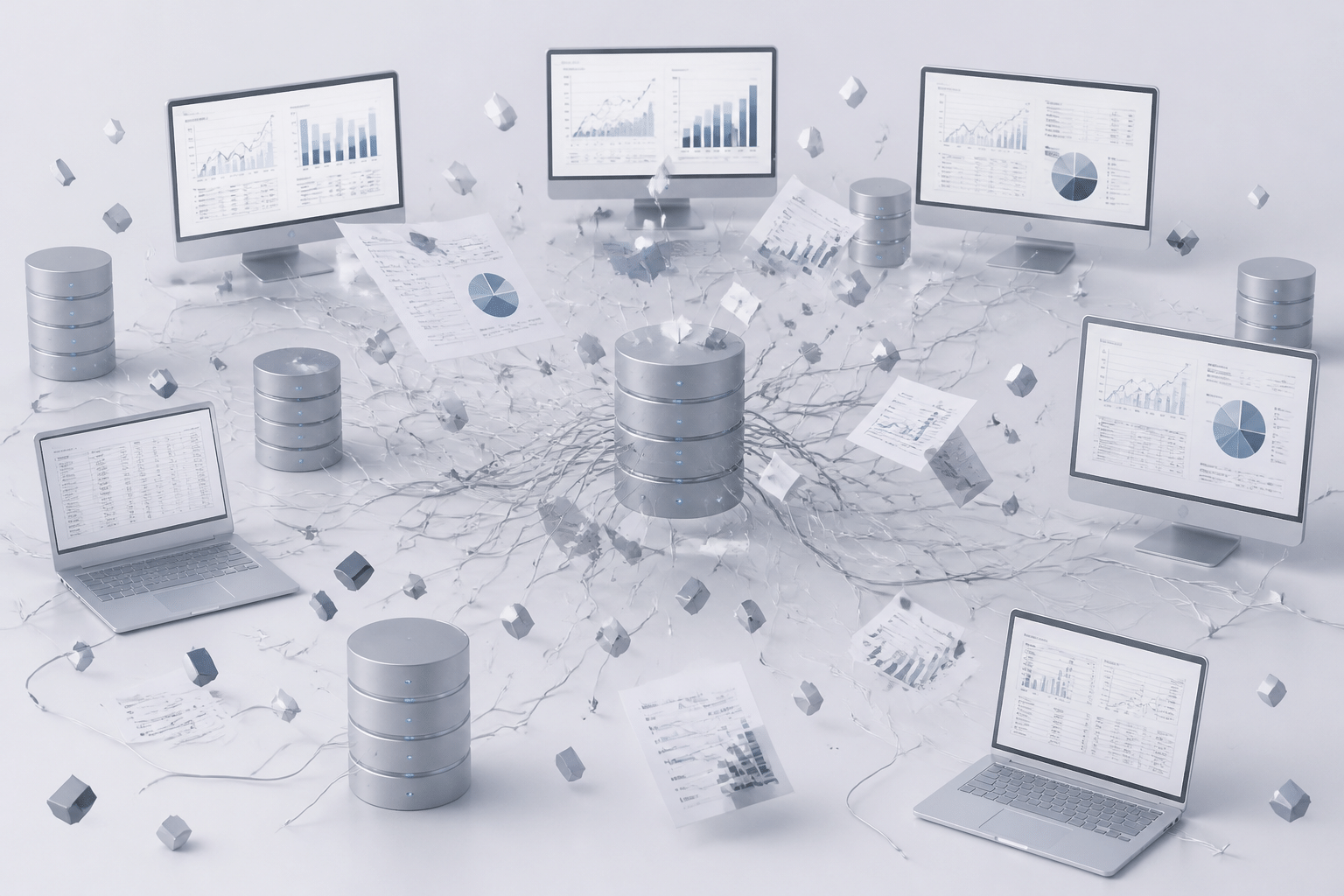
If you're a CTO or IT leader, you probably aren't shocked. You've seen it. Sales keeps customer data in one tool, finance lives in another, and operations runs on a spreadsheet somebody built in 2014. Nobody agrees on the numbers. Every report needs a person to stitch it together by hand.
That's the data silo problem. And it brings friends: duplicate work, slow decisions, and an IT team that spends most of its week keeping old systems alive. Ensono found that 57% of IT leaders said their teams spent most of their time maintaining day-to-day operations. That leaves very little room for new ideas.
Then there's the AI push. Everyone wants it. But 52% of European software CTOs reported trouble fitting AI into legacy architecture weighed down by technical debt. You can't build something smart on top of something scattered.
So here's the shift worth thinking about. Modern enterprise resource planning solutions aren't just software you install. Think of a good ERP as the central nervous system of your business. Finance, supply chain, HR, and customers all feed into one place, and every team sees the same picture at the same time. That's what makes a company agile and data-driven instead of just busy.
This guide walks through the real benefits of ERP systems and how to pick the right partner. We'll look at how erp software companies differ, when custom ERP development makes sense, and what to ask before you sign anything. Let's get into it.
The Real Cost of Disconnected Systems: Beyond the Balance Sheet

Here's the sneaky part. Most of what disconnected systems cost you never shows up as one neat line item. It's spread across budgets, calendars and customer complaints.
The Money Leaks You Don't See
Start with maintenance. One estimate says a mid-sized company often runs 10 to 15 legacy apps, at roughly $40,000 to $55,000 per app each year. Add in labor, integrations, downtime and security work, and the yearly burden can reach $1.5 million to $3.5 million. Treat that as a rough guide, not gospel. Still, it's a lot of money for keeping the lights on.
Then there's the people cost. A 2025 manufacturing data study found teams pulling from four or more source systems spend a median of 8 to 15 hours a week reconciling data. That's up to a third of a work week. Spent copying numbers between tools. (The study is manufacturing only, so your mileage may vary.)
And technical debt? It quietly eats the budget you'd use for anything new.
Security and Compliance Risks CIOs Lose Sleep Over
Older, patched-together stacks are harder to watch. In 2025, Clop attackers exploited an unknown flaw in Oracle E-Business Suite and reportedly stole employee data from dozens of organizations. Finance, HR and supply chain data all sit in apps like that.
Compliance gets messy too. If customer data lives in a CRM, a spreadsheet and three regional databases, how do you answer a deletion request fast? By mid-2025, about 144 countries had data-protection laws covering roughly 80% of the world's population. Scattered data makes every one of those rules harder to follow.
How Data Silos Hurt Decisions and Customers
When sales, finance and operations each hold their own version of the truth, leaders argue about numbers instead of acting on them. Grant Thornton's 2025 survey found only 27% of respondents said their technology was fully aligned with business goals. Slow decisions mean missed openings.
Customers feel it as well. They repeat their story to support because the billing team can't see the order team's notes. Frustrating, right?
Here's how the two setups compare:
Area | Disconnected systems | Unified modern ERP |
|---|---|---|
Data | Many copies, many versions | One shared record |
Reporting | Manual stitching by hand | Same view for every team |
Security | Many entry points to watch | Central access and audit trail |
Customer experience | Repeated questions, delays | Full history in one place |
IT time | Keeping old tools alive | Building what's next |
So what does a fix actually look like? Let's start with the basics of a modern ERP.
Defining the Modern ERP: A Strategic Engine for Digital Transformation
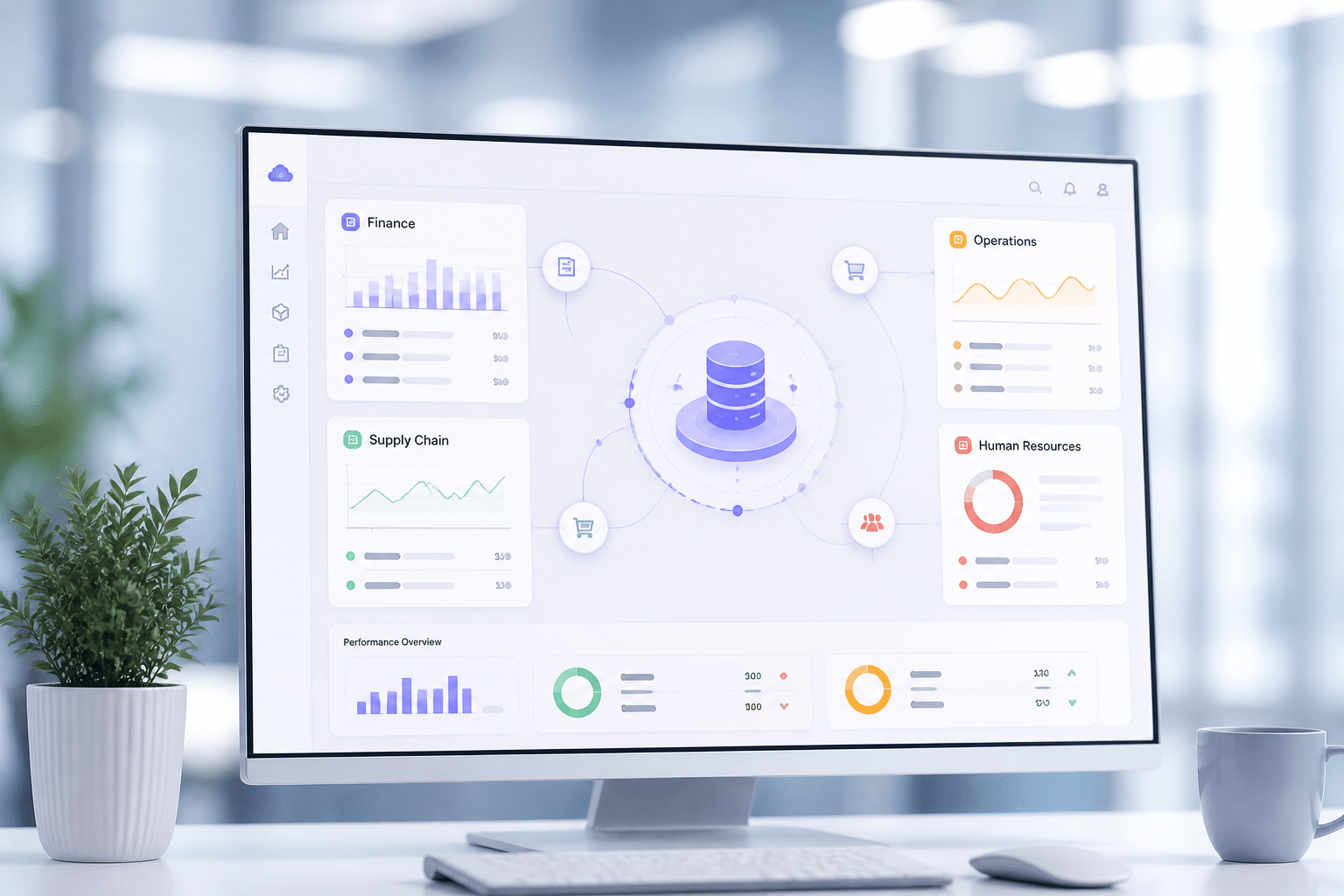
Quick reality check. When some leaders hear "ERP," they picture a giant server room and a go-live date that slipped three times. That's the old version. Today's modern ERP software is a different animal.
Cloud-Native vs. the Old On-Premise Monolith
A traditional on-premise ERP lives on your own hardware. You buy the servers, you patch them, and you wait for the next big upgrade. A cloud-native ERP runs on the vendor's infrastructure, and you log in from anywhere.
Most buyers have already made the switch. One 2025 market estimate put cloud at 54.4% of global ERP software revenue, and other estimates run higher. The numbers don't agree, but the direction does.
Scaling is a big reason why. Cloud systems can add computing power during a holiday rush and release it afterward. An on-premise setup needs hardware sized for your busiest day, even if that's only two weeks a year. (Cloud isn't magic, though. Limits still depend on the vendor and your contract.)
Cost is worth a closer look. Cloud usually isn't cheaper in year one, because migration and training come up front. The savings tend to show up later, in less patching, fewer one-off integrations, and no hardware refresh.
Area | Traditional on-premise ERP | Modern cloud ERP |
|---|---|---|
Cost | Big upfront spend, plus hardware and upkeep | Subscription, with fewer infrastructure costs |
Scalability | Fixed capacity, new hardware to grow | Capacity grows and shrinks with demand |
Implementation | Long projects, heavy customization | Faster starts, phased rollouts |
Access | Office network or VPN | Any device, anywhere |
Innovation | Big upgrades every few years | Regular updates and new features |
AI Is Built In Now, Not Bolted On
Here's the part that's actually pretty cool. Leading platforms like Oracle Fusion Cloud ERP, SAP S/4HANA Cloud and Microsoft Dynamics 365 now build machine learning into everyday work.
In practice, that means:
Spotting odd invoices or payments before they cause trouble
Forecasting demand and flagging low inventory
Matching invoices to orders without a person typing
Predicting cash flow from past transactions
Treat these as capabilities, not promises. Results depend on your data quality and how well the system is set up. Bad data in, bad predictions out.
API-First and Modular: Room to Grow
This one matters most for CTOs. An API-first ERP treats documented interfaces as the main way in and out, not as an afterthought. So your CRM, e-commerce store, payroll and warehouse tools can all talk to the ERP in a clean way.
Modular design adds to that. You switch on what you need, swap out what you don't, and keep custom code outside the core. Upgrades hurt less. And if your process is truly unique, a partner like Buildera can build custom extensions on top, without breaking the foundation.
So what do you actually get from all this? Let's start with the first big win.
Benefit 1: Unify Data for a Single Source of Truth and Superior Insights
Picture this. It's Monday morning, and the CFO says revenue was $4.2 million last month. The sales lead says $4.6 million. Both are right, sort of. They just pulled from different systems.
That's the first thing a good ERP fixes.
One Record, No More Arguments
A modern ERP keeps data in one central database. A customer is entered once. A product price is changed once. Every team, from finance to the warehouse, reads from that same record.
So duplicates fade away. Mismatched spreadsheets stop piling up. And nobody has to ask, "Which version is the real one?" Here's how the picture changes:
Step | Before ERP (siloed) | After ERP (centralized) |
|---|---|---|
Data entry | Same details typed into 3 or 4 tools | Entered once, shared everywhere |
Updates | Changes reach some systems, not others | One change shows up for every team |
Reporting | Someone merges exports by hand | Reports pull from one source |
Trust in numbers | Teams debate whose data is right | Teams act on the same figures |
Audit trail | Scattered across apps | Logged in one place |
From Rearview Mirror to Windshield
Old-style reporting tells you what already happened. Last month's numbers, delivered next week. By then it's too late to do much.
With unified data, dashboards update as work happens. A manager can spot a late shipment, a cash crunch or a dip in orders today, not at month-end. That's the move from reactive reporting to proactive, data-driven decisions.
The speed gains can be real, though they vary. One industry analysis reported a 35% improvement in decision-making speed for companies using ERP platforms with built-in intelligence. And a 2025 study of an AI and automation rollout saw reporting time drop from two days to one. Treat both as reported results, not promises. Your data quality and setup matter a lot.
A 360-Degree View of the Customer
Here's where it gets fun for the growth side of the house. When marketing touchpoints, orders, billing and support history all live together, anyone who talks to a customer sees the full story.
Support knows what the customer bought last spring. Sales sees the open invoice before pitching an upgrade. Marketing stops sending a "welcome" email to a ten-year client. (We've all gotten that one.)
That's the base for real personalization and better retention. Retail teams are already doing it. A 2026 case study from Valuehub shows a membership retailer combining its customer models into a single member profile. I'll be honest, public case studies rarely show a clean lifetime value percentage. But the logic holds: you can't personalize what you can't see.
One source of truth is just the start, though. Next, let's see what happens when that clean data starts moving work along by itself.
Benefit 2: Streamline Operations and Automate Cross-Departmental Workflows
Here's a question. How many times does one order get typed in before it reaches your customer? Twice? Four times? I've seen companies where it's six. Each retyping is a chance for a typo, a delay, or a very awkward phone call.
A modern ERP cuts that down. Once data is clean and shared, the system can move work from one team to the next on its own.
Procure-to-Pay: Fewer Hands, Faster Payments
Procure-to-pay is everything from "we need supplies" to "the vendor got paid." In a patched-together setup, it's emails, paper approvals and a finance clerk hunting for a purchase order.
In a unified ERP, it looks more like this:
Step | What the ERP does | Who used to do it by hand |
|---|---|---|
Requisition | Employee requests an item, approval routes automatically | Manager, via email |
Purchase order | Created from the approved request | Purchasing |
Receipt | Warehouse scan logs what arrived | Warehouse, then finance |
Invoice match | System checks the PO, receipt and invoice (three-way match) | Accounts payable |
Payment | Approved invoices queue for payment | Finance |
The three-way match is the big one. Systems can flag only the odd ones for a person to review, so the team stops checking invoices that already add up. Automating purchasing and invoice matching also helps cut payment errors and repetitive finance work.
Order-to-Cash: Sales, Inventory and Finance in One Flow
Now flip to the revenue side. A customer places an order. The ERP checks stock and credit, then sends the order to the warehouse. When it ships, the invoice is created and posted to finance. Nobody re-enters a thing.
Sales sees live inventory before promising a date. The warehouse sees what's coming. Finance sees the invoice the moment it exists.
The results can be big. The Kirkpatrick Group, a Texas manufacturer, said it cut standard order fulfillment from as much as 30 days to 1 to 3 business days after adopting MRPeasy. That's a vendor case study, so it's company-reported, not independently audited. Still, it shows what happens when production, inventory and orders share a system.
Another story: a furniture maker reported 40% faster order-to-delivery and 75% of manual tasks automated.
Freeing Your Best People for Better Work
Here's the part I like most. Automation isn't really about replacing people. It's about giving them their week back.
Think about your sharpest analyst. If she spends Tuesday matching invoices, she isn't studying supplier risk or building next quarter's forecast. And your IT team? Fewer manual fixes means more time on projects that move the business.
A good starting list for quick wins:
Order entry and routing
Purchase approvals and invoice matching
Inventory reorder alerts
Work orders and shipping paperwork
Pick the workflows with lots of volume and lots of handoffs. Measure cycle time before you start, so you can prove the gain later.
And if your process doesn't fit a standard workflow, a partner like Buildera can build custom automation around it. Of course, speed today is only half the story. Next, let's talk about what happens when the business needs to grow.
Benefit 3: Build for the Future with Unmatched Scalability and Agility
I've watched this scene play out more than once. A company opens a second warehouse, and the old system starts to groan. New logins, new tax rules, new reports, all taped on. Six months later, someone says the dreaded words: "We need to replace everything."
A scalable ERP is built to dodge that moment.
Grow Without Ripping Everything Out
New location? Add it as another business unit in the same system. New market? Switch on the local currency, tax rules and language. More orders? Cloud capacity stretches to fit. The core stays put.
That's a big reason buyers are moving this way. In retail, cloud ERP made up about 58% of the market in 2025, helped along by elastic computing and automatic updates. One caution, though. Real limits depend on the vendor's design and your contract, so ask for specifics before you sign.
A Platform for New Technology
Because modern ERP software is API-first, new tools plug in instead of forcing a rebuild. Here's what that looks like for a few future-ready integrations:
Integration | What it adds to your ERP | Where it helps first |
|---|---|---|
AI and machine learning | Forecasts, anomaly alerts, smarter service replies | Finance, demand planning, support |
IoT sensors | Live location and condition data on goods and machines | Supply chain, warehouse, maintenance |
Blockchain | A shared, tamper-evident record between companies | Supplier proof, intercompany records |
Blockchain is the most selective of the three. It only makes sense when several organizations need to trust the same record. IoT and AI are easier to justify today.
Even further out, Deloitte has mapped four possible quantum computing futures through 2030. Nobody knows which one wins. A flexible ERP just means you won't be locked out of whatever shows up.
Mergers and Acquisitions Without the Headache
Buying a company is hard enough. Then comes the fun part: they run a different ERP, with a different chart of accounts and their own customer list.
With a flexible setup, you can often connect the new company through APIs first. Their team keeps working. Meanwhile, leadership gets combined reporting early, instead of waiting for a full migration. Then you move processes over in phases, one at a time. (It's rarely quite that smooth, but it beats a big-bang cutover.)
If the acquired company runs something truly old, legacy system modernization may come first. That's where a partner like Buildera can build bridges between old and new.
Scalability sounds great on paper. But how you set it up, off the shelf or custom, shapes everything that follows.
The Implementation Dilemma: Off-the-Shelf vs. Custom ERP Development

Here's the question I hear most from CTOs. "Do we buy it, or do we build it?" Honestly, it's the wrong question. Or at least, it's only half of one. Let's look at all three paths.
Off-the-Shelf ERP: Fast Start, Some Compromises
An off-the-shelf (OTS) ERP is a ready-made platform. Think NetSuite, SAP, Microsoft Dynamics 365. You configure it, load your data, and go.
The upside is pretty clear. Deployment is faster. The first-year bill is usually lower. And the vendor handles updates, security patches and new features. For standard work like finance, purchasing and inventory, that's hard to beat.
The catch? Rigid workflows. The software has its own idea of how an order should move, and sometimes your business doesn't agree. Teams end up building spreadsheet workarounds around the system. That's the very silo problem you were trying to escape.
Cost-wise, SaaS tends to win on paper. One planning estimate puts a mid-sized company's five-year SaaS ERP cost at under $260,000 in one guide, though wider mid-market ranges run much higher once you add modules and integrations. Treat it as a rough guide, not a quote.
Full Custom ERP Development: Perfect Fit, Heavy Price
Custom ERP development means building the system around your exact processes. Nothing extra. Nothing missing.
When does that make sense? Usually when a process is the reason customers pick you. Maybe it's a one-of-a-kind pricing model, a tricky regulated workflow, or a production method nobody else uses. In that case, a standard tool can flatten your edge.
But the risks are real:
Higher upfront cost and a longer timeline
You own every bug, every security fix and every upgrade
Key developers leave, and knowledge walks out with them
Scope creep (it always shows up eventually)
One estimate for a mid-sized manufacturer puts a custom build at about $490,000 to $1.2 million over five years, including a first-year build and yearly upkeep. Maintenance alone is often quoted at 15% to 20% of the initial build cost every year. So ask yourself: is this process truly unique, or are we just used to doing it our way?
The Hybrid Path: Buy the Base, Build the Edge
Here's where most mid-sized companies land, and I think it's the smartest move.
Pick a solid OTS platform for the common stuff. Then bring in a skilled partner to build custom modules and integrations only where they give you a real advantage. Because modern platforms are API-first, those extensions sit outside the core. Upgrades stay smooth, and your special sauce stays special.
This is also how legacy system modernization often works in practice. You don't toss everything. You keep what works, replace what doesn't, and connect the rest. Buildera does this kind of work, building custom modules, integrations and automation around established ERP platforms.
Here's how the three options stack up:
Factor | Off-the-shelf ERP | Full custom ERP | Hybrid strategy |
|---|---|---|---|
Cost | Lowest upfront, steady subscription | Highest upfront, plus 15% to 20% yearly upkeep | Moderate, with spend focused on key modules |
Timeline | Weeks to months | Often a year or more | Months, delivered in phases |
Flexibility | Limited to what the vendor allows | Total control | High, where it counts |
Competitive advantage | Low, since rivals use the same tool | Highest, if the process is truly unique | High, built into the few areas that matter |
So how do you find the right partner for whichever path you pick? That's up next.
Choosing Your Partner: How to Evaluate ERP Software Companies
Here's something vendors rarely say out loud. You can buy a great platform and still watch the project go sideways. Usually the cause isn't the code. It's the people running the rollout.
One 2026 synthesis of ERP post-mortems tied scope creep to about 40% of timeline overruns, and understaffed teams to 38% of budget overruns. Those are secondary-source numbers, so treat them as a rough guide. But the pattern is easy to spot. Software rarely fails alone.
So the partner is as big a deal as the product. Maybe bigger.
What to Look For First
Three things matter most when you compare ERP software companies and ERP consulting firms.
Industry know-how. A team that has done distribution work already knows your lot-tracking headaches. A team that hasn't will learn on your dime. Ask for references from companies your size, in your field.
Real legacy system modernization skills. Most mid-sized companies aren't starting clean. You've got old apps, odd databases and a few spreadsheets nobody dares touch. Ask how they'd connect those systems, migrate data and phase the cutover. If the answer is "we'll wipe it all and start over," keep looking.
A transparent way of working. You want short build cycles, regular demos and a written change-order process. Plus, ask who exactly will be on your project. Naming consultants and a replacement plan up front protects you if people rotate off.
Strategic Partner or License Reseller?
This part trips up a lot of buyers. Some firms mostly sell licenses. Once you sign, the relationship cools off fast.
A true partner behaves differently. They question your requirements before quoting. They'll tell you when a standard workflow beats a custom one (that's honest advice, and it costs them revenue). And they're still around at month 14, helping you tune reports, add integrations and plan the next release.
A simple test: ask what support looks like six months after go-live. If the answer is vague, you've learned something. Firms like Buildera, which handle custom builds, integrations and modernization together, tend to stay involved long after launch because the work doesn't stop at go-live.
Your 10-Point Checklist for Evaluating ERP Implementation Partners
Use this as a scorecard. Rate each point from 1 to 5 for every firm you meet.
# | Check | What a good answer sounds like |
|---|---|---|
1 | Industry experience | Named clients in your field and size range |
2 | Team commitment | Named staff, set time commitments, a backup plan |
3 | Legacy modernization | A clear plan to connect or retire old systems |
4 | Integration approach | Documented APIs, an owner for each connection |
5 | Data migration | Test migrations, cleanup roles, sign-off steps |
6 | Method and visibility | Demos, backlog and decision log you can see |
7 | Scope control | Written change-order rules and price limits |
8 | Change management | A training plan and a named adoption lead |
9 | Business results | Baseline numbers and agreed targets, not just a go-live date |
10 | Support after launch | Clear response times, hypercare, ongoing consulting |
Anything under a 3 on points 3, 7 or 10? Pause. Those are the gaps that hurt later.
Once you've picked well, the real payoff starts after go-live.
From Operational Tool to Strategic Asset: Your Next Steps
Let's pull it together. A modern ERP isn't just a place to store records. It's how a company starts acting like one team.
Unified data ends the "whose number is right?" fights. Streamlined workflows give your best people their week back. And a flexible, cloud-ready setup means you can add a location, a market or a new tool without starting over.
But here's the thing. The software alone won't get you there. The projects that pay off usually pair a solid platform with a partner who knows your industry, respects your old systems and sticks around after go-live. Both pieces matter. Pick one and skimp on the other, and you'll feel it.
So what should you do this week? Keep it small:
List the 10 or so systems your teams rely on, and mark which ones don't talk to each other
Pick two or three workflows with lots of handoffs, like order entry or invoice matching
Write down today's cycle times, so you can prove the gain later
Score two or three partners with the 10-point checklist above
Not sure where to start? That's normal. A short conversation with the right team can save months of guessing.
Buildera works with CTOs and IT directors on custom builds, integrations and legacy system modernization around established ERP platforms. They'll look at what you've got, tell you what to keep, and sketch a plan that fits your business.
Your systems should be pushing growth forward. Let's make that happen.
Ready to build software that actually works for your business?
Free discovery call · 15 minutes · No obligation