
Introduction: Why Quality Assurance is a Core Pillar of Modern Software Engineering
You know that moment when a small bug slips live, and suddenly everyone is staring at the screen like it betrayed them? Yeah. We’ve all been there.
Here’s the part that surprises a lot of people: fixing a bug after release can cost way more than catching it early. In one widely cited cost-of-defect breakdown, a bug that costs about $1 to fix during design can jump to $10 during development, around $1,500 in testing, and $10,000 or more after release. That’s a giant gap. And poor software quality costs the U.S. a lot more than pocket change too, with CISQ estimating it at $2.41 trillion a year. Wild, right?
So no, testing is not just a side task for “the QA team.” It’s part of software engineering. Real engineering.
In this article, we’ll look at how software testing and quality assurance fit into the software development lifecycle, why code quality matters so much, and how software engineers can use testing methodologies, automated testing, and DevOps principles to build software people can trust. We’ll also touch on testing frameworks, useful metrics, and the software developer skills that help teams ship better work without the usual chaos.

1. Defining the Landscape: Software Testing vs. Quality Assurance (QA)
A team can ship fast and still ship messy. I’ve seen it happen. The app looks fine on Monday, then a tiny payment bug shows up on Wednesday and everyone suddenly becomes very interested in logs.
So let’s clear up a mix-up I see all the time in software engineering. Testing and QA are not the same thing.
Software testing is the act of looking for bugs. You run checks, poke at the app, and see where it breaks. The ISTQB says testing is the process of evaluating a system to find differences between what you got and what you wanted, plus checking what the system can do.
Quality assurance is broader. QA is about stopping defects before they show up in the first place. It looks at the process, the habits, the standards, and the way the team builds software. Testing helps you spot problems. QA helps you avoid them.
That difference matters a lot in software engineering. This is not just a job for “the testers.” Developers, product folks, and DevOps teams all play a part. If the code is written badly, tested late, and released with shaky checks, the whole team feels it. Not just one role.
Here’s a simple way to think about it:
Area | Main job | Example |
Testing | Find bugs | Running unit tests, checking a checkout flow, or clicking through a login page |
QA | Prevent bugs | Writing better requirements, adding code reviews, using standards, and improving the build process |
And then there’s the cost part. That’s where things get real. A bug that costs about $1 to catch during design can jump to about $10 during development, around $1,500 in testing, and $10,000 or more after release. That’s not a small bump. That’s a whole different bill. Studies on poor software quality also put the U.S. cost at $2.41 trillion a year, which is honestly hard to even picture without feeling a little sick.
The lesson is pretty plain. Good QA and early testing cost time upfront, but late fixes cost way more time, money, and trust.
So when people ask, “Do we really need all this testing?” the better question is, “Do we want to pay now, or pay way more later?”
And if your team is dealing with messy releases, weak code quality, or a pile of technical debt, Buildera can help with software engineering, modern QA planning, and application modernization that fits real business goals. Because nobody wants to clean up the same bug twice.
2. The Testing Pyramid: A Software Engineer's Blueprint for a Smart Testing Strategy
Ever had a test suite that felt like a house of cards? One tiny UI change, and suddenly half your checks fall over. Painful. And very familiar.
That’s why the Testing Pyramid still shows up in so many software engineering chats. Mike Cohn introduced it in Succeeding with Agile, and the basic idea is simple: keep most of your tests at the bottom, where they run fast and give clear answers.
Here’s the usual shape:
Layer | What it checks | How many you want |
Unit tests | One small piece of code | Most of them |
Integration tests | How parts work together | Some |
End-to-End tests | Full user flows in the UI | A few |
Unit tests should make up the biggest slice, usually around 70%. Why? Because they’re fast, cheap, and easy to debug. If a function fails, you know where to look. No guessing. No clicking through six screens just to find one broken line of code.
That’s why developers should write them. It’s part of good code quality, and honestly, it fits right into daily software development lifecycle work. A solid unit test can catch a bug before lunch. An E2E test might take minutes and break for weird reasons like a timing issue or a changed button label. Fussy little things.
Integration tests sit in the middle. They check whether services, APIs, or modules play nicely together. Great for checkout flows, login systems, and payment steps. But they cost more to run and can be harder to set up, so you don’t want a million of them.
Then at the top, you’ve got end-to-end or UI tests. These are useful for big user journeys. Think “add to cart,” “book a flight,” or “submit a loan app.” They matter a lot. But they’re slower and more brittle, so teams usually keep these to a smaller set.
And yes, the pyramid is a guide, not a law. Some teams use the Testing Trophy, and microservice-heavy teams sometimes lean harder on integration checks. But the main lesson stays the same: don’t build a giant stack of flaky UI tests and call it a strategy.
That’s the trap. The ice cream cone looks fun. It’s also a mess.
If your team is working on automation, CI/CD, or modern QA planning, Buildera can help shape a test strategy that fits real engineering needs instead of creating more noise. Because the best test suite is the one your team actually trusts.

3. Essential Testing Types Every Developer Must Know
Some bugs are loud. Others just sit there, looking harmless, until a customer tries to pay and the whole thing falls apart. Annoying? Yep. Avoidable? Usually, yes.
If you work in software engineering, it helps to know the main testing types and what each one is for. Not because you need to do all of them yourself every time, but because you should know which tool fits the job.
The core functional tests
Unit testing checks one small piece of code at a time. A function. A method. A tiny rule. Developers usually write these tests because they know the code best. Unit tests are fast, simple, and great for catching broken logic early.
Integration testing checks how parts work together. Maybe your app talks to an API, a database, or a payment service. This is where you find out if those pieces actually play nice. Spoiler: they don’t always.
System testing looks at the full app as one whole system. It asks, “Does the thing work like a real user expects?” This is where you test the full flow, from login to checkout to confirmation email.
User Acceptance Testing, or UAT, is the last check before release. Real users, product folks, or business teams try the software and see if it matches what they asked for. If they say, “Wait, this is not what we meant,” well... that’s a very costly moment to have.
Quick view
Test type | What it checks | Who often runs it |
Unit testing | One small code piece | Developers |
Integration testing | How parts work together | Developers, QA |
System testing | The full app | QA, testers |
UAT | Business needs and user needs | Product teams, business users |
Non-functional tests people skip too often
And this is where teams get burned.
Performance testing checks speed and stability. Load testing sees how the app handles normal heavy traffic. Stress testing pushes it past the limit. If your app falls over when 2,000 people show up, you want to know that before launch day, not during a big sale.
Security testing looks for weak spots. Think bad login rules, open doors in APIs, or risky code paths. The 2023 MOVEit breach is a good reminder that missed security checks can turn into very real damage.
Usability testing asks a simple question: can people actually use this thing without getting frustrated? If your checkout flow takes six steps and three confusing buttons, people will leave. Probably without telling you why.
White-box, black-box, and grey-box
Now, here’s the part that sounds fancier than it is.
White-box testing means the tester can see the code. Developers usually do this kind of work. It fits well with unit tests and code-aware checks.
Black-box testing means you test the software without looking at the code. You just care about inputs and outputs. QA teams often use this approach.
Grey-box testing sits in the middle. You know some system details, but not all the code. It’s handy for integration work and end-to-end checks.
Honestly, good software engineering uses a mix of all three. The best teams don’t argue about one perfect test style. They match the test to the risk.
If your team is building new features, modernizing old systems, or trying to tighten up quality assurance, Buildera can help shape a testing approach that fits your software development lifecycle without slowing the team down. And if you’re still unsure where to start, start with the riskiest part of the app. That’s usually where the truth is hiding.
4. The Rise of Automated Testing in Modern Software Engineering
You know that feeling when a release goes out clean, and nobody pings you at 9:07 p.m. saying, “Uh... the checkout button is gone”? That quiet is nice. Really nice.
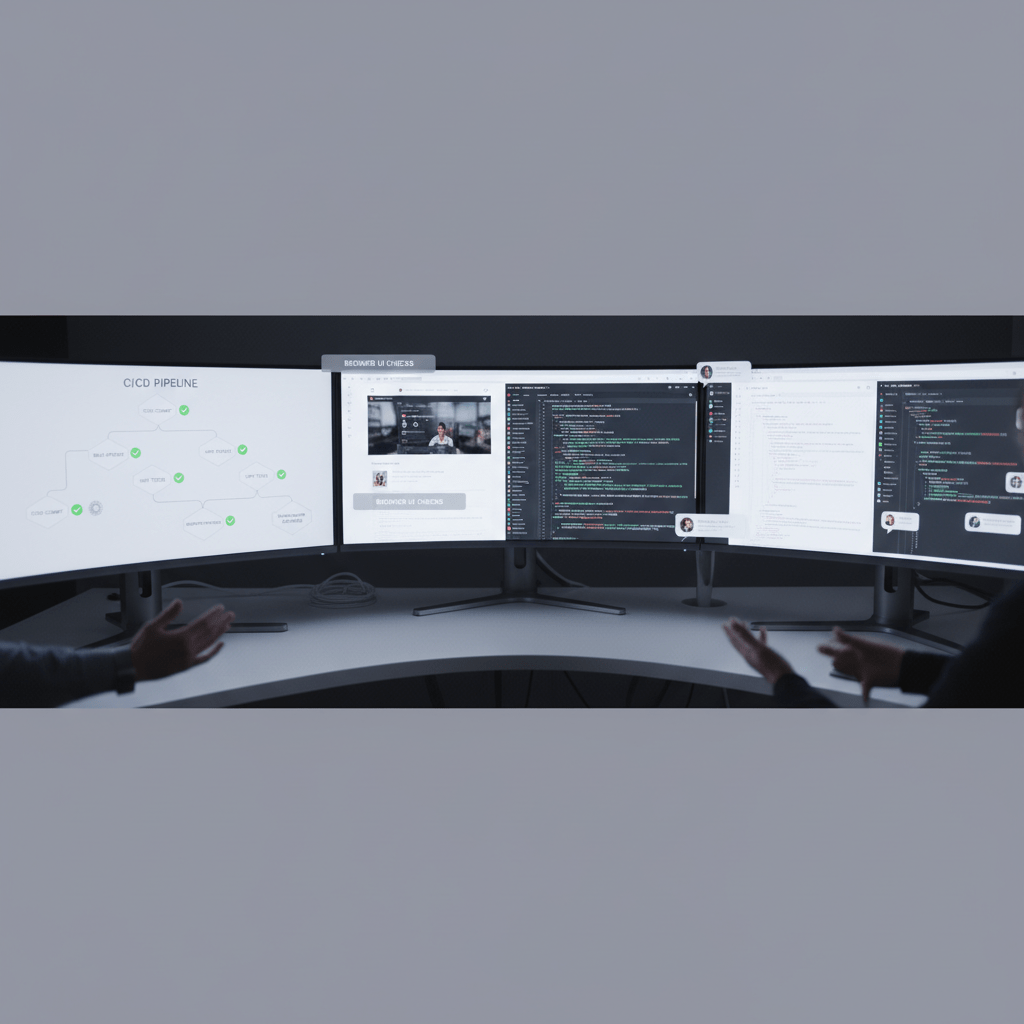
That’s one big reason automated testing keeps growing in software engineering. It fits right into CI/CD pipelines and DevOps principles, where code gets checked again and again before it reaches users. So instead of hoping a person remembers every step, the pipeline does a lot of the heavy lifting. Faster releases. Fewer surprises. Less panic coffee.
A lot of teams are already there, at least partly. The World Quality Report 2023-24 says 59% of organizations have adopted test automation in some way, and CI/CD support is a top reason they do it.
What should you automate first?
Not everything. Please, not everything.
The best place to start is with work that repeats a lot and breaks in the same way over and over. Think:
Login flows
Checkout paths
Form validation
Core APIs
Regression suites
Smoke tests after a deploy
These are the spots where automated testing pays off fast. If a test runs every day, or every commit, or every time you touch the codebase, that’s a good candidate. If it’s changing every week and nobody agrees on what “done” looks like, maybe keep it manual for now.
Here’s a simple rule I like:
Good to automate | Better to keep manual for now |
Repetitive checks | One-off odd cases |
Critical user paths | Brand-new flows still changing a lot |
Regression tests | Exploratory testing |
Stable APIs | Tests with messy, changing UI |
Build and deploy checks | Human judgment calls |
That last one matters. Automation is great at saying, “This worked” or “This broke.” It’s not great at saying, “This feels weird to use.” Humans still beat scripts there.
Automation does not replace people
This myth keeps hanging around, and it’s just not true.
Automated testing does not replace manual testing. It frees people up. That’s the real win. Once the repeatable stuff is covered, QA engineers and software developers can spend more time on exploratory testing, edge cases, weird user behavior, and the stuff a script would never think to ask.
And honestly, that’s where human testers shine. They notice the awkward wording. The button that looks clickable but isn’t. The flow that technically works but still feels clunky. A robot won’t raise an eyebrow. We will.
A few tools people reach for
Teams don’t all use the same testing frameworks, and that’s fine. Selenium is still widely used. Playwright and Cypress are growing fast for modern web apps, mostly because setup and browser support can be pretty friendly for developers. The best choice usually depends on your stack, your team’s skills, and how much pain you’re willing to tolerate on a Tuesday afternoon.
If your team is trying to move faster without breaking things, Buildera can help set up automated testing, CI/CD workflows, and software engineering practices that match your product instead of forcing your product to fit the tool.
The short version? Automate the repeatable stuff. Keep humans on the tricky stuff. That’s how software engineering gets faster without getting sloppy.
5. Essential Testing Frameworks and Tools for Your Stack
Ever opened a project and thought, “Okay... who picked these tools?” You’re not alone. Most teams don’t need every framework on earth. They need the right ones for their stack, their speed, and their sanity.
Let’s keep this simple. If you work in software engineering, the testing tools you choose should match the job. A Java team won’t usually reach for the same unit testing setup as a Python team. And a front-end crew shipping web apps all week has different needs than a team testing APIs and background jobs.
Unit testing frameworks by language
Here are a few of the usual picks:
Language | Common unit test tools | Best for |
Java | JUnit, TestNG | Core logic, service classes, and old or new enterprise apps |
Python | PyTest, unittest | Fast checks, clean syntax, and test growth over time |
JavaScript | Jest, Mocha | Web apps, front-end code, and Node projects |
Jest is a big favorite in JavaScript work because it’s simple to set up and plays nicely with modern app code. PyTest is loved in Python teams for the same reason. Less fuss. More test writing. And JUnit is still a rock for Java teams that need a dependable base.
API and end-to-end tools
Now for the stuff that tests how the whole thing behaves.
Postman works well for API checks and quick request testing
Selenium is still a common choice for browser automation
Cypress is popular with front-end teams that want a friendlier feel
Playwright has become a strong pick for modern web apps because it handles multiple browsers well and waits more cleanly for page actions
If you’ve ever watched a flaky UI test fail because a button took half a second too long to show up, you already know why tool choice matters. That tiny delay can turn into a giant headache.
A fuller stack, not just the shiny parts
Good software testing methodologies also cover performance and security. That means looking at the stress points, not just the happy path.
JMeter helps with load and performance testing
OWASP ZAP is a handy security testing tool for finding common web app risks
These two don’t get as much hype as UI tools, but they matter a lot. A fast app that breaks under pressure is still a broken app. And a pretty login page with weak security? No thanks.
So which one should you pick?
Honestly, the best testing frameworks are the ones your team will keep using. Not the trendiest ones. Not the ones that sound clever in a slide deck.
Pick based on:
Your language
Your team’s skill level
How much automation you need
How stable your app is
How well the tool fits your DevOps principles and CI/CD flow
If your team is updating old systems, building new products, or trying to clean up code quality, Buildera can help you choose testing frameworks and software development lifecycle practices that fit real business needs. Because the right tool should save time, not make Tuesday worse.
And if you’re not sure where to start, start small. One unit test. One API check. One clean build step. That’s how better quality usually begins.
6. Shifting Left: Integrating Quality into the Entire Software Development Lifecycle
You know that sinking feeling when a bug gets found at the very end, after everyone has already moved on? Yeah, that one sticks.
That’s why shift left makes so much sense in software engineering. The idea is simple. Don’t wait until the finish line to check quality. Start earlier. Way earlier. Catch problems while the code is still fresh, the context is still in your head, and fixing it won’t turn into a mini disaster.
The money side is hard to ignore too. Poor software quality costs the U.S. $2.41 trillion a year, and technical debt makes up $1.52 trillion of that. Plus, the longer a bug waits around, the more it tends to cost. A defect found during development might cost about $10 to fix, but after release it can jump to $10,000 or more. That gap is wild. CISQ’s cost of poor software quality report says a lot without saying much at all.
So what does shift left look like in real life?
It means quality assurance shows up early in the software development lifecycle, not just after the code is “done.” It also means developers take more ownership. Think test-driven development, or TDD, where you write the test first, then the code. And BDD, or behavior-driven development, where you write around how the software should act in plain language. Both help teams think before they build. Nice change, honestly.
Here are a few proactive quality habits that fit right in:
Practice | What it does | Why it helps |
TDD | Write tests before code | Catches design issues early |
BDD | Focus on user behavior | Keeps teams aligned on what “done” means |
Code reviews | Another set of eyes checks the work | Spots bugs, gaps, and odd logic |
Linters and static analysis | Scan code for problems before merge | Finds messy code and common mistakes fast |
Pair programming | Two people build together | Reduces slip-ups and shares knowledge |
Code reviews are a big deal here. So are linters like ESLint, Pylint, and SonarQube. They’re not flashy, but they save time. And pair programming can feel slow at first, then suddenly it clicks. One person catches what the other misses. That’s just human nature.
Actually, wait, there’s a better way to say it: quality doesn’t belong at the end of the line. It belongs in the line.
This is where Buildera can help teams that want stronger software engineering habits without piling on more chaos. If your group is modernizing old systems, adding automated testing, or trying to clean up code quality before the next release, a shift-left approach usually fits right into that work.
And if you want one simple rule to keep in mind, it’s this: the earlier you find the bug, the cheaper and calmer your week tends to be. Pretty good deal.

Conclusion: Building Your Legacy as a Quality-Driven Software Engineer
Here’s the thing. Great software engineering and quality go hand in hand. You can write fast code, ship often, and still end up with a shaky product if testing and quality assurance are left for “someone else.” That split never really works out for long.
Testing is not just a QA job. It’s a shared job. And it starts with you, the developer, the moment you write the first line. Good code quality, smart software testing methodologies, and steady habits inside the software development lifecycle are what help teams build software people trust.
If you want a few simple moves you can use right now, start here:
Write a unit test for your next function. Just one. Keep it small and clear.
Ask for a linter in your team’s CI pipeline. Tools like ESLint, Pylint, or SonarQube can catch silly mistakes before they spread.
Read one TDD book this month. Test Driven Development: By Example by Kent Beck is a strong place to begin, and it may change how you think about software engineering.
And if you want to go a step farther, look at your own release flow. Where do bugs slip through? Where does manual work pile up? That’s usually the spot where better automated testing, stronger DevOps principles, or a little help from Buildera can make the biggest difference.
Build with care. Test early. Stay curious. That’s how you leave a mark that lasts.