
Introduction: The ERP Paradox - A Powerful Tool Fraught with Implementation Risk
Key Statistic: Roughly 55% to 75% of ERP projects fail to meet their stated goals, and 58% of them blow past their budgets.
That number should make any CTO pause. Maybe even wince.
Those figures come from Gartner-based industry reporting and Panorama's 2025 data. The exact percentages shift depending on who's counting and how they define "failure." But the pattern holds. Most teams that sign off on a big ERP project are taking a real gamble.
Here's the weird part, though. Nobody doubts the payoff. A well-run ERP rollout can pull scattered spreadsheets and old systems into one place. It speeds up reporting, cuts manual work, and gives leaders numbers they can actually trust. That's why companies keep signing up, even knowing the odds.
So what's going wrong?
I've looked at a lot of post-mortems for this guide, and the software itself rarely takes the blame. The trouble usually shows up in messy data, fuzzy scope, unhappy users, and teams that had never done this before. In other words, people and process problems. Not product problems.
That's the thesis of this article: your ERP's success depends less on which platform you pick and more on who guides you through the rollout. If you're comparing ERP software companies right now, the demo is only half the story. The team behind the demo matters just as much, and probably more.
Next, we'll walk through the four biggest challenges that sink projects, starting with the one that quietly begins before any code is written.
Challenge #1: Misaligned Strategy and Vague Scope Definition

Picture the kickoff meeting. Everyone's smiling. The goal on the slide says "modernize our operations." Sounds great, right? It also means almost nothing.
Goals You Can't Measure Are Goals You Can't Hit
Here's the deal. If nobody can say what "success" looks like in numbers, nobody can tell when the project drifts. A real goal sounds like "cut inventory holding costs by 15%" or "close the books in 5 days instead of 12." Those you can test. Those you can build toward.
Without them, teams pick features because they look cool in a demo. Then the ERP gets judged on gut feeling, and gut feeling is a terrible scorecard.
How Scope Creep Feeds on Fuzzy Plans
When the goal is vague, every request sounds reasonable. "Can we just add one more report?" Sure. "What about a custom approval step for the Texas office?" Why not. Each little yes feels harmless. Together they wreck the schedule.
I went looking for a solid number on how often scope creep hits ERP projects. I couldn't find a trustworthy 2025 or 2026 figure, so I won't make one up. But the pattern is easy to spot, and every CTO has lived some version of it.
Step | What happens | What it costs you |
|---|---|---|
1. Vague goals | No clear line for what's in or out | Everyone guesses |
2. Added features | Departments ask for "just one more" thing | More build and testing work |
3. Budget overruns | Extra work needs extra money | Finance gets nervous fast |
4. Timeline delays | Deadlines slip, rushed fixes pile up | Go-live gets pushed or rushed |
5. Pressure to cut corners | Testing and training get squeezed | Back to step 1 with new mess |
See how it loops? That's the vicious part.
When Key Teams Get Left Out
Thin requirements gathering is the quiet cousin of scope creep. Finance gets heard. The warehouse doesn't. Then the system goes live and the people who ship the product can't do their jobs.
Hershey's Enterprise 21 project is the classic horror story. Rushed timelines, light testing, and a launch right before Halloween meant retailers couldn't get candy that was sitting in warehouses. Third-quarter sales dropped 12.4%. Ouch.
So what does good discovery look like? A practical ERP project plan guide suggests writing down what's out of scope, setting decision gates, and naming who's responsible for each piece. Also map real processes across departments, rank the must-haves, and get a formal change-control process in place before work starts.
That's boring work. It's also the cheapest insurance you'll ever buy.
But even a perfect plan can stumble on the next problem, and it's a messy one: your data.
Challenge #2: The Technical Debt of Data Migration and Integration

You know that closet where everything gets shoved "just for now"? Legacy data is that closet, only bigger, and with compliance rules attached. Moving it into a shiny new ERP is where a lot of projects quietly start to wobble.
The Mess Hiding in Your Old Systems
Legacy data piles up for years. Nobody cleans it because nobody has to, until migration day.
The usual suspects are pretty predictable:
Duplicate customer and vendor records (one 2026 migration guide puts duplicates at 8% to 20% of customer records)
Missing tax IDs, addresses, and payment terms
Products measured in "each" in one system and "case" in another
Different codes for the same warehouse or cost center
Dead customers and discontinued products that get migrated anyway
A 2025 study on moving to Oracle Cloud ERP names data quality as the top migration challenge. That fits what I keep seeing in post-mortems. The software worked fine. The data didn't.
So the fix is three steps, in this order: cleanse, map, validate. Clean out the junk first. Then map each old field to its new home. Then test the loaded data against real numbers, like open invoices and inventory counts.
Big Bang or Phased? Pick Your Risk
There are two main ways to cut over. Think of it as a flowchart with two paths.
Big Bang | Phased | |
|---|---|---|
Path | Cleanse, map, test, then switch everything on one date | Cleanse, map, test, switch one module or region, learn, repeat |
Speed | Faster if it works | Slower overall |
Cost | Usually cheaper when successful | Usually costs more (temporary links between old and new) |
Risk | All eggs in one basket, hard to roll back | Problems stay small and contained |
Best for | Smaller teams with clean data and few customizations | Multi-entity or heavily customized setups |
This matches an ERP migration planning guide that calls Big Bang faster and cheaper when it succeeds, but risky because everything rides on one cutover. Remember Hershey? That was a big bang.
And don't treat migration as a small side task. A 2026 estimate suggests roughly 4 to 8 weeks of dedicated migration work for a mid-market rollout, and it often eats a real chunk of the budget.
The Integration Spider Web
OK, say your data is spotless. Now the ERP has to talk to your CRM, your supply chain tools, your ecommerce store, and that custom app Dave built in 2014.
Do this badly and you get data silos, just with a fancier logo. Sales sees one customer record. Finance sees another. Nobody trusts either.
Most modern teams use API-led integration and middleware tools like MuleSoft, Boomi, or Apache Camel. Instead of wiring every system to every other system, you connect them through clean, supported interfaces. It's easier to upgrade later, too.
Security and Compliance Don't Pause for Migration
Here's the part CTOs lose sleep over. During migration, sensitive data is copied, moved, and transformed, often through temporary files and test environments. Payroll, patient records, and payment details all travel along.
So plan for it up front:
Mask or scramble real data in test environments
Limit who can touch migration files
Keep an audit trail of every change
Check retention and privacy rules before deciding what to move
This is also where legacy system modernization experience pays off. Teams like Buildera, who build and modernize custom systems every day, tend to spot risky data paths early.
But even clean data and tidy integrations can't save a system nobody wants to use. That's next.
Challenge #3: Overcoming Organizational Resistance and Ensuring User Adoption

You can build a flawless system and still lose. Picture it: go-live day, the dashboards are gorgeous, and your accounts team quietly opens a spreadsheet instead.
That's the people problem. It's the one nobody puts on the project plan.
Why Smart People Dodge the New System
Look, I get it. Folks have spent years building routines that work for them. The old clunky tool? They know every trick. The new ERP asks them to start over, and it feels like a pop quiz with their job on the line.
So they resist. Not out of spite. Out of habit and worry.
The numbers back this up. One 2026 summary of ERP failures points to weak change management and poor user adoption as a leading cause, tied to about 42% of failed projects. That's bigger than most technical issues. A system can be technically perfect and still deliver nothing if people refuse to use it.
Thin Training and the Slide Back to Spreadsheets
Here's a pattern I keep seeing. Training gets squeezed into the last two weeks. Everyone sits through one generic demo. Then go-live hits, support goes quiet, and people drift back to what's familiar.
It shows up in the data, too. One 2025 statistics roundup reports that only 26% of employees actively use their ERP system on average. Let that sink in. Technical go-live isn't the same as business value.
But it doesn't have to go that way. A Prosci case study from MSD prepared 253 end users with structured practice before launch and hit more than 95% adoption in the first month. The team had projected 80%. Practice before go-live clearly pays off.
Executives Have to Show Up (Really Show Up)
A sponsor who signs the check and vanishes isn't a sponsor. People watch leadership closely. If the CFO still asks for old reports, everyone else will too.
Good sponsorship looks like this:
Explaining the "why" in plain words, more than once
Showing up at demos and training kickoffs
Clearing roadblocks fast when departments clash
Giving managers the tools to coach their own teams
Plus, stakeholder management isn't a one-time email. It means listening to the warehouse, finance, sales, and support, then showing them how their feedback changed the plan. Prosci's ERP change management guidance pairs this with the ADKAR model (Awareness, Desire, Knowledge, Ability, Reinforcement), which gives you a simple way to check where each team is stuck.
Your Change Management Pre-Flight Checklist for ERP Implementation
Run through this before anyone touches a go-live date.
Check | What it looks like in practice |
|---|---|
Name an executive sponsor | One senior leader, visible and available every week |
Identify departmental champions | Respected people in finance, warehouse, sales and support who coach peers |
Develop role-based training plans | Each job practices only its own workflows, not a generic tour |
Build a sandbox for practice | Safe environment to repeat high-risk tasks before launch |
Equip managers | Talking points and adoption dashboards for team meetings |
Measure readiness early | Short surveys before training and again after |
Plan post-launch support | Office hours, quick videos, and a clear help path for the first 90 days |
Track adoption, not just go-live | Active users, logins, training completion, error rates |
If you can't tick most of these, the risk is sitting right there on the page.
This is also where a partner's track record matters. Ask any team you're vetting how they measure adoption 90 days after launch. Vague answers tell you plenty. Buildera, for example, builds custom systems with real users in mind, so training and feedback shape the work from day one.
And even with happy users, one more trap waits: the urge to bend the software until it fits every quirk. That's up next.
Challenge #4: The Customization Conundrum, Balancing Needs with Future Scalability
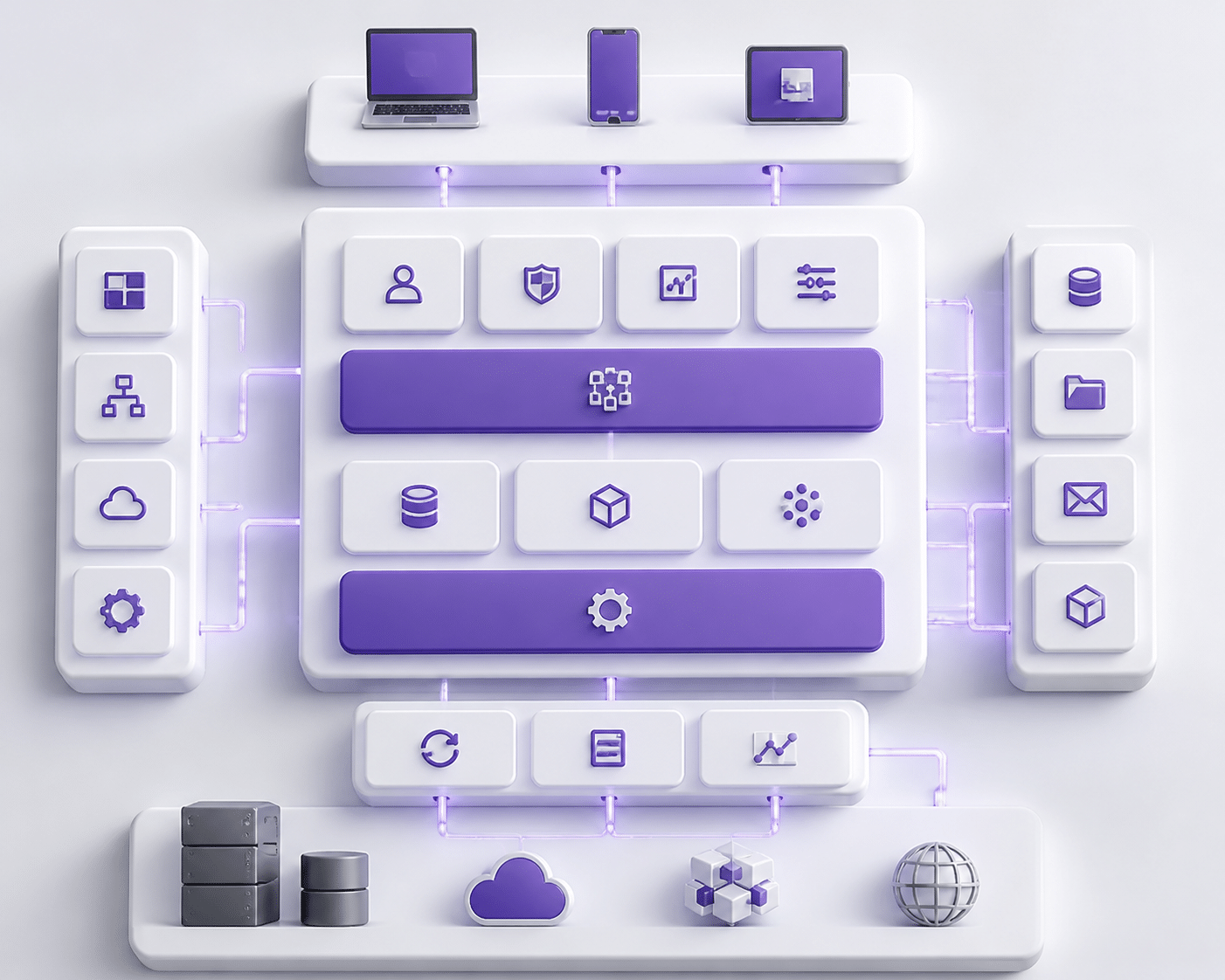
Here's a question that starts a lot of heated meetings. Do we bend the software to fit our process, or bend our process to fit the software?
Both answers can hurt. And that's the conundrum.
Why Too Much Customization Bites Back Later
Customization feels great on day one. Finance gets its special approval flow. Sales gets its odd pricing rule. Everybody's happy.
Then the vendor ships an upgrade. Suddenly every custom piece has to be re-coded and re-tested. A 2025 academic review found that the lifetime cost of heavy customization can reach 2 to 5 times its first build cost. One case in that review spent $1.2 million on custom work, then needed three to four months of testing and fixes for each annual upgrade. They finally estimated lifetime costs above $5 million and went back to standard features. Ouch.
I couldn't find one trustworthy "average" for how much more a heavily customized ERP costs to maintain than a standard one, so I won't invent it. But the direction is clear. Every custom piece adds:
Technical debt that grows with each patch
Slower, riskier upgrades
A bigger total cost of ownership over five or ten years
Dependence on the one developer who remembers how it works (and who may quit)
One 2026 implementation analysis puts maintenance at $10,000 to $100,000 per year for each customization. That adds up fast.
But Plain Out-of-the-Box Has Limits Too
Now, flip it around. Going fully vanilla isn't a magic fix.
Retail teams often need stock synced across stores, warehouses, and web shops in near real time. Healthcare groups need billing rules, scheduling, and links to health record systems. A generic setup can leave these teams stuck with spreadsheets on the side. And that's the same silo problem we talked about earlier, just wearing a new hat.
So neither extreme wins. The goal is to protect what makes your business different without wrecking your upgrade path.
Configure First, Customize Last
This is where the choice becomes strategic. Configuration means using settings, workflows, and rules the software already supports. Customization means changing or adding code. They look similar in a meeting. They behave very differently over time.
Configuration | Customization | |
|---|---|---|
Cost | Lower upfront, little ongoing cost | Higher upfront, steady maintenance costs |
Upgrade path | Usually smooth, settings carry over | Often needs re-coding and re-testing |
Time to implement | Days to weeks | Weeks to months |
Business fit | Good for common processes | Best for truly unique processes |
A good rule of thumb: configure first, then use middleware or APIs, and only then write custom code. Some Oracle-focused guidance even sets a "90% standard configuration" target for Fusion Cloud projects. Tools like MuleSoft, Boomi, and Apache Camel let you add special features around the ERP instead of inside it. Separate microservices work the same way, keeping things like pricing or scheduling outside the core.
The sweet spot, in my view, is a clean standard core with supported connections and a few well-built extras for the processes that really set you apart.
Where an Experienced Partner Earns Their Fee
Here's the catch. Most teams can't tell which requests deserve code and which are just habits. An experienced ERP software company runs a fit-gap review, sorts each request into configure, integrate, build, or skip, and says "no" when it counts. That kind of honest pushback is worth a lot.
It also helps when custom ERP development really is the right call. Buildera, for instance, builds and modernizes custom systems, so it can design add-on modules that stay upgrade-friendly instead of tangled into the core.
Getting this balance right sets you up for the final question: what does a team that does all of this well actually look like?
The Solution: How Elite ERP Software Companies De-Risk Your Investment
So we've covered four ways ERP projects go sideways. Here's the good news. Each one has a fix, and the fix usually isn't a different product. It's a different kind of partner.
The best ERP software companies don't just hand you a license and a login. They take on the risk with you.
Planning Risk Gets Handled Before Anyone Writes Code
Remember the vague "modernize our operations" goal? Strong partners kill that early. They run discovery workshops with finance, warehouse, sales and IT in the same room. Then they turn what they hear into a roadmap with numbers, owners and a written list of what's out of scope.
They also run a fit-gap review on every request. Each one gets sorted into configure, integrate, build or skip. That's how you keep scope creep from sneaking in through the side door.
A good hybrid delivery approach from LTM shows the pattern: assess the current state, get stakeholder feedback on the target state, then roll out in phases. Governance stays tight, but the work stays flexible.
Data and Integration Work Goes to People Who've Done It Before
Migration is where generalists get hurt. Specialist teams bring repeatable cleansing scripts, field-mapping templates and validation checks they've already tested on other projects. They reconcile open invoices and inventory counts before cutover, not after.
Integration works the same way. Instead of one-off wiring, experienced teams build supported API connections and use middleware, so your CRM, ecommerce store and that 2014 custom app all talk cleanly. And they rehearse the cutover. More than once.
This is also where legacy system modernization experience shows. A team that has untangled old systems knows which data paths are risky and which are just noisy.
Partners Act as Change Coaches, Not Just Installers
Here's the part most vendors skip. Elite partners treat adoption as a real workstream with its own plan.
That means:
A communication plan that explains the "why" more than once
Role-based training with sandbox practice, not one generic demo
Super-users in each department who coach their peers
Readiness checks before training and again after
Grant Thornton's global manufacturer case used a readiness module to measure where teams stood before and after training. Go-live wasn't the finish line. It was a checkpoint.
And good partners stick around. A 2026 hypercare guide suggests a 30 minute acknowledgement target for critical issues, plus a defined support window after launch. Ask for that in writing.
A Consultative Take on Customization
The best partners will say "no" to some of your requests. That's a feature. They push configuration first, then middleware or APIs, and only then custom code. When something truly sets your business apart, they build it beside the ERP core so upgrades don't break it.
That's where custom ERP development earns its place. Buildera, for example, designs add-on modules around a standard core, so you get a system that fits your process and still scales.
The Value Stack of a Strategic ERP Partner
Think of partner value as layers. Basic implementers stop at the bottom. Strategic ones climb all the way up.
Layer | What you get | Risk it removes |
|---|---|---|
1. Basic implementation | Software installed and configured | Technical setup errors |
2. Discovery and roadmap | Measurable goals, fit-gap review, scope controls | Vague scope and creep |
3. Data and integration | Cleansed data, supported APIs, rehearsed cutover | Migration and silo problems |
4. Adoption and support | Role-based training, champions, hypercare | Low usage and slide back to spreadsheets |
5. Scalable customization | Clean core with upgrade-friendly extras | Technical debt and costly upgrades |
6. Business transformation | Process redesign tied to real outcomes | Paying for software that changes nothing |
If a partner can't speak to layers 2 through 6, you're basically buying layer 1 and hoping.
Conclusion: Your ERP's Success is in the Partnership, Not Just the Platform
So here's where we land. ERP projects don't usually fail because the software is bad. They fail because of fuzzy goals, messy data, tired and worried users, and custom code nobody can maintain a year later.
That's a lot of ways to go wrong. But every one of them traces back to the same thing: who's steering the project.
Key Takeaways
Strategy: Set goals you can measure, write down what's out of scope, and lock in change control before work starts.
Data: Cleanse, map, and validate before cutover. Rehearse the move more than once.
People: Treat adoption as its own workstream, with role-based training, champions, and a visible executive sponsor.
Customization: Configure first, connect second, and write custom code last.
Partner: The team doing the work matters as much as the platform, and probably more.
If I had to pick the single biggest decision a technology leader makes here, it's the partner. Not the feature list.
Your Next Move
Stop comparing platforms line by line. Start grilling the people who'd build it. Ask each of the ERP software companies on your shortlist for two references from businesses your size, a demo built on your real workflows, and the names of the people who'll actually be on your project. Ask how they measure adoption 90 days after launch. Ask what they'd say "no" to.
Their answers will tell you more than any demo.
And if you're weighing custom ERP development or need help untangling an old system first, Buildera is a good team to talk to. Bring your toughest questions. You'll want a partner who can handle them.
Ready to build software that actually works for your business?
Free discovery call · 15 minutes · No obligation