
Bridging the Gap: How DevOps is Reshaping Software Engineering
Ever seen a release get stuck because Dev and Ops can’t agree? I have. It’s the old “wall of confusion” thing, and it can turn a simple update into a long, messy delay. One team wants to ship. The other worries about breaks, late-night fixes, and angry users. And honestly, both sides usually have a point.
That tension slows down the software development lifecycle. It can also make teams afraid to change anything. But DevOps changes that by treating software engineering as a shared job, not a handoff game. It’s not just tools, either. It’s a culture shift that brings together development, operations, and quality work so modern software development moves faster without losing trust.
That matters a lot in application development today. Teams that use strong DevOps practices, like continuous integration, continuous deployment, and infrastructure as code, usually ship with more confidence and less drama. In the 2023 DORA report, elite teams deployed on demand, fixed issues in under an hour, and kept change failure rates at 5% or less, while low performers moved far slower and broke things more often DORA State of DevOps Report 2023. Wild gap, right?

So what’s this article for? Simple. We’re going to walk through the DevOps practices software engineers should know for career growth and for building teams that actually work well together. If you’re in software engineering, or helping a team modernize, this is the stuff that starts to matter fast.
DevOps is also a nice fit with agile software development and site reliability engineering. Different paths, same goal: better software, better teamwork, fewer 2 a.m. surprises. And yes, that still feels like a miracle some days.
Understanding the Foundation: What is DevOps in the Context of Software Engineering?
Ever watched a team spend three weeks building a feature, then another two weeks arguing about how to ship it? Yeah. That old pain point is why DevOps got so much attention.
Here’s the deal: DevOps is not just a tool stack. It’s a way of working that brings people, process, and code together so software engineering stops feeling like a relay race with dropped batons. The core idea is often summed up as CAMS, which stands for Culture, Automation, Measurement, and Sharing. Culture means teams work together instead of hiding in silos. Automation takes the boring repeat work off your plate. Measurement gives you proof, not guesses. Sharing means lessons, wins, and mistakes move across the team, not just inside one corner.
And DevOps grew out of agile software development, but it goes a step farther. Agile helps teams build software in small chunks. DevOps helps teams build, test, ship, and care for that software after it goes live. So the software development lifecycle gets a lot more connected. Not just code creation. Delivery, monitoring, and updates too.
That’s a big shift from the old Waterfall model. Waterfall usually moves in one straight line: plan, build, test, release. Pretty neat on paper. But in real life, that can mean long waits, late surprises, and a lot of blame-shifting when something breaks. DevOps is more like a loop. Build a little, learn fast, fix fast, and keep going.
If you’re in modern software development, that difference matters. Teams that use DevOps practices like continuous integration, continuous deployment, and infrastructure as code tend to move with more trust and fewer nasty surprises. A nice real-world clue? The 2023 DORA report found that elite teams deploy on demand, fix issues in under an hour, and keep change failure rates at 5% or less.
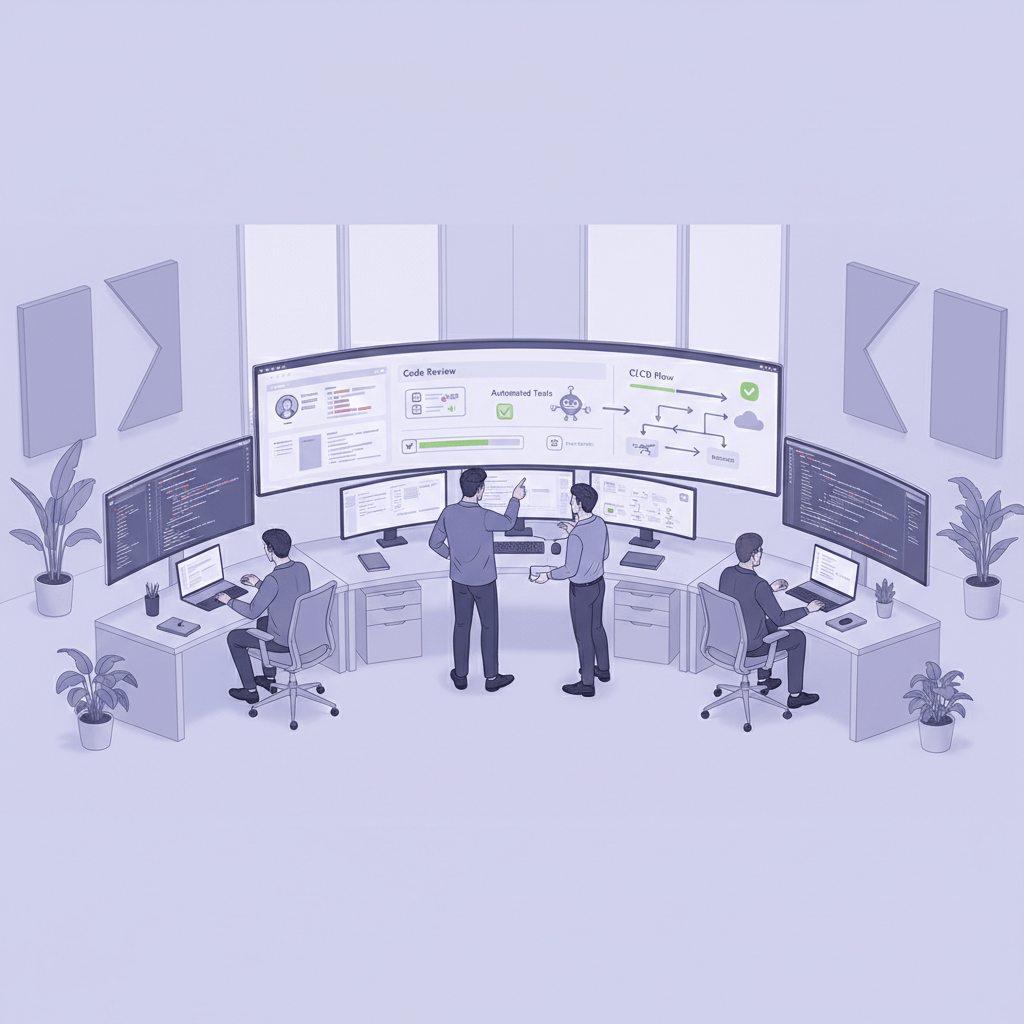
So, DevOps in software engineering is really about shared ownership. Not “that’s Ops’ problem” or “that’s Dev’s mess.” More like: we ship it, we watch it, we learn from it together. And honestly, that’s a much saner way to build software.
If your team is still stuck in handoff mode, Buildera can help you modernize the process, tighten delivery, and make your application development flow feel a lot less chaotic.
Pillar 1: Continuous Integration (CI) – The Heartbeat of Collaborative Development
You know that weird moment when a tiny code change breaks half the app? Yeah, CI is built to catch that before it turns into a team-wide headache.
Continuous integration means every code commit gets merged into a shared repo, then the system automatically builds and tests it. That sounds simple, but it changes a lot in software engineering. Instead of waiting days to find out if two features clash, you find out in minutes. Fast feedback. Less guessing. Way fewer surprise fires.
And that’s the real win. CI helps software engineers spot bugs early, cut down on merge conflicts, and keep code quality steadier from one sprint to the next. Nobody loves merge hell. Nobody. When branches sit too long, things get weird fast. A rename here, a missed update there, and suddenly three people are stuck untangling the same file at 4:45 p.m. on a Friday. Fun times.
Here’s a simple view of the CI flow:
Step | What happens |
1 | A developer pushes code to a shared repo |
2 | CI starts a build automatically |
3 | Tests run right away |
4 | The team sees pass or fail fast |
5 | Fixes happen before the issue spreads |
The build itself usually runs from a script. That might be a Makefile, a package.json script, or a simple shell file. The point is not the script style. The point is that the build is repeatable. Same steps every time. Less “works on my laptop” chaos.
Popular CI tools include GitHub Actions, Jenkins, and GitLab CI. GitHub Actions is a nice fit for teams already living in GitHub. Jenkins has been around forever and still powers a ton of pipelines. GitLab CI is handy if you want source control and CI in one place. Different tools, same job: help the team catch problems before users do.
CI also lines up with the bigger DevOps shift in software development. The 2023 DORA report found elite teams deploy on demand, restore service in under an hour, and keep change failure rates at 5% or less DORA State of DevOps Report 2023. That’s a huge gap from low performers, who may wait months to ship and take weeks to recover. CI won’t fix everything by itself, but it’s a big part of getting there.
Now, a quick reality check. CI can flop if the build is slow, the tests are flaky, or the pipeline is treated like an afterthought. If your checks take 30 minutes, people stop using them. If tests fail for no clear reason, trust drops. So the best CI setup is fast, clear, and boring in the best way. Boring is good here.
If your team is trying to modernize software engineering with better delivery habits, Buildera can help you set up CI pipelines that actually work in day-to-day application development. And yes, that means fewer merge headaches.
Pillar 2: Continuous Delivery & Deployment (CD) – Automating the Path to Production
You know that tiny pause before a release goes live? The one where everyone stares at Slack like it might answer first? Yeah, this part is about making that moment a lot less scary.
Continuous delivery and continuous deployment sound almost the same, but they’re not twins. Continuous delivery means your code can move to a production-like place on its own, but a person still gives the final thumbs-up before it hits production. Continuous deployment goes one step farther. If the build passes, it ships to production automatically. No extra gate. Just go.
That difference matters in software engineering because it changes how teams think about risk. With continuous delivery, you still get control. With continuous deployment, you get speed and a lot of trust in your tests, your checks, and your release setup. Neither one is “better” all the time. Actually, wait, that’s too neat. In regulated spaces like healthcare or banking, delivery is often the safer fit. For teams with strong test coverage and tight automation, deployment can feel almost boring. Which, in this case, is a compliment.
A typical CD pipeline usually looks like this:
Step | What happens |
1 | Build the app artifact |
2 | Deploy it to staging |
3 | Run integration and end-to-end tests |
4 | Check logs, metrics, and alerts |
5 | Deploy to production or wait for manual approval |
And once that pipeline is in place, teams can use safer release tricks that lower the drama. Blue-green deployments keep two environments ready, so you can switch traffic with less risk. Canary releases send the new version to a small group first, which gives you a real-world test before the full rollout. Feature flags let you turn parts of a feature on or off without redeploying. Handy stuff. Especially at 4:52 p.m. on a Friday.
Here’s the deal: these DevOps practices help application development move faster without turning every release into a gamble. The 2023 DORA report found elite teams deploy on demand, restore service in under an hour, and keep change failure rates at 5% or less, while low performers may deploy only once every month to six months and face failure rates around 46% to 60% DORA State of DevOps Report 2023. That’s a huge spread. Plus, the 2024 report added a new reliability metric and said teams using continuous integration are twice as likely to meet reliability targets DORA State of DevOps Report 2024.

If you’re thinking about modern software development, CD is where a lot of the magic happens. It connects the software development lifecycle from code to users in a way that feels smoother, safer, and way less like crossing your fingers. Buildera helps teams build these release paths, modernize old delivery setups, and make software engineering less of a fire drill.
Pillar 3: Infrastructure as Code (IaC) – Applying Software Engineering to Systems
You know that sinking feeling when a server works on Monday, then acts totally different on Wednesday for no clear reason? Yeah. A lot of that pain comes from hand-built setups.
Infrastructure as Code, or IaC, fixes that by treating servers, networks, and cloud pieces like code. Instead of clicking around in a console and hoping you remember every step, you write machine-readable files that describe what you want. Then tools like Terraform or AWS CloudFormation build it for you. Clean. Repeatable. Way less guesswork.
And honestly, this is one of those DevOps practices that feels almost too simple at first. But once you’ve seen a manual setup drift apart from the real thing, you get it fast. One engineer changes a setting in production. Someone else forgets to update staging. Now the app works in one place and breaks in another. Fun, right?
IaC helps with that by creating reproducible environments. Same code. Same setup. Same result. It also keeps infrastructure changes in version control, kind of like Git for servers. So if something goes sideways, you can see who changed what and roll back faster. Nice little safety net.
Here’s a quick look at the two common styles:
IaC style | What it means | Tools |
Declarative | You describe the end state | Terraform, AWS CloudFormation |
Procedural | You describe the steps | Ansible, Chef |
Declarative tools are popular in modern software development because they focus on the result you want. You say, “I need this network, this server, this storage,” and the tool figures out the path. Procedural tools are more step-by-step. They can be great for setup tasks and config work, especially when teams want more control over the order of actions.
A tiny Terraform example looks like this:
terraform {
  required_providers {
    aws = {
      source  = "hashicorp/aws"
      version = "~> 5.0"
    }
  }
}

provider "aws" {
  region = "us-east-1"
}

resource "aws_instance" "example" {
  ami           = "ami-xxxxxxxxxxxxxxxxx"
  instance_type = "t2.micro"
  tags = {
    Name = "my-terraform-server"
  }
}
Then you run terraform init, terraform plan, and terraform apply. Simple to read. A little trickier in real life, because cloud basics like IAM, VPCs, and state files can trip people up. But that’s normal. The first time I saw Terraform state drift, I stared at the screen for a while and thought, “Well... that’s rude.”
The payoff is worth it. Reproducible environments, fewer config mistakes, and less drift between dev, test, and prod. And that’s a huge deal for software engineering teams that want stable application development without the midnight surprise.

If your team is still setting up cloud systems by hand, Buildera can help you move to infrastructure as code with less pain and more control. We work with teams that need cleaner delivery, better cloud setup, and systems that don’t fall apart the second one person leaves the project.
Pillar 4: Monitoring, Logging, and Feedback – Closing the Loop
Ever had a release look fine on your laptop, then go sideways in production five minutes later? Yep. That’s the moment monitoring stops being “nice to have” and turns into the thing everyone wishes they had set up sooner.
This is where the “you build it, you run it” mindset comes in. It means the same team that writes the code also watches it after it ships. Not to punish anyone. Just the opposite. It keeps software engineering honest. If your team owns the code in production, people start asking better questions early: What happens if this fails? Who sees the alert? How do we know users are stuck?
And that’s the whole point. You want a fast feedback loop, not a guessing game.
In modern software development, observability usually has three parts:
Part | What it tells you | Example |
Logs | What happened | "Payment failed for user 4821" |
Metrics | How much or how often | Error rate, latency, CPU use |
Traces | How a request moved | Checkout request from app to database |
Logs give the story. Metrics give the numbers. Traces show the path. Put together, they help teams spot patterns before a small glitch turns into a full-on outage. Kind of like checking your car’s dashboard, listening for weird noises, and opening the hood before the smoke starts.
A good alert is specific. "Checkout error rate passed 5% for 3 minutes" is helpful. "CPU is high" by itself? Not so much. That one just wakes people up and makes them mad. Noisy alerts are a big reason teams start ignoring the pager, and that’s a rough habit to break.
Tools matter too. Prometheus works well for metrics, ELK or Loki are common for logs, and OpenTelemetry helps teams add traces without getting locked into one vendor. Then you can route alerts through tools like PagerDuty or Opsgenie so the right person gets the right ping.
The best part? Monitoring doesn’t just help ops. It feeds back into the full software development lifecycle. Bad release? You see it fast. Slow endpoint? You find the bottleneck. Weird user error? You trace it back to the code. That’s how resilient systems get built, one signal at a time.
And if your team wants help setting up smarter monitoring, cleaner logging, or production-ready feedback loops, Buildera can help you build that into your application development process from the start.
Becoming a DevOps-Minded Software Engineer: Your Next Steps
A good software engineer doesn’t just write code anymore. We ship. We watch. We fix. We think about users, release flow, and the mess that can happen after deploy day. That’s the real shift DevOps brings to software engineering.
And honestly, it’s a good one.
Instead of handing work off and hoping for the best, you start owning more of the path from idea to production. That means you become less of a pure coder and more of a product-focused problem solver. You look at the whole software development lifecycle, not just your ticket in Jira. You ask better questions. Will this break in prod? How will we know? What happens if it does?
That mindset fits modern software development, agile software development, and site reliability engineering really well. It also lines up with the way strong teams work in the wild. The 2023 DORA report showed that elite teams deploy on demand, recover in under an hour, and keep change failure rates at 5% or less. Big gap. Huge, really.
Here are a few next steps that can help a junior or mid-level engineer grow:
Automate a personal project with GitHub Actions
Learn the basics of Docker and try one small app
Add one simple test to every pull request you make
Contribute to your team’s monitoring dashboards
Try Infrastructure as Code with a tiny Terraform setup
Read one good DevOps book, like The Phoenix Project
Start small. One habit at a time. Then build from there.
The future of software engineering will keep moving toward shared ownership, faster feedback, and better teamwork. And DevOps will stay right at the center of that shift. If you want help modernizing your delivery process or building stronger engineering systems, Buildera can help turn that next step into a real plan.