
Why Your Generic ERP is Holding Your Business Back
You signed the contract. You sat through months of rollout meetings. And now your team is exporting data to spreadsheets just to finish a basic task. Sound familiar?
This is the quiet frustration a lot of CTOs and CIOs live with. You spent big money on an ERP, and it still doesn't fit how your business really works. So people build workarounds. They re-key orders, fix refunds by hand, and chase numbers across three systems. It's friction, plain and simple.
The odds aren't great either. Prosci's 2025 research puts ERP failure at roughly one in five projects, when failure means delivering less than 70% of the expected benefits. Most of the causes are about people, not code. Forcing staff to learn processes that don't match their daily work is a great way to trigger resistance.
Here's the core idea of this article. The best erp software companies are moving past generic platforms. They're building industry-specific ERP solutions that speak your language from day one, whether you run a hospital group, a retail chain, or a property portfolio.
The right partner matters just as much as the software. Over the next sections, we'll look at the real cost of a poor fit, what "industry-specific" actually means, and how to pick a partner who builds around your business instead of the other way around.
The 'One-Size-Fits-All' Illusion: The Hidden Costs of Generic ERP Systems

A generic ERP looks like a bargain on the quote. Then the real bill shows up, a little at a time.
Let's walk through where the money, time and morale actually go.
The Customization Trap and Your Total Cost of Ownership
Here's the deal. A generic system doesn't know your industry, so someone has to teach it. That means custom code, extra testing, and more consultant hours. One 2026 industry analysis says customization can eat 10% to 30% of an ERP project budget. It also estimates $10,000 to $100,000 per customization every year to maintain (that's a consultancy estimate, not a hard rule, so treat it as a rough guide).
And the bills keep coming. Every vendor patch means someone retests your custom code. Upgrades slow down. A 2025 academic review describes these as ongoing costs, not one-time expenses. That's your total cost of ownership (TCO) creeping up year after year.
To be fair, customizing isn't always bad. Too much of it is the problem.
When Software Fights the Way Your Team Works
Picture a retailer where a customer buys online, returns the item in a store, and waits on a refund. A generic ERP may record the sale but not manage that whole trip. A 2025 Priority Software survey found 71% of retailers had no or only partial advanced order management. So staff fall back on spreadsheets and re-keying.
Healthcare has its own version. Billing codes, payer rules and claim status don't map neatly onto a standard customer and order model. Teams end up reconciling records by hand.
That's where adoption dies. People don't love tools that make easy jobs harder. And the quick fixes pile up as technical debt, which is the future cost of choosing a shortcut today. One 2025 analysis of NetSuite customization even flags team morale, along with slower performance and fragile upgrades.
The Compliance and Competitive Gap
Generic systems also miss the rules you live by. Pharma and device makers need lot tracking and electronic signatures under FDA rules like 21 CFR Part 11. Healthcare groups need audit trails and role-based access for patient data. A standard system rarely ships with those ready to go, so you build them yourself, and you pay for it.
Meanwhile, a competitor on an industry-specific platform gets those basics on day one. They move faster. You're still patching.
Generic vs. Industry-Specific ERP at a Glance
These are general patterns, not guarantees. Your results depend on the vendor, your data and your processes.
Metric | Generic ERP | Industry-Specific ERP |
|---|---|---|
Initial cost | Often lower on the quote | Often higher upfront, fewer add-ons |
Customization needs | Heavy, to match industry workflows | Lighter, mostly configuration |
Time-to-value | Slower, due to build and testing work | Faster, workflows already in place |
User adoption | Weaker, staff learn unfamiliar processes | Stronger, familiar terms and steps |
TCO | Climbs with upkeep and upgrade fixes | More predictable over time |
So what does "industry-specific" really mean? Let's pin that down next.
Defining the Strategic Advantage: What Makes an ERP Truly 'Industry-Specific'?
Here's a question I wish more buyers asked. Is this ERP built for my industry, or did someone just rename a few fields?
There's a big gap between the two. And it's where a lot of ERP software companies quietly blur the line.
More Than a Template Pack
A real industry-specific ERP isn't a generic system with a pretty skin. It has three things baked in from the start:
A native data model. A real estate platform thinks in properties, units, leases and tenants. A manufacturing system thinks in bills of material and work centers. You can't fake that by relabeling a field.
Built-in compliance. Think HIPAA access controls and audit trails for healthcare, or GAAP-ready reporting for finance teams.
Embedded workflows. Steps like cross-channel returns or claim status tracking already work the way your industry expects.
SAP, Oracle and Microsoft tend to lead with broad platforms and add industry features on top. Infor, IFS and Epicor lean harder on preconfigured vertical workflows. Neither path is automatically better. Just know which one you're buying.
Customized Generic vs. Purpose-Built
OK, so why not just customize a generic system until it fits? You can. I've seen it done. But those builds tend to be brittle, because every patch from the vendor can break something you added.
A purpose-built system flips that. The industry logic lives in the product, so upgrades have a clearer path. You configure instead of coding.
Think of it as a core ERP with plug-in industry layers:
Layer | What it adds on top of the core |
|---|---|
Core platform | Finance, procurement, reporting, security, user access |
Healthcare layer | Billing codes and payer rules, claim status, HIPAA audit logs, role-based access to patient data |
Retail layer | Omnichannel order capture, returns handling, real-time inventory visibility, store and e-commerce sync |
Real estate layer | Property and lease records, rent rolls, recurring billing, renewals, maintenance and capital planning |
The core stays steady. The layers carry the industry know-how.
The Day-to-Day Payoff
This is where it gets practical. Three pieces make the biggest difference:
Industry KPIs and reports. A retailer wants sell-through and return rates. A property group wants occupancy and rent roll. You shouldn't have to build those dashboards yourself.
Regulatory adherence. Compliance controls come ready, not bolted on after an audit scare.
Familiar terminology. When screens use the words your team already says, training gets faster. People stop translating in their heads.
That last one matters more than it sounds. Remember the Prosci finding? Human factors matter six times more than technical factors when it comes to ERP results. So software that feels familiar isn't a nice extra. It's the point.
Next, let's see how this looks inside real businesses.
Industry-Specific ERPs in Action: Driving Growth in Key Sectors
Theory is nice. But what does a purpose-built ERP actually do on a Tuesday morning? Let's look at three industries where the fit matters most.
Retail: One Stock Count Across Every Channel
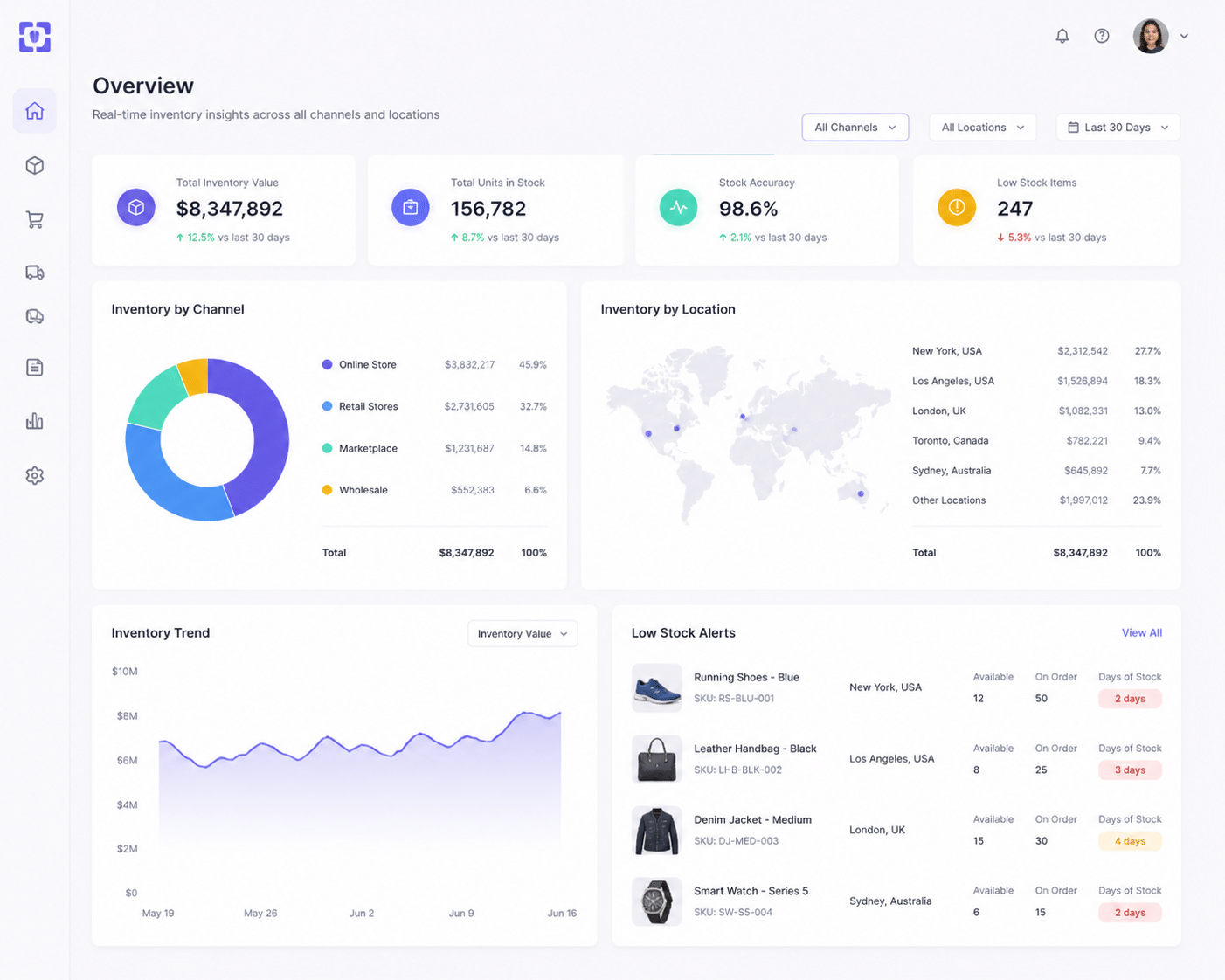
A shopper buys a jacket online. Another one picks up the last one in a store. Who gets it?
A retail-focused ERP answers that question in real time. It keeps one view of inventory across stores, warehouses and your web shop. It handles buy online, pick up in store, and returns that cross channels. If you're hunting for the best ERP for retail, that's the first thing to test in a demo.
Supply chain gets easier too. Live sales data feeds replenishment, so you reorder what's moving instead of guessing. And when the ERP connects to your e-commerce platform, purchase history flows back to the people who plan promotions and loyalty offers. That's how the customer journey starts to feel personal instead of random.
The results can be real. A NetSuite case study roundup says apparel retailer Toad & Co. cut its monthly financial-analysis time by 40% using retail templates. It also says Oregon Duck Store dropped up to seven hours a day of manual data transfers after tying POS, e-commerce and ERP together. (Neither case shares a full ROI number, so read those as time savings, not payback.)
40% less time spent on monthly financial analysis at Toad & Co. after adopting retail-specific ERP templates.
Healthcare: Compliance and Billing Without the Spreadsheet Shuffle
Healthcare ERP systems carry a heavier load. Patient data is sensitive, billing is tangled, and supplies can't run out.
Here's what a good one brings:
HIPAA controls built in. Role-based access, encryption and audit logs show who touched what data, and when.
EHR integration. Registration, clinical, claims and finance systems share the same records, so nobody reconciles by hand.
Billing and insurance logic. Medical codes, payer rules and claim status live in the system, not in a side file.
Medical supply tracking. Stock levels, lots and reorders stay visible across facilities.
One catch worth knowing. Per this healthcare ERP buyer's guide, HIPAA has no official "certification" for ERP software. Compliance still sits with your organization. So the software helps you prove it, but it doesn't do the job for you.
HIPAA offers no official certification for ERP software. The software supports compliance, and your organization owns it.
Real Estate: Many Properties, One Clear Picture
A property group doesn't think in orders and SKUs. It thinks in buildings, units, leases and capital projects. Real estate ERP software reflects that.
A tailored system can hold a mixed portfolio in one place: offices, apartments, retail space, maybe a few land parcels. Lease administration gets simpler because rent schedules, escalation clauses, renewals and recurring billing all sit in the same record. No more hunting through a shared drive for an amendment.
Construction is where budgets quietly drift. A real estate ERP tracks project costs against budget as invoices land, so overruns show up while you can still act. Investor reporting benefits as well. Financials roll up by property, fund or entity, which beats rebuilding the same report every quarter.
I'll be honest, I couldn't find a documented case of a large REIT winning with a custom build, so I won't pretend otherwise. But when a portfolio has unusual structures, custom ERP development can fill gaps a packaged product leaves open. That's where firms like Buildera tend to come in.
The smartest move before any of this? Run the numbers first. The 2025 Panorama Consulting ERP report found that 83% of organizations that did a formal ROI analysis before implementing met their ROI expectations.
83% of organizations that ran a formal ROI analysis before going live met their ROI expectations.
So the fit is there in all three industries. Next question: how do you find the people who can deliver it?
How to Evaluate ERP Software Companies: Finding a Partner, Not Just a Vendor

Here's a mistake I see all the time. Buyers spend weeks comparing features, then about ten minutes checking who will actually do the work.
Flip that. Software is only half the story. The team behind it decides whether your ERP fits your business or fights it.
Domain Expertise Beats Technical Skill Alone
Any decent firm can configure a system. But can they explain why a claim gets rejected, or how a lease escalation clause works? That's domain knowledge, and it's rare.
A partner who knows your industry asks better questions in the first meeting. They spot gaps before they turn into change orders. They also speak your team's language, which (as we saw earlier) makes adoption a lot easier.
So when you're building your ERP selection criteria, put industry depth near the top. Technical chops come second.
The Scorecard for Evaluating ERP Partners
Use this when you sit down with ERP implementation partners. Score each line from 1 to 5, then compare.
Criteria | What to look for | Question to ask |
|---|---|---|
Industry expertise | Past projects in your sector, staff who've worked in it | "Show me two go-lives like ours." |
Consultative approach | They challenge your requirements instead of nodding along | "Where would you push back on our plan?" |
Technical capabilities | Cloud, integrations, data migration, legacy system modernization | "How will this connect to our current systems?" |
Project methodology | Clear discovery phase, testing steps, sign-off points | "What happens in the first 30 days?" |
Portfolio and references | Recent clients in your industry who'll take your call | "Can I speak with a customer from last year?" |
Post-launch support | Written service levels, training, defect ownership | "Who fixes problems at month six?" |
Two habits make this scorecard work. First, ask for the named people who'll do the delivery, not just the sales team. One partner-selection guide puts this at the top of its list. Second, insist on a demo using your own workflows. A vendor checklist from Alphavima points out that a polished standard script hides a lot.
One more thing. Experience seems to pay off. A 2026 industry source reports an 85% success rate with experienced ERP consultants, versus 25% to 45% for companies going it alone. It's directional, not a controlled study, so don't treat it as gospel.
Build vs. Buy vs. Hybrid: Picking the Right Path
Now the big strategic question. Should you buy a packaged system, build your own, or mix the two?
This is where real erp consulting firms earn their fee. A good one won't push you toward whatever they happen to sell. They'll map your goals and budget to the right path.
Path | Best when | Watch out for |
|---|---|---|
Buy | Your processes are fairly standard and a vertical product covers most of them | Paying for features you never use |
Build | Your model is unusual, like a mixed property portfolio with odd lease structures | Higher upfront cost and long-term upkeep |
Hybrid | A packaged core handles finance, while custom ERP development covers the few gaps | Messy integrations if nobody owns the design |
For most mid-sized and large companies, hybrid tends to win. You keep the stable core and build only what truly sets you apart. A firm like Buildera, which does custom software engineering and IT consulting, can sit on either side of that line and help you decide where it falls.
The path you pick shapes everything after it, including how you handle your old systems. That's up next.
The Modernization Playbook: From Legacy Systems to a Future-Ready ERP
You know that server in the corner nobody wants to touch? The one only Dave understands, and Dave retires next spring? That's the legacy ERP problem in a nutshell.
Staying put feels safe. It isn't. Old systems pile up technical debt, block integrations, and make every new idea harder. The good news is that legacy system modernization doesn't have to be a leap off a cliff. It can be a series of steady steps.
The Four Phases of a Modernization Project
One industry estimate puts a typical ERP migration at 9 to 12 months. Smaller firms can finish in under six, while big multi-country programs can run 18 months or more. Here's the roadmap most projects follow:
Stage | What happens | What to watch |
|---|---|---|
1. Assessment | Review processes, data, integrations and risks. Complex discovery can take 4 to 8 weeks. | Don't automate a bad process just because it's old. |
2. Design and configuration | Set up the new cloud ERP solutions or industry layer. Decide what to configure and what to build. | Keep custom code to a minimum. |
3. Data migration | Profile, cleanse, map, test and reconcile data in waves. | Migrate what you need, not everything. |
4. Integration and testing | Connect CRM, BI tools and finance systems. Run mock migrations and user testing. | Test with real workflows. |
5. Go-live and optimization | Cut over, support users, then tune the system. | Plan for a rough first month. |
Two parts deserve extra love. First, data. AlixPartners suggests a "minimum viable migration": move master data, open transactions, opening balances and legally required records. Archive the rest in a read-only system. Less baggage, fewer headaches.
Second, the connections. Your new ERP has to talk to your CRM and BI platform from day one, or you've just built a prettier silo.
Phased Rollout vs. the Old 'Big Bang'
Big bang means everyone switches overnight. One weekend, one cutover, fingers crossed. I've watched that go sideways, and Monday morning is not fun.
A phased rollout does it in pieces. Maybe finance goes first, then inventory, then a single store or one property group. Each wave teaches you something.
The payoffs are pretty clear:
Problems stay small and fixable.
Users get trained in groups, not all at once.
Early wins build trust (and trust builds adoption).
You can roll back one piece without stopping the business.
Change management matters here too. Huron lists insufficient change management and poor migrated data as repeat causes of modernization failures. So start it during design, not the week before launch. Name champions at each site. Share quick wins, like faster purchase-order approvals.
Where an ERP Partner De-Risks the Move
Honestly, this is the part most internal teams underestimate. Data cleansing alone often takes longer than planned. Duplicates, missing fields, odd formats from 2009... it all surfaces.
A good partner brings a repeatable playbook. They profile your data early, run several mock migrations, rehearse rollback, and keep business owners signing off on the numbers. They also keep operations running while the old and new systems overlap.
That's the kind of work Buildera does through legacy application modernization and IT consulting. And if you want to see what the finished system could do for you, that's where we're headed next.
Future-Proofing Your Enterprise: AI, Cloud, and Scalability in Modern ERP
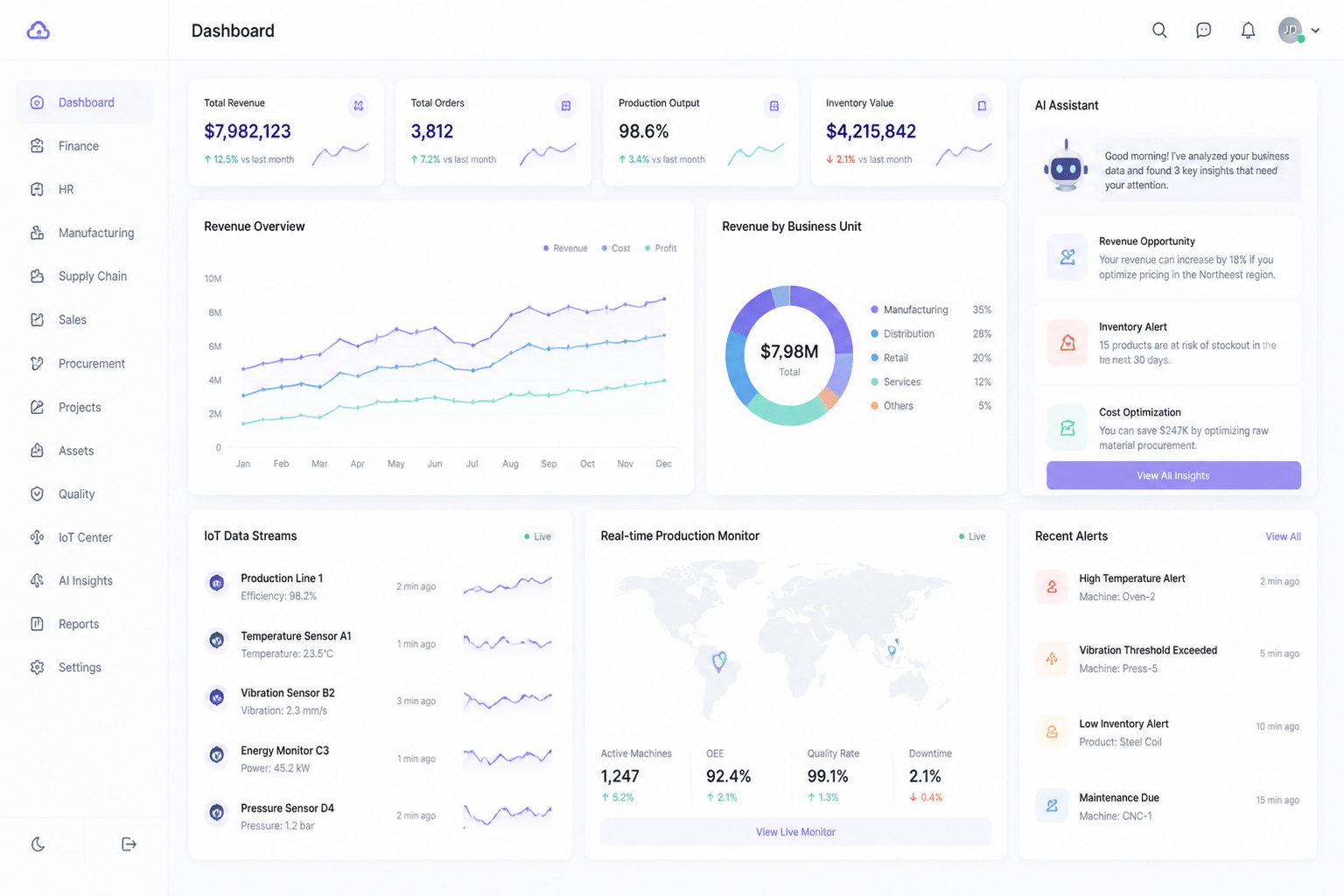
Here's a question worth asking before you sign anything. Will this system still fit in five years?
Industry-specific ERP solves today's fit problem. But the tech around it keeps moving. So let's look at three things that decide whether your ERP ages well.
Why Cloud Is the New Default
Cloud is no longer the bold choice. One 2026 ERP leaderboard reports that 78.6% of new ERP implementations choose cloud over on-premise. That's roughly four in five.
Why? Cloud ERP solutions scale up when you add a store, a clinic or a building. Updates arrive without a weekend of downtime. Your team can reach the system from a branch office or a phone. And security gets handled by people who do it all day, though you still own your access rules and data policies.
Some regulated groups still keep parts on-premise, and that's fine. Just pick it on purpose.
Where AI Actually Helps
Let's skip the hype. AI in ERP works best on boring, repetitive jobs. SAP says it has more than 200 live AI use cases across its portfolio, and most land in finance, procurement and planning.
The common wins look like this:
Demand forecasting. A retailer can reorder what's actually moving, using sales patterns instead of gut feel.
Invoice coding and anomaly checks. Odd payments get flagged before they become a problem.
Plain-language questions. Ask "which stores are low on rain jackets?" and get an answer, not a report request.
I'll be upfront: I couldn't find audited savings numbers for the newest AI agents. So test them on one process first. Measure hours saved, then expand.
AI also leans on clean, industry-shaped data. That's another point for purpose-built systems.
A Flexible Core for IoT and Whatever Comes Next
This is where architecture matters. Gartner calls composable ERP a strategy for gradual but continuous value, one that lets companies absorb things like AI and cloud over time. In plain terms, you add pieces. You don't rip everything out.
Picture your ERP as a hub. Data flows in from sensors, models and other apps. Insights flow back out.
Source feeding the hub | What it sends in | What the ERP does with it |
|---|---|---|
IoT devices | Shelf sensor counts, equipment readings, building meters | Updates stock, triggers maintenance work orders |
AI models | Forecasts, risk scores, flagged exceptions | Adjusts reorders, routes approvals, alerts staff |
Business apps (CRM, e-commerce, BI) | Customer activity, online orders, dashboards | Keeps one record and syncs it back to each tool |
A well-built custom or specialized ERP makes this easier, because clean APIs and a solid data model are in place from the start. Adding a new sensor feed becomes a project, not a rebuild. Buildera's work in AI, cloud and data engineering fits right here.
So the tech is ready. What's left is putting it all together.
Conclusion: Make Your Software Adapt to Your Business, Not the Other Way Around
Here's the short version. Your ERP should fit your industry, not force your industry to fit it.
The edge doesn't come from owning the same tools as everyone else. It comes from software that already understands your claims, your returns, your leases and your audits. The best erp software companies know this. They build around your work, so your people don't have to build around theirs.
And the payoff is real. The 2025 numbers from Panorama Consulting say organizations that planned well and matched the system to their needs saw 91% optimize inventory, 78% improve productivity, and 62% cut costs. Those results come from fit, not luck.
Quick takeaways
- Fit beats features. Industry-specific ERP solutions cut the workarounds, the spreadsheets and the re-keying.
- Compliance comes built in. You configure controls instead of coding them after an audit scare.
- Value shows up sooner. Familiar workflows mean faster training and less resistance.
- The foundation lasts. Cloud, AI and a flexible core let you add pieces without ripping anything out.
So here's my challenge. This week, list the five biggest workarounds your team uses. Where does someone export, re-key or reconcile by hand? That list is your roadmap starting point (and it's usually longer than you'd guess).
Not sure where to begin? Talk it through with a partner who has done this before. Buildera works with CTOs and IT directors on legacy system modernization, custom builds and cloud migration. Book a strategy consultation with Buildera and map out a practical plan for modernization and growth.
Ready to build software that actually works for your business?
Free discovery call · 15 minutes · No obligation