Introduction: Moving Beyond Fragmented Systems to a Unified Business Core
You know that sinking feeling when two reports show two different numbers for the same thing? Finance says one thing. Sales says another. Someone spends the afternoon copying data between spreadsheets just to find out who's right.
If that sounds familiar, you're not alone. A 2025 CIO survey shared by Clarkston Consulting found that 65% of organizations still have some gap between their key business systems. Only 35% said their systems were fully connected with standard data. That's a lot of manual workarounds.
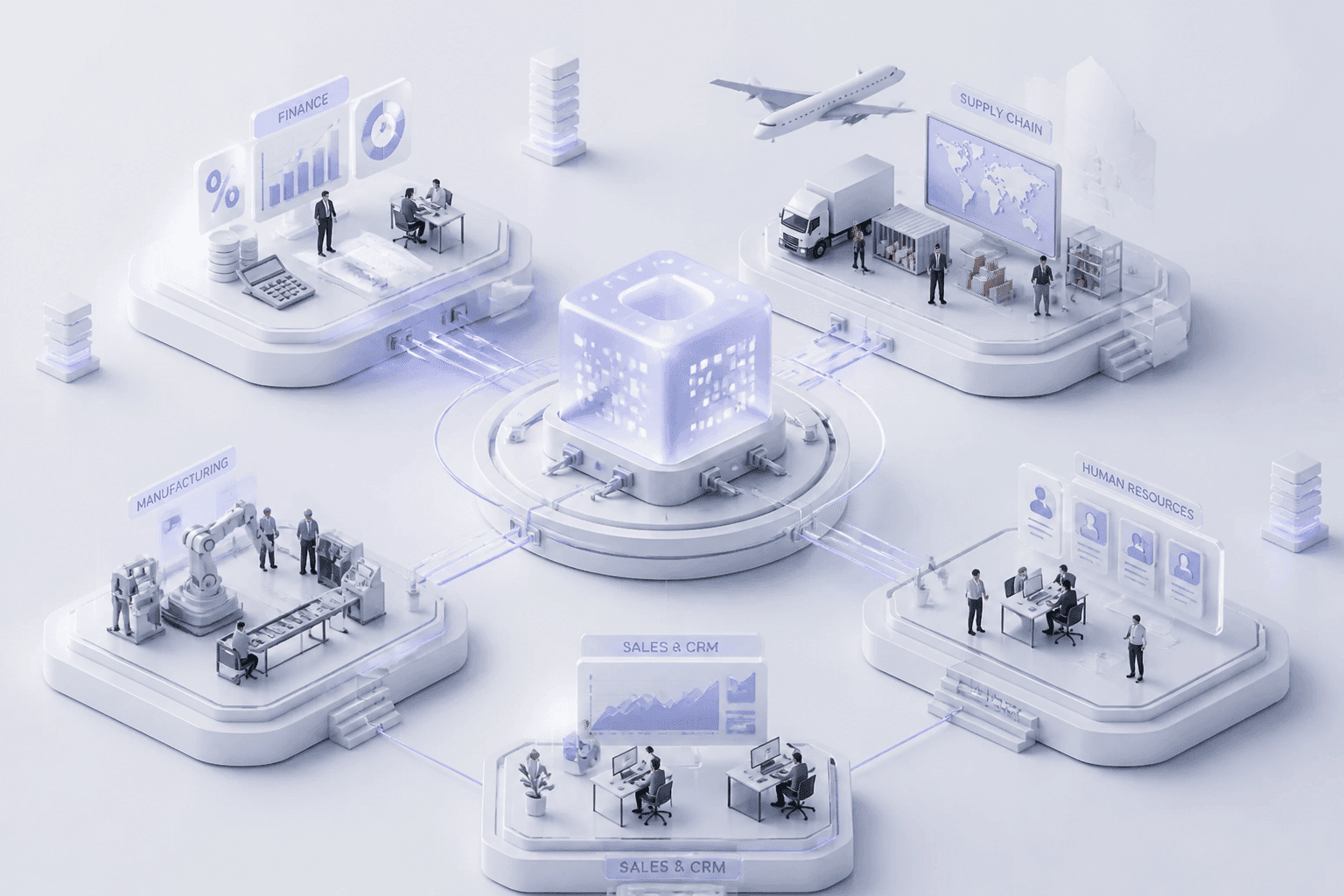
Here's the thing. ERP software isn't just another tool to add to the pile. A good enterprise resource planning system works more like a shared home base, tying finance, HR, sales, inventory and the supply chain into one connected core. For CTOs and CIOs, that shift matters more than any single feature.
So what does the change look like? Here's a simple before and after:
Before: Siloed systems | After: Unified ERP core | |
|---|---|---|
Finance, HR, Sales | Separate tools, no shared data | All connected to one central hub |
Data flow | Manual copying, lots of delays | Updates shared across teams |
Reports | Numbers often disagree | One version everyone trusts |
In this article, we'll look at the real benefits of ERP for business growth. We'll cover better efficiency, smarter decisions, and a setup that's ready for whatever comes next.
1. What is an ERP System? The Central Nervous System of a Modern Enterprise
Think about your body for a second. Your brain doesn't move your legs or beat your heart on its own, but nerves carry signals so everything works together. That's pretty much what ERP software does for a company.
So What Does ERP Actually Mean?
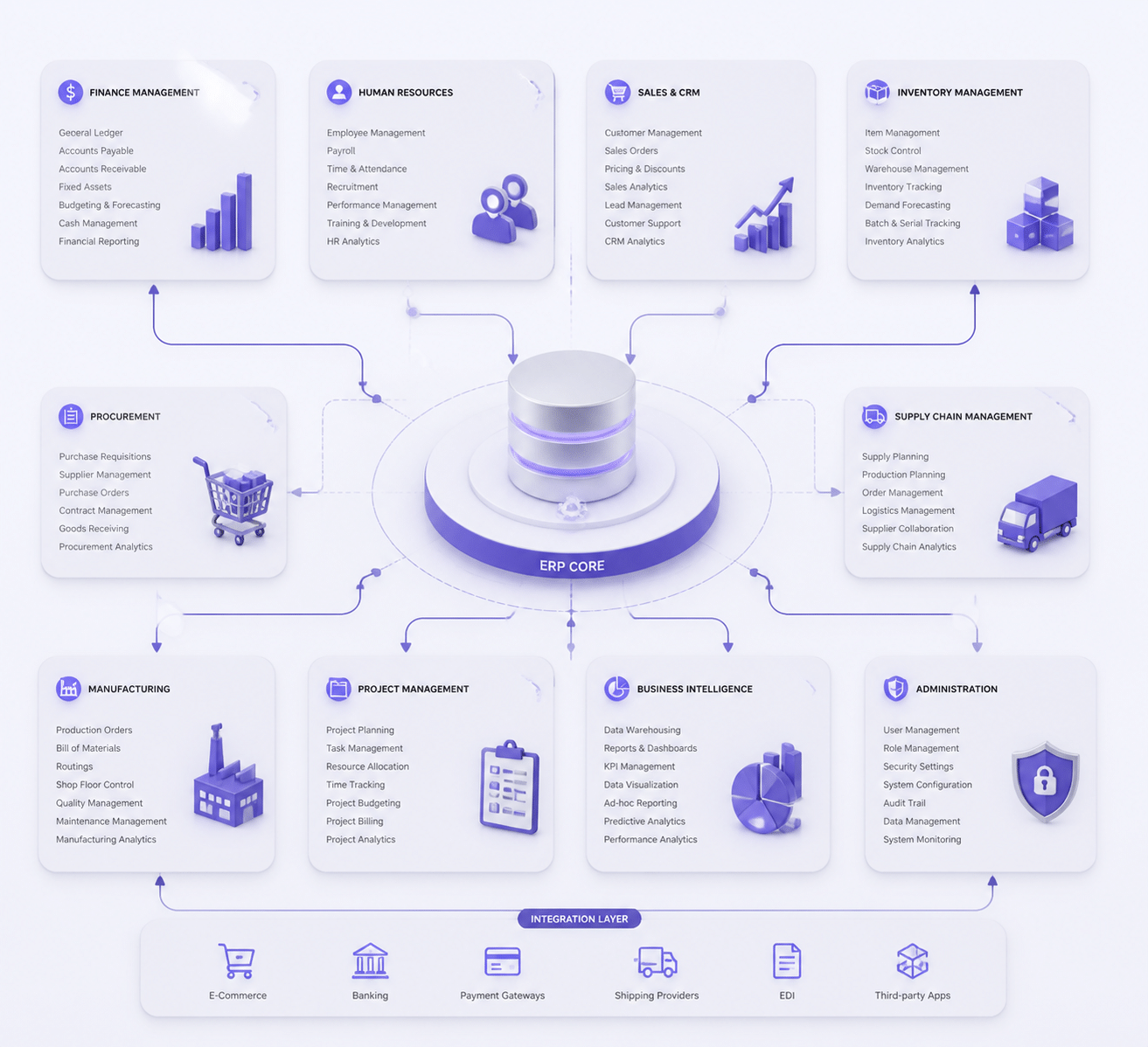
Enterprise resource planning is a suite of connected applications that a business uses to collect, store, manage and make sense of data from its daily activities. One system. Shared records.
A modern enterprise resource planning system usually covers accounting, purchasing, inventory, HR and payroll, sales and customer data, and reporting. When a sales rep closes a deal, finance sees it right away. So does the warehouse. Nobody retypes a thing.
The exact mix of modules depends on your industry. A manufacturer cares more about production and quality, while a services firm leans on projects, billing and workforce planning.
How ERP Grew Up
ERP didn't show up overnight. It started as a way to count materials and slowly became a brain for the whole business. Here's the short version:
Period | What changed | Why it mattered |
|---|---|---|
1960s | Material requirements planning (MRP) appeared | Automated inventory math and production scheduling |
1970s | More companies adopted MRP | Planning moved past a handful of big mainframe users |
1980s | MRP II added capacity planning and forecasting | Materials, machines and labor worked from one plan |
1990s | True ERP linked manufacturing with finance and more | Departments shared one data foundation |
2000s | Internet-based and early cloud ERP | Less hardware to keep on-site |
2010s | Mobile, IoT and real-time analytics | Live visibility into operations |
2020s | AI for forecasting, alerts and automation | From recording transactions to helping decide |
This timeline follows NetSuite's ERP history, which lays out the same path in more detail.
Why It Matters for Going Digital
Here's where it gets interesting. Cloud ERP made this kind of setup reachable for more companies, including mid-sized ones. One 2025 estimate says cloud made up about 70.4% of global ERP deployments, and new projects lean even more that way.
But software alone won't save you. Gartner warns that 75% of ERP strategies aren't strongly aligned with overall business strategy, which leads to confusion and weak results. So the goal isn't just owning an ERP. It's using it as the foundation for digital transformation, giving your team the visibility to spot problems early and the agility to change course fast.
Next, let's look at what that shared foundation does for your data.
2. Benefit #1: Create a Single Source of Truth to Eradicate Data Silos
Picture a Monday meeting. The sales lead says the warehouse has 250 units of a hot product. The warehouse team says 244. Six units don't sound like much, but that's six orders you might promise and can't ship. Multiply that by every product, customer and supplier, and you've got a real headache.
That's what data silos do. And it's the first big win of ERP software: one shared set of records that everybody uses.
How One Database Pulls Everything Together
A good enterprise resource planning system doesn't just connect your tools with a bunch of patches. It puts finance, sales, procurement and operations on one central database. Every team reads from it. Every team writes to it.
Here's how the data moves:
Step | What happens | Who it helps |
|---|---|---|
1. Data goes in | Sales closes an order, procurement buys materials, the warehouse ships, finance posts the invoice | Every department, once |
2. Central ERP database | Customers, products, suppliers, orders, stock and money live in one place with shared definitions | Everyone, same data |
3. Executive dashboard | Live numbers for cash, sales, stock and costs show up in one view | CEOs, CFOs, CIOs |
This is what good erp system integration looks like in daily life. A product has one name, one SKU and one price. A customer has one address. A purchase order is either open or closed, not both.
One caution, though. Connecting systems isn't enough on its own. If you move messy records into a new system, you just get messy records in a shinier place. Clean up and agree on data rules during the project.
What Leaders Actually Get
Before ERP, many executives spend days reconciling reports. Which version is right? Nobody's sure.
With one source of truth, that argument mostly disappears. Leaders see a live picture of business health without waiting on someone to merge spreadsheets. As ET CIO noted in its 2024 outlook, large organizations with data spread across employees, business units and supply chains increasingly need to consolidate it into a single source of truth.
That helps with real choices. Should we reorder stock? Can we take on that big customer? Is cash tight next month? You answer faster, and with more confidence.
Less Retyping, Fewer Mistakes, Better Teamwork
Here's the quiet cost nobody puts on a budget line. A 2024 HubSpot sales report found that reps spend about 17% of their week, around 6.8 hours, on manual data tasks. That's almost a full workday spent copying and checking numbers. (Not exactly what you hired them for.)
Bad data also costs real money. An IBM Institute for Business Value report found that more than one-quarter of organizations estimate they lose over $5 million a year from poor data quality.
A shared ERP record fixes a lot of this:
Data gets entered once, not three times
Fewer typos and duplicate customer or supplier records
Sales, finance and the warehouse argue less, because they see the same numbers
Questions get answered in the system, not in a chain of emails
This is one of the clearest benefits of erp for mid-sized companies too. You don't need a giant IT team to feel the difference. You need fewer places where the truth can hide.
Once everyone trusts the same data, the next step is putting it to work. That's where automation comes in.
3. Benefit #2: Drive Radical Operational Efficiency Through Process Automation
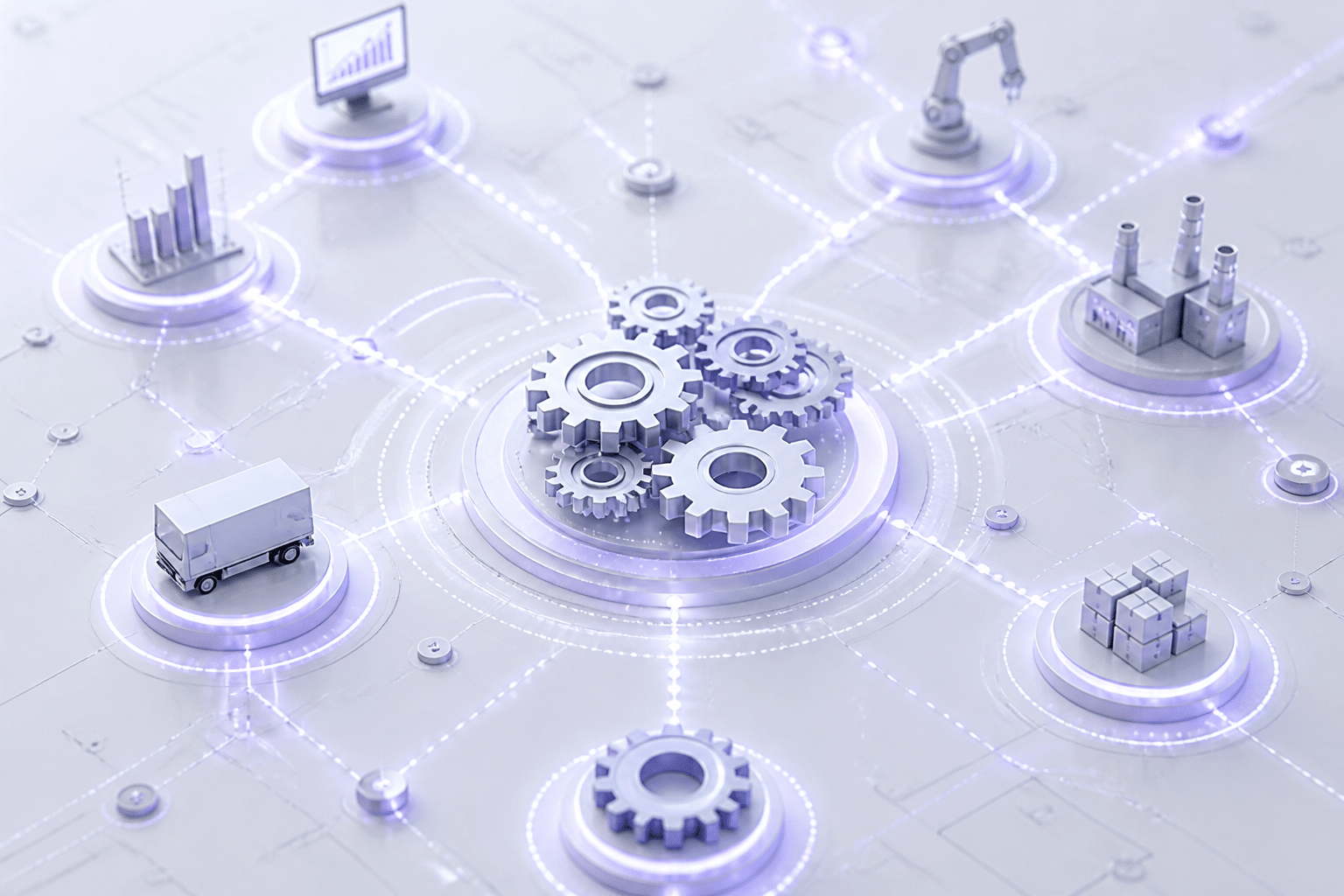
Think about the last time you chased a signature on a purchase order. Maybe it sat in someone's inbox for three days. Maybe they were on vacation. That's the kind of waiting ERP software is built to kill.
The Boring Work Your ERP Does for You
Most businesses run on rules. If an invoice matches the purchase order and the receiving note, pay it. If a purchase is under $1,000, a manager approves it. If it's over, the director does. People follow these rules all day, and software can follow them faster.
A good enterprise resource planning system handles tasks like these on its own:
Matching invoices to purchase orders and delivery records
Sending approvals to the right person based on amount or department
Building financial reports from live data instead of copied spreadsheets
Companies are catching on. A SAPinsider process automation benchmark found that 66% of respondents put procure-to-pay automation first in 2024, up from 40% the year before.
Order-to-Cash and Procure-to-Pay, Without the Waiting
These two cycles are where the time really leaks out. Order-to-cash runs from a customer's order to the money landing in your account. Procure-to-pay runs from "we need supplies" to "supplier paid." Each handoff used to be an email or a sticky note.
With ERP, the handoffs happen inside the system. An order triggers a credit check, reserves stock and creates the invoice. A received shipment triggers the invoice match. Nobody pings anybody.
Here's one real example. A consumer goods company that rolled out NetSuite cut its monthly close from more than 15 days to under five, according to a case study from Check Pluris. That's one company, not a promise. Still, it shows what's possible.
Here's how something small, like expense reports, can look. These numbers are illustrative, and yours will vary:
Step | Manual process | ERP-automated process |
|---|---|---|
Submit receipts | Paper or email, about 20 minutes | Photo upload from phone, about 3 minutes |
Data entry | Retyped into a spreadsheet | Captured and coded automatically |
Approval | Days of chasing a manager | Routed by policy, often same day |
Policy check | Spot checks by finance | Every claim checked by rules |
Error rate | Higher, from retyping and missed rules | Lower, since data is entered once |
Payment | Next payroll cycle, maybe | Scheduled right after approval |
Where the Saved Time Goes
Here's the part I care about most. Automation isn't really about doing less work. It's about who does the work.
Your best finance analyst shouldn't spend Friday matching invoices. Your operations lead shouldn't be hunting for approvals. When ERP handles the routine stuff, those skilled people get time for things software can't do, like spotting a pricing problem, negotiating with suppliers or planning next year's growth.
The payoff shows up in cost, too. One ERP statistics roundup cites a GoodFirms survey of 685 companies where 61% reported lower operating costs after ERP.
So your team has more time, and your data is cleaner. Next, let's see what you can do with all that data.
4. Benefit #3: Enhance Strategic Decision-Making with Advanced Analytics and BI
Here's a question. When did you last make a big call based on a gut feeling because the numbers weren't ready? Yeah, me too.
Once your data lives in one place and your routine work runs itself, something nice happens. That clean data can finally be used for more than filing. ERP software becomes the fuel for business intelligence (BI), and BI turns it into answers.
From Looking Back to Looking Ahead
Basic reporting tells you what happened last month. Useful, but it's a rearview mirror.
Advanced analytics on top of a modern ERP solution starts pointing forward. Because orders, shipments, stock, purchasing and customer activity all sit in one system, predictive models can work from that same history. Common uses include:
Demand forecasting by product, region or sales channel
Spotting likely stockouts or extra inventory before they hurt
Flagging customers who may be about to leave
Predicting cash flow and working capital needs
IBM also describes AI in ERP as a way to move from recording transactions toward recommending what to do next. Don't expect magic, though. A forecast is only as good as the data behind it, which is why the single source of truth came first.
What Different Leaders Actually See
This is where ERP for business growth gets practical. Each person looks at the same data, just through a different window.
CTOs and CIOs: system performance, IT spend against budget, project progress and how busy your teams are
CFOs and CEOs: profit by product line, region or customer segment
Operations leads: stock levels, late orders and supplier delays
That last finance view matters more than it sounds. Some customers look great on revenue but quietly lose money after discounts and shipping. You only catch that when sales, cost and delivery data sit together.
A Quick Look at a CIO Dashboard
Picture a clean, modern screen that a CIO opens on Monday morning. Every tile below pulls from ERP data.
Dashboard tile | What it shows | Why a CIO cares |
|---|---|---|
IT spend vs. budget | Actual costs against plan, by department | Catch overspending early |
System uptime | Availability of key applications | Spot reliability trouble fast |
Project completion rate | On-time and late projects | See what's slipping |
Resource utilization | How busy teams and contractors are | Balance workloads and hiring |
The best dashboards are role-based. A warehouse manager doesn't need the IT budget, and you don't need pick lists. Good tools let each person set up their own view and watch key numbers update in real time.
That speed is the real prize. When a number moves, you see it today, not at month-end. You can change course while it still matters.
Better decisions are great. But what happens when your business doubles in size? That's up next.
5. Benefit #4: Achieve True Scalability and Future-Readiness
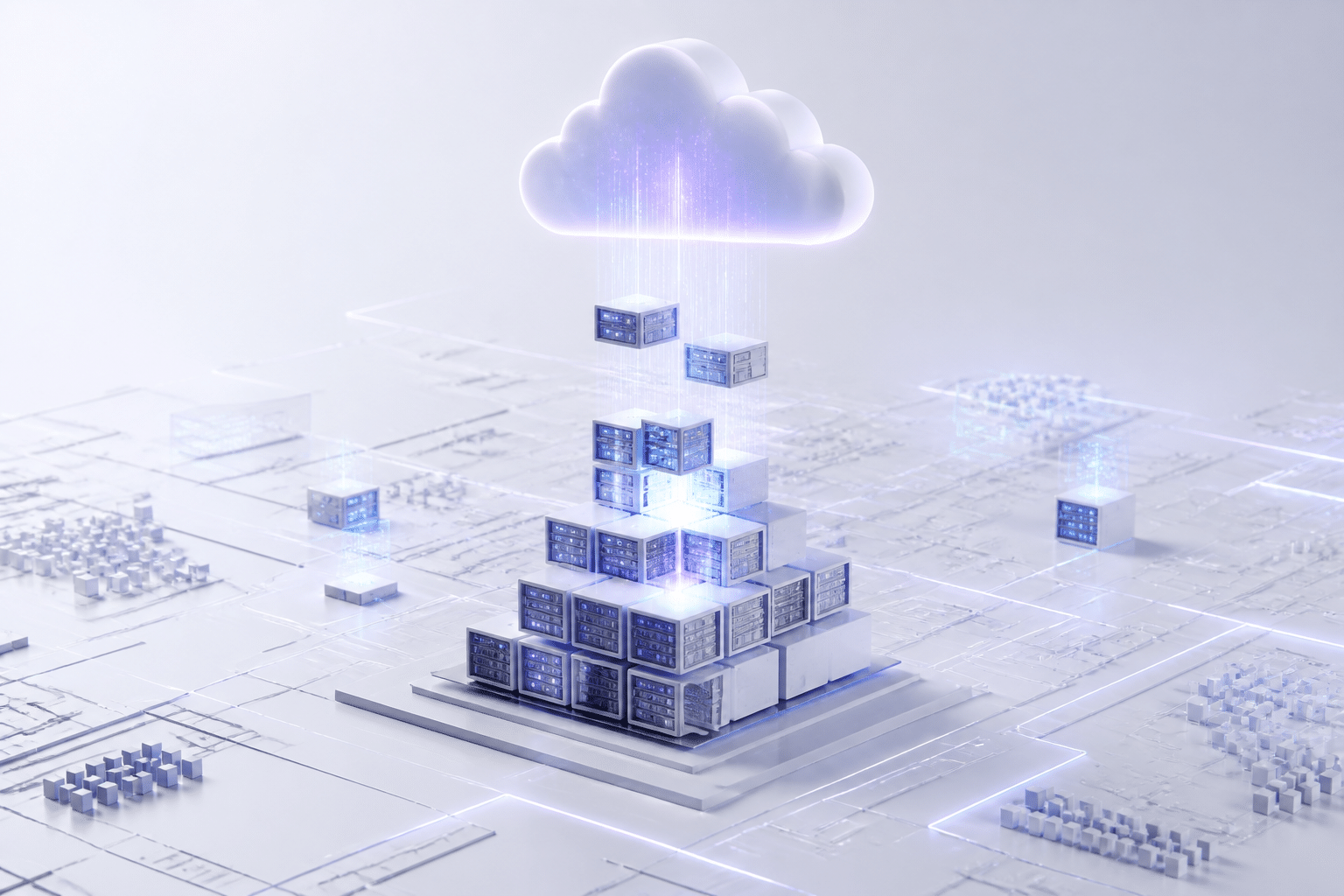
Picture a company that doubles its orders in one year. The sales team is thrilled. The old system? Not so much. It slows to a crawl, someone has to code a workaround for every new warehouse, and the IT team spends nights praying nothing breaks.
It's a common story. And it's why growth is where ERP software really earns its keep.
Legacy Systems Hold You Back, Modular ERP Doesn't
Older systems were often built as one big block. Change one part and you risk breaking five others. Adding a new country, product line or sales channel can turn into a months-long project.
Modern ERP solutions work differently. They're built in modules, like building blocks. Need to add HR for a new office? Switch on that module. Closing a business unit? Turn it down. You pay for what you use and grow at your own pace.
Legacy system | Modular modern ERP | |
|---|---|---|
Adding a new location | Custom coding, long delays | Switch on or copy existing setup |
Adding a new product line | Often a rebuild | Add or adjust a module |
Handling a busy season | Hardware limits | Capacity scales up, then back down |
Upgrades | Big, risky projects | Smaller, regular updates |
This is also why erp for mid-sized companies makes so much sense. You don't have to buy tomorrow's size today.
How Cloud ERP Solutions Help You Grow
Cloud ERP solutions take the weight off your own servers. The vendor runs the hardware, applies the updates and keeps things online. Your IT team can spend time on projects that move the business forward instead of babysitting machines.
Cloud also fits how people work now. A finance lead in Sydney, a warehouse manager in Dallas and a sales rep on a train can all see the same live data. Multiple currencies, languages and tax rules are usually built in, which helps when you expand across borders. And phones and tablets work too, so your mobile workforce isn't stuck waiting to get back to a desk.
One caution. Cloud isn't automatically perfect for everyone. If you have strict data-residency rules or heavy legacy ties, a hybrid approach may fit better. Buildera, for example, helps teams modernize older applications step by step rather than forcing a risky all-at-once switch.
A Platform for AI, IoT and What Comes Next
Here's the part that excites me. A stable, data-rich ERP core is the thing newer tools need to plug into.
Take IoT. One 2026 study of SAP S/4HANA mineral supply chains describes sensors on haul trucks feeding equipment data into the ERP. Unusual vibration can trigger a maintenance process, with potential downtime cuts of up to 20%. It's a study, not a customer guarantee, but it shows the idea.
In factories, the typical pattern is similar: sensors send alerts, the ERP creates a work order, reserves spare parts and schedules a technician. Nobody has to notice a problem first.
AI and machine learning work the same way. They need clean, connected history to learn from, and your ERP already holds it. So choose a system that opens up easily through APIs, because you'll want to add things later.
Scaling is only half the story, though. Next comes a big question: buy a ready-made ERP or build your own?
6. The Critical Choice: Off-the-Shelf vs. Custom ERP Development
Here's a question that gets expensive fast: do you buy ERP software that's already built, or build something that fits you like a glove? Honestly, there's no single right answer. I've seen both work well. And both go sideways.
Where Off-the-Shelf ERP Shines (and Where It Pinches)
Packaged systems from vendors like SAP and Oracle are powerful. They come with finance, HR, supply chain and reporting already built, plus years of best practices. If your processes look a lot like everyone else's in your industry, that's a real head start.
But the price tag can surprise you. Panorama Consulting's 2024 ERP Report put the median project at about $450,000 with a 15.5-month timeline. For big enterprise rollouts, one industry estimate lands first-year costs at $1.5 million to $5 million or more.
Then there's customization. Bend a packaged system too far and upgrades get painful. Over-customization is a common reason big ERP projects stall. Add per-user licensing and a vendor roadmap you don't control, and vendor lock-in starts to feel real.
When Custom ERP Development Makes Sense
Custom isn't for everyone. Building your own general ledger or payroll? Usually a bad idea. Those are commodity jobs.
But say your pricing logic, scheduling or logistics is the reason customers pick you. Forcing that into a standard workflow can flatten your edge. In that case, custom ERP development (or modernizing a legacy system you already own) can protect it.
Scale matters too. One 2026 analysis of custom business applications points out that build costs are mostly fixed, while SaaS licensing grows with users. So with a big user base, the cost per user can drop over time. Not always, though. You also take on security, maintenance and talent. Buildera, for example, often works with teams on this middle path: keep the standard ERP for commodity work and build custom pieces around it.
Off-the-Shelf vs. Custom at a Glance
These are general patterns, not rules. Your numbers will vary.
Criteria | Off-the-shelf ERP | Custom ERP |
|---|---|---|
Initial cost | Lower to start, but licensing and consulting add up | Higher upfront build cost |
Total cost of ownership | Recurring fees, upgrades, heavy customization costs | Ongoing engineering and support, but no per-user fees |
Implementation speed | Faster for standard processes | Slower, since you design first |
Flexibility | Limited to what the vendor allows | Built around your workflows |
Scalability | Scales within vendor limits and pricing | Scales as you design it |
Competitive differentiation | Same tools your rivals can buy | Can encode what makes you different |
Vendor lock-in | Higher | Lower, but you own the upkeep |
Questions to Ask Before You Decide
Grab your leadership team and be honest about these:
Does this process set us apart, or is it just routine?
Is technical debt from old systems getting out of hand?
Do we need to connect with a messy set of custom applications?
Can we staff and fund a custom system for years, not months?
How much customization would a packaged ERP really need?
If you answered "routine" and "not really" to most, buy. If two or three answers sting, a custom or hybrid path deserves a serious look.
So where does that leave your business as a whole? Let's wrap that up next.
Conclusion: Is Your Business Built for the Future? The Role of a Modern ERP
Let's pull it together. Good ERP software gives you four things that feel small alone and big as a group:
One data core: everyone works from the same numbers
Hyper-efficiency: routine work runs itself, so skilled people do skilled work
Smarter insights: live dashboards and forecasts replace gut feelings
Room to grow: modules, cloud and open connections let you add what comes next
Here's the part people miss, though. An ERP project isn't a software upgrade. It's a business change. Your processes, your data habits and your people all shift with it. Get that right and you end up with a company that bends instead of breaks, and that makes calls with facts, not hunches.
So what's the quick test? Look at your own setup. Do two reports still disagree? Is someone retyping data this week? Does a new warehouse or product line sound scary to your IT team? If you nodded at even one, your systems may be holding you back.
The good news is you don't have to figure it out alone. Whether you need to modernize an old system, build custom pieces around a standard ERP, or just connect the tools you already own, a partner who's done it before can save you months of guesswork.
Ready to Modernize Your Core?
Buildera is a global custom software engineering and IT consulting firm. They help teams modernize legacy applications, build custom software and plan ERP paths that fit the business. Talk to Buildera about your ERP journey and see where your systems could go next.
So, is your business built for the future? Or is it still waiting on a spreadsheet?
Ready to build software that actually works for your business?
Free discovery call · 15 minutes · No obligation