From Idea to Impact: Navigating the Custom Software Development Process
You know that moment when a business tool almost works... but not quite? Maybe the reports are messy, the workflow has too many clicks, or your team keeps using spreadsheets because the software just doesn’t fit. That’s usually where custom software development services start making sense.
Off-the-shelf tools can be fine for simple jobs. But once your team grows, your process gets tricky, or your customers want something more specific, a one-size-fits-all setup can slow everything down. And honestly, that gets old fast.
The tricky part is that the custom software development process can sound big, costly, and risky. I get it. A lot of business leaders hear “software project” and think of delays, surprise costs, and endless meetings. But with a clear plan, the software development life cycle (SDLC) becomes much easier to handle.
That’s what this guide is for. We’ll walk through the 7 key stages, from product discovery phase to custom software maintenance, so you can work better with a development team and ask smarter questions when hiring a development partner. If you’re thinking about bespoke software development, let’s figure this out together.
And one more thing. Good planning matters more than guesswork. A recent review of IT project outcomes found that only 31% of software projects are fully successful, while about 70% fail to deliver their intended value, often because of weak requirements and poor user input (project failure statistics). So yes, the process matters. A lot.
Stage 1: The Foundation - Discovery, Analysis, and Strategy
This is the part a lot of teams rush. And that’s usually where the trouble starts.
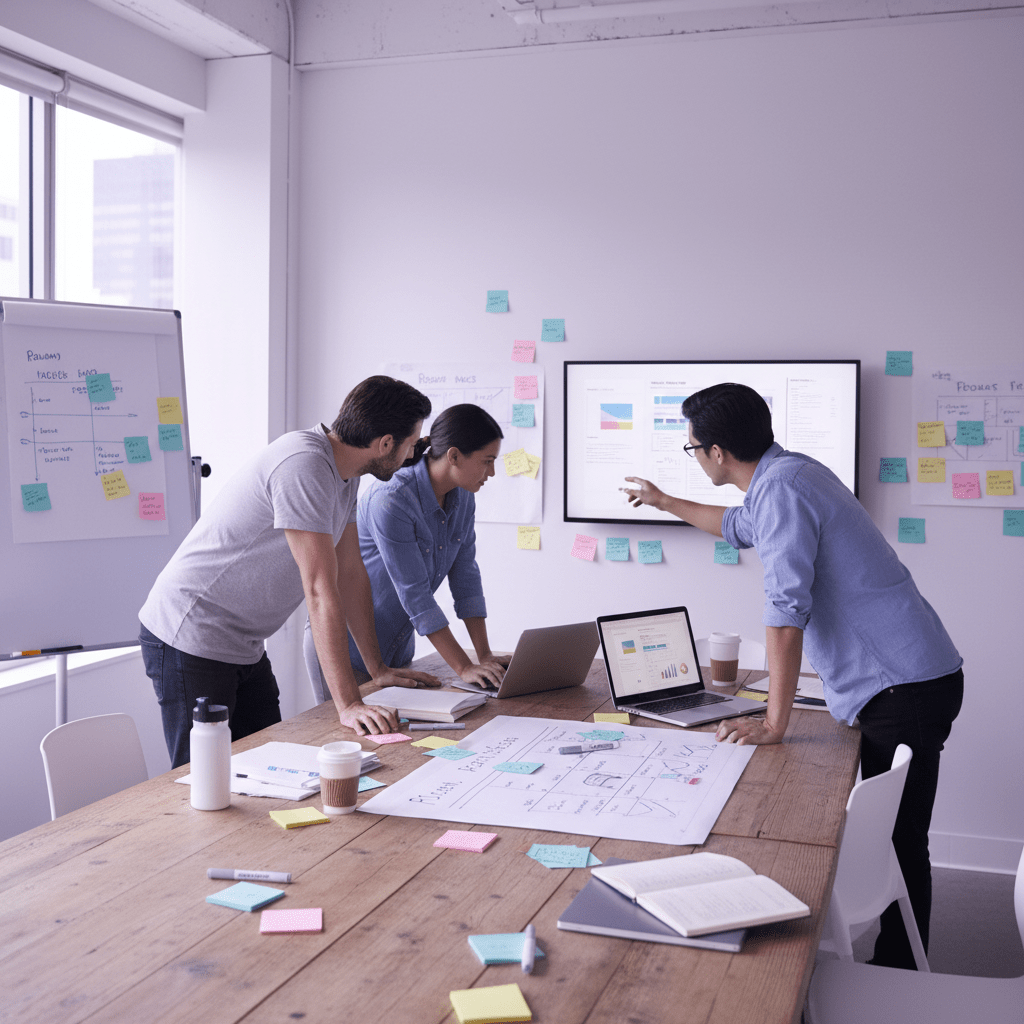
The product discovery phase is where you test the idea before you pour real money into it. You figure out what the software should do, who it’s for, and what business problem it should fix. You also check if the idea can actually be built without turning the whole project into a mess. That mix of business goals and technical reality matters more than most people think.
In custom software development services, discovery usually includes stakeholder interviews, market research, competitor review, and simple user stories. Not fancy stuff. Just honest answers to questions like: What hurts today? Who will use this? What does “good” look like? A team may also shape a Minimum Viable Product, or MVP, so the first release solves the biggest need without packing in every nice-to-have feature.
Actually, wait - that MVP part is the smart move for most teams. It keeps scope from ballooning before the project even starts.
Here’s what the phase usually gives you:
Discovery output | Why it helps |
Project specification document | Puts the problem, scope, and features in one place |
Product roadmap | Shows what gets built first and what can wait |
Early cost and timeline estimate | Gives leaders a real starting point for planning |
And this step is not just a nice extra. Projects with weak upfront planning often go way over budget, while structured discovery can save a lot of rework later. One report found that software projects without proper scoping can exceed budgets by 189%, while teams that invest in discovery often stay much closer to the original plan (software discovery phase ROI).
For teams hiring a development partner, this is also the first real trust check. A good partner should ask sharp questions, talk through trade-offs, and help you narrow the scope without killing the idea. That’s the kind of help Buildera gives businesses that need custom software development, product engineering, and IT consulting for bigger digital goals.
So if you’re starting a bespoke software development project, don’t skip this stage. Build the blueprint first. Then build the software.
Stage 2: The Blueprint - UI/UX Design and Prototyping
You know that awkward moment when a tool works, but people still avoid using it? Yeah, that’s usually a design problem.
This is where UI and UX split apart. UX, or user experience, is how the whole thing feels to use. Does it make sense? Is it easy? Can people finish their task without muttering at the screen? UI, or user interface, is the part people see and click on. Buttons, colors, menus, spacing. The front of the house.
And both matter. A lot. A nice-looking app with clumsy flow still drives people nuts. A useful app with messy screens can do the same.
In the custom software development process, this stage turns rough ideas into something people can actually test. Teams usually start by building user personas so they know who the software is for. Then they map user flows, sketch wireframes, and build interactive prototypes. After that, real users get to poke around and give feedback before development starts in full.
That order saves a ton of rework. Actually, scratch that. It saves sanity too.
Here’s a simple view of the flow:
Step | What happens | Why it matters |
User personas | Define who will use the software | Keeps design focused on real people |
User flows | Map the steps users take | Spots awkward clicks and dead ends |
Wireframes | Sketch the layout | Shows structure before code starts |
Prototypes | Build clickable mockups | Lets teams test ideas fast |
User testing | Watch people use it | Catches confusion early |

For custom software development services, this part is where a lot of value shows up fast. Strong UI/UX design for software can cut down back-and-forth, reduce development rework, and boost user adoption once the product launches. That matters because bad UX costs real money. Research from Baymard’s UX statistics page says a well-designed UX can raise conversion rates by up to 400%, and 88% of users won’t come back after a bad experience.
So if your team is hiring a development partner, ask how they handle design reviews and prototype testing. Buildera, for example, helps companies move from idea to build with product engineering, web and mobile app development, and IT consulting that keeps real users in mind.
The big goal here is simple. Make it clear. Make it easy. Then build it right the first time.
Stage 3: The Build - Agile Development and Coding
This is the part where the idea stops being a drawing and starts becoming real. And honestly, this is where a lot of teams get nervous.
Agile software development helps with that nervous feeling. Instead of building the whole thing in one giant stretch, the team works in short cycles called sprints. A sprint is usually 1 to 2 weeks. At the end of each one, you get a working piece of the software. Not a perfect final product. A real piece you can see, test, and react to.
That rhythm matters. It gives everyone a chance to catch problems early, before they turn into expensive headaches. In fact, research on software projects shows that about 70% fail to deliver their full value, with weak requirements and poor user input showing up again and again as the big reasons software project failure statistics. Agile helps reduce that risk because it keeps the team talking and adjusting as they go.
Here’s the simple version of how a build phase usually works:
Sprint step | What happens | Why it helps |
Plan the work | The team picks a small set of tasks | Keeps the scope from blowing up |
Build the feature | Developers write the code | Turns the plan into something usable |
Review the result | The team checks what was made | Spots issues fast |
Get feedback | Stakeholders react to the demo | Helps guide the next sprint |

And yes, that feedback loop is the whole point. No one wants to wait 6 months to find out the app feels clunky.
Picking the tech stack without guessing
The build stage also means choosing the right tech stack. That’s just the set of tools used to make the software. Think front-end, back-end, database, and hosting. The right mix depends on what the product needs to do, how fast it has to run, and how much it needs to grow later.
A front-end might use React, Vue, or Angular. That’s the part users see and click. The back-end might use Python, Java, or C#/.NET. That handles the logic behind the scenes. For the database, teams may pick PostgreSQL, MySQL, or something more specialized. Then there’s hosting, which often lands on AWS, Azure, or Google Cloud Platform. As of late 2024, AWS leads the cloud market with about 30% to 33% share, with Azure and GCP following behind cloud infrastructure market share.
\
The best stack is not the flashiest one. It’s the one that fits the job.
Project need | Stack choice tends to lean toward |
Fast user interface | React or Vue |
Complex business rules | Python, Java, or .NET |
Heavy data use | PostgreSQL or similar |
High growth plans | Cloud hosting on AWS, Azure, or GCP |
So if you’re hiring a development partner, ask why they picked a stack. A good team should explain it in plain English. If they can’t, that’s a red flag. I’d be cautious, anyway.
Who does what on the team?
A strong development team is not just a bunch of coders in a group chat. There’s usually a Project Manager, a Front-end Developer, a Back-end Developer, maybe a QA engineer, and sometimes a designer or DevOps person too.
The Project Manager keeps the work moving, tracks deadlines, and clears roadblocks. The Front-end Developer builds the screens. The Back-end Developer handles data, logic, and server-side work. And the QA team checks the software so bugs don’t sneak into production and make everyone miserable.
That bug part? Not a joke. A bug found in production can cost around $10,000 or more to fix, while the same issue caught much earlier may cost about $100 bug cost comparison. Wild difference. Makes you want testing from day one, right?
Daily stand-ups help the team stay synced. These are short check-ins where everyone shares what they finished, what they’re working on, and what’s blocking them. Then sprint reviews let stakeholders see the progress and give feedback before the next round starts.
That communication rhythm is a big deal. Without it, even the smartest team can drift.
Buildera’s custom software development services fit neatly here, especially for companies that need product engineering, web and mobile app development, or IT consulting for bigger system work. If your team is modernizing old software or scaling a new product, a partner like Buildera can help keep the build phase steady, clear, and a lot less chaotic.
And that’s really the goal. Build in small steps. Test often. Talk a lot. Then keep going.
Stage 4: The Gatekeeper - Rigorous Testing and Quality Assurance
You know that tiny sigh of relief when a feature works on your laptop? Nice. But that’s not the finish line. Not even close.
Testing is not just the last box to check. It should be part of the whole custom software development process, from the first lines of code to the final handoff. That’s a big part of agile software development. Build a little, test a little, fix a little. Then repeat. It sounds simple, and honestly, that’s why it works.
Here’s the deal. Bugs get pricey fast. One study says a bug found in production can cost about $10,000 or more to fix, while the same problem caught during design may cost about $100 (bug cost comparison). That gap is wild. So QA is not busywork. It protects your budget, your brand, and your sanity.
The main types of testing, in plain English
Test type | What it checks | Why it matters |
Unit testing | Small bits of code | Finds errors right where they start |
Integration testing | Different parts working together | Catches broken handoffs between modules |
User acceptance testing, or UAT | Real users try the software | Confirms it does what the business needs |
Security testing | Weak spots and attack paths | Helps keep data and users safe |
Unit tests are like checking each Lego piece before you build the castle. Integration testing asks, “Do the Lego pieces fit together?” UAT is where your actual team or client says, “Yep, this works for us.” And security testing looks for trouble like weak passwords, bad access rules, or exposed data. Not glamorous. Very needed.
In a strong QA flow, these checks happen over and over, not just at the end. That matters because IT projects still miss the mark a lot. The CHAOS Report says only 31% of software projects are fully successful, while most are challenged or fail outright (CHAOS Report on IT project outcomes). Poor requirements and weak user input are often part of the mess. So testing also helps you catch bad assumptions before they spread.
And there’s one more win. Good software quality assurance protects trust. If your app crashes during checkout, or a healthcare tool leaks private data, people remember that. They usually don’t remember the nice release notes. So if you’re hiring a development partner, ask how they test, how often they test, and who signs off before launch. Buildera’s custom software development services include quality checks that keep web apps, mobile apps, and older systems more steady as they grow.
Testing is boring only until it saves the day. Then it feels like magic.
Stage 5: The Launch - Deployment and Go-Live
Ever watched a movie right up to the last scene, then thought, "Please don't mess this up now"? That's launch day for software. The code can be solid, the design can be clean, and the team can be ready. But go-live is still the moment that makes people hold their breath.
Deployment is the step where the software moves into the live setup. That usually means setting up the production environment on AWS, Azure, or Google Cloud, moving the final data over, and pushing the code live for real users. No practice run. Real traffic. Real stakes. So the team needs a go-live plan that covers server settings, final data migration, and a rollback path if something goes sideways.
And yes, that rollback plan matters more than people think. If a bad release hits a payment flow or client portal, you want a fast way back.
There are a few launch styles too:
Launch type | What it means | Best for |
Big bang launch | Everyone gets the new system at once | Smaller tools or low-risk updates |
Phased rollout | Groups switch over in steps | Bigger systems with more users |
Beta launch | A small group tests first | New products that need real-world feedback |
A phased rollout or beta launch usually feels safer. A big bang launch can work, sure, but it's a little like changing all the tires while the car is still moving. Not my favorite idea.
For teams hiring a development partner, ask how they handle deployment scripts, data checks, and post-launch support. Buildera's custom software development services help companies manage launches with less drama, especially when web apps, mobile apps, or legacy systems need a clean handoff.
Get the setup right. Test the final data. Then go live with a plan, not hope.
Stage 6: The Future - Post-Launch Maintenance and Evolution
You know that weird feeling when a new app ships and everyone claps... then Monday hits, and the real work starts? Yep. That’s software.
A lot of teams talk like a project is done at launch. But software is never really finished. It just moves into its next job. Now it needs care, fixes, and a few smart updates so it keeps working the way people expect.
That’s where custom software maintenance comes in. And it’s not just about patching bugs after something breaks. Good maintenance usually includes:
Bug fixes when odd behavior shows up
Security patches to close weak spots
Performance monitoring so slow pages or crashes don’t sneak up on you
Updates for OS changes, browser changes, or third-party API changes
If your app connects to Stripe, Salesforce, Google Maps, or a mobile OS, those outside tools can change under you. And when they do, your software has to keep up. No drama. Just steady upkeep.
Maintenance task | What it does | Why it matters |
Bug fixes | Repairs broken features | Keeps users from getting stuck |
Security patches | Closes risk areas | Helps protect data |
Performance monitoring | Watches speed and errors | Spots trouble early |
Compatibility updates | Adjusts to outside changes | Keeps systems from breaking |

For many businesses, maintenance costs around 15% to 25% of the original build price each year, based on common industry guidance. That might sound like a lot, but it’s still cheaper than letting the whole thing rot. Because once people stop trusting the tool, they stop using it. And then what was the point?
This is also where iterative improvement comes in. You watch usage data. You listen to users. You look at support tickets, drop-off points, and feature requests. Then you feed that back into the product roadmap and plan the next round of updates. Small wins first. Bigger features later. That rhythm works well, especially for bespoke software development where business needs shift over time.
Buildera’s custom software development services support this full cycle, not just the first release. So if your team needs software quality assurance, custom software maintenance, or a partner to keep a platform growing after launch, that ongoing help can make a real difference.
The best software keeps getting better. Quietly. Steadily. Like a good coffee refill.
How to Choose the Right Partner for Your Custom Software Development Services
So, after all those stages, what really makes the difference? It’s usually not just the code. It’s the partner.
A good team doesn’t just build features. They help you think through the custom software development process from the first discovery call to post-launch care. They ask the awkward questions early. They keep the scope honest. And they don’t vanish once the software goes live. That matters because software projects still miss the mark a lot. The CHAOS Report says only 31% are fully successful, while 19% fail outright and 50% end up challenged (CHAOS Report on IT project outcomes).
So if you’re hiring a development partner, look for more than a nice sales deck. Here’s a simple checklist:
Portfolio of similar projects: Ask for real examples that look like your work. If you need legacy application modernization, see if they’ve done it before.
Technical expertise: Make sure they know the stack, cloud setup, security checks, and the software development life cycle (SDLC).
Transparent process: They should explain discovery, design, agile software development, testing, deployment, and custom software maintenance in plain English.
Cultural fit: You’ll work with them a lot. If the communication feels off in week one, it probably won’t get better in week ten.
A few extra things help too. Ask who will actually be on your team. Ask how they handle changes. Ask what happens if a key person leaves. Real answers. Not fluff.
That’s where Buildera fits in. As a global custom software engineering and IT consulting firm, Buildera helps companies build, modernize, and grow complex digital systems with custom software development services, product engineering, web and mobile app development, and long-term support. If your team is stuck with old tools, scattered workflows, or a product that’s outgrown its setup, a partner like that can make the next step feel a lot less messy.
The first move is small. Book a no-obligation discovery call. Talk through your business needs, your roadblocks, and what a better setup could look like. No pressure. Just a real conversation.
Ready to build software that actually works for your business?
Free discovery call · 15 minutes · No obligation