
Why Your Growing Business Needs More Than Spreadsheets in 2026

You know that sinking feeling when two people give you two different sales numbers? Same week, same product, different spreadsheets. I've seen it happen, and it's never fun.
Spreadsheets are great at the start. They're free, familiar, and fast. But once finance, inventory, purchasing, and sales all lean on the same data, things get messy. Files get copied. Someone types over a formula. Month-end close drags on for a week. Data sits in silos, and nobody can say with a straight face which number is right.
That matters more than it sounds. U.S. Bureau of Labor Statistics data, reported in 2025, shows 49.4% of businesses fail within five years. Spreadsheets aren't the only culprit, of course. Cash flow, rising costs, and weak management all play a part. But disconnected data makes every one of those problems harder to spot.
That's where ERP software for small business comes in. ERP stands for Enterprise Resource Planning. Think of it as the central nervous system of your company. Finance, supply chain, HR, and CRM all plug into one place, so everyone works from a single source of truth.
52% average ERP return
Analysts cited by ERP cost and ROI research put average ERP project ROI around 52%. That's $1.52 back for every $1 spent, with payback in about 16 months. Treat it as a broad benchmark, not a promise.
Choosing a system isn't just a software purchase. It's a bet on how far you can grow before things start breaking. So let's look at eight options worth knowing, starting with one built for serious scale.
1. NetSuite ERP: The Scalability Powerhouse for Ambitious Startups
If you want one name on your "best ERP for small business" shortlist that won't force a switch at 200 employees, it's NetSuite. It keeps showing up on lists of top ERP vendors 2026 buyers actually consider, and there's a good reason.
Built in the Cloud, So You Don't Re-Platform
NetSuite was born in the cloud. No server in a closet. No upgrade weekends. That's a big deal for cloud ERP for small companies, because the setup that runs your first 20 users can also handle new subsidiaries, currencies, and warehouses later. You add pieces. You don't rip everything out and start over.
One Suite, No Silos
Remember those two sales numbers from earlier? NetSuite attacks that problem by putting everything on one database. Picture a hub with spokes:
Module | What it handles | Connects to |
|---|---|---|
Financials | Books, billing, month-end close | Central database |
Inventory | Stock levels, purchasing, fulfillment | Central database |
CRM | Leads, customers, quotes | Central database |
E-commerce | Online store and orders | Central database |
When an online order comes in, stock drops and revenue posts automatically. Nobody retypes anything.
The proof is a home-goods retailer called The Royal Standard. After it moved its online store to NetSuite, B2C website sales jumped 100%, and revenue grew 43% over four years while payroll rose just 6%. Keep in mind those are NetSuite's own reported numbers, not an outside audit.
SuiteSuccess and the Real Price Tag
NetSuite's SuiteSuccess approach starts you with a prebuilt setup shaped around your industry, instead of a blank screen. For agile teams racing to market, that usually means getting live faster.
But let's be honest. It isn't cheap. One 2026 pricing breakdown puts mid-market deployments around $85,000 to $170,000 a year, and implementation commonly adds $30,000 to $100,000. Those are third-party estimates, not official list prices, so get a real quote.
If NetSuite's budget feels like a stretch, the next option works very differently.
2. Odoo: The Open-Source Customization Champion
Some businesses just don't fit the box. Maybe you run a clinic with odd intake steps. Maybe you manage rental properties and track cash flow by project. Rigid software makes you bend your process to fit it. Odoo flips that.
Odoo is open source, which means the code is out in the open and people can shape it. It also has a huge library of official and community apps. If you're hunting for the best ERP for small business owners with quirky workflows, this one belongs on your list.
Start Small, Add Apps as You Grow
Here's the part I like most. Odoo works in modules, which it calls apps. You don't buy the whole house on day one. You pick two or three, like Invoicing and CRM, and switch on more later. Inventory next quarter. Manufacturing next year. Maybe never.
That makes it a solid pick for affordable ERP software shoppers. Third-party 2026 comparisons put Enterprise pricing at roughly $25 to $38 per user each month, depending on plan, region, and contract. The Community edition has no license fee at all. Check Odoo's own pricing page for a final quote, since numbers shift.
Edition | License cost | Hosting | Best fit |
|---|---|---|---|
Community | Free (open source) | You handle it | Teams with technical staff |
Enterprise | Paid per user | Managed options available | Most growing small businesses |
Real Examples of Custom Odoo Work
Custom modules are where Odoo shines. One 2026 provider says a healthcare clinic customization cut administrative work by 45% across four clinics. That's a vendor-reported result, not an audit, so take it with a grain of salt. Another team added a project cash-flow module to Odoo's real estate setup.
That's the whole point. The software bends to your process, not the other way around.
The Catch: You Need Technical Help
I'll be straight with you. Freedom comes with homework. Self-hosting means someone has to manage servers, backups, security patches, and upgrades. Custom modules often run $2,000 to $10,000 or more. Heavy customization can also pile up upgrade headaches later.
So who does that work? If you don't have an Odoo-savvy developer in-house, a partner like Buildera can help. A custom software team can build the modules, set up hosting, and keep upgrades from turning into a mess. Without that help, Odoo's flexibility can feel more like a burden than a perk.
Still, if you have the right support, few options bend as far. Next up is a very different style of ERP, built around a tool you probably already use every day.
3. Microsoft Dynamics 365 Business Central: Best for Microsoft Ecosystem Integration
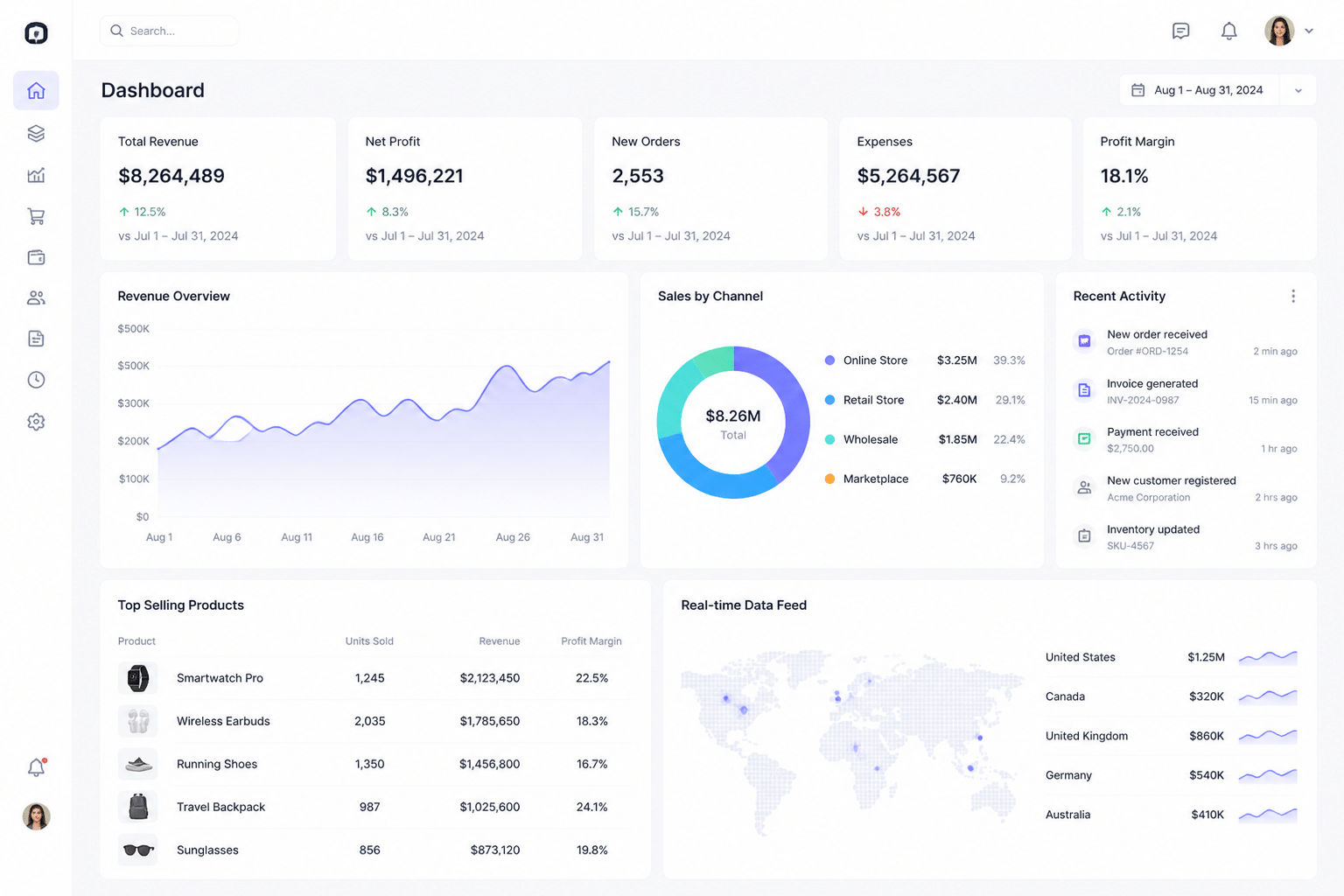
Picture your Monday morning. You're already in Outlook and Excel, with Teams pinging in the corner. Now imagine your ERP lives right inside that same routine. That's the pitch for Business Central, and for Microsoft-heavy teams it's a pretty good one.
Plugged Into the Tools You Already Use
Business Central connects natively with Microsoft 365 and the Power Platform. So an invoice question that starts in an Outlook email can pull up the customer record without a copy-paste marathon. Data also flows out to reports and automations. Here's roughly how it moves:
Step | Tool | What happens |
|---|---|---|
1 | Outlook | A customer emails about an order or quote |
2 | Business Central | The customer, order, and invoice data is already there |
3 | Power Automate | Approvals and reminders run without anyone chasing them |
4 | Power BI | Live dashboards show sales, stock, and cash |
One 2026 case study shows how far that can go. A manufacturer called Intertrade combined Evocon equipment data with Business Central and Power BI to build custom reports on machine efficiency, production, and cost. Standard reports couldn't do that on their own.
Finance and Supply Chain for Smaller Teams
Under the hood, it covers the basics growing companies need: financials, purchasing, inventory, warehouse management, sales, and projects. Those are the core small enterprise ERP solutions features, without the bloat. Microsoft's pricing page lists Essentials at $80 per user each month and Premium at $110, billed yearly. Premium adds manufacturing and service management. So if you only need books, stock, and sales, Essentials may be plenty.
One catch. Per-user pricing adds up fast if everyone needs a full license. And if you're in a tightly regulated field like medical devices, treat it as your ERP core, not a full compliance system. You may still need add-ons for quality or labeling.
Why People Actually Use It
Here's the sneaky benefit. ERP projects often stumble because people won't use the thing. Business Central looks and feels like Microsoft software, so the learning curve is gentler. Your team already knows how Excel and Outlook behave. Less training time, fewer groans.
Not a promise, of course. Good setup still matters. But if your company already lives in Microsoft 365, this one earns a spot on your shortlist.
Next, we'll look at an option with deeper roots in industry-specific work.
4. SAP Business One: Deep Industry Functionality for Established SMBs
Not every ERP is built for a scrappy startup with five people and a big dream. SAP Business One isn't. It's the one you look at when you've been in business for years, you've got a warehouse or a shop floor, and "good enough" has stopped being good enough.
Built for Makers and Movers
SAP Business One fits manufacturers and wholesale distributors best. Think inventory-heavy companies juggling purchasing, bills of materials, and orders from lots of customers. Finance, sales, purchasing, and inventory live in one system, so a shipment leaving your dock shows up in the books without anyone retyping it. If you run a pure services shop, you'll probably feel like you're paying for stuff you never touch.
Budget matters here too. One SAP Business One implementation guide puts projects with 25 to 50 users at roughly $40,000 to $90,000. That's a planning range, not an SAP quote, so ask a partner for real numbers.
Cloud or On-Premise? You Pick
Here's something plenty of newer tools can't offer. You can run SAP Business One on your own servers or have it hosted in the cloud. That's a big deal if you have data residency rules, a strict security policy, or plant-floor systems that need to stay close to home. Even the add-ons reflect this. One property and lease management extension is documented for both on-premises and cloud-hosted setups.
Reporting That Goes Deep
Reporting is where leaders tend to fall for it. You can drill into stock by warehouse, margin by customer, or production cost by order. It also works with SAP Crystal Reports, so your team can build pixel-precise layouts for invoices, pick lists, and custom inventory or production reports. Picture one page showing every batch in your warehouse and what it cost to make. Hard to get that from a spreadsheet.
One caution, though. Reports are only as good as your data, and sloppy migration is a common complaint. A good implementation partner matters as much as the software.
Next, we'll look at a cloud ERP that prices things very differently.
5. Acumatica: The Flexible, User-Based Cloud ERP
Picture hiring five seasonal workers in November. With most ERPs, that means five new license fees. Ouch. Acumatica plays by a different rulebook.
Pay for What You Use, Not Who Logs In
Acumatica doesn't mainly charge by named user. Its consumption-based model ties price to the resources your company uses, and some Trustpilot reviewers praise that pricing for letting seasonal businesses scale up and down.
So what's a "resource"? Think business volume: apps you buy, transactions you process, and how many branches or warehouses you run. Not just logins. There's no public formula, though. Acumatica sells through resellers, so you'll get the exact numbers in a quote from one of its partners.
One warning. It isn't unlimited access for a flat fee. More transactions, more entities, or big integrations can push your bill up.
Work From Anywhere (Mostly)
Acumatica runs in a browser, and customers get a mobile app at no extra charge. Your field crew can check orders from a truck. Your warehouse lead can approve something from a tablet.
But I'll be straight. Reviews are mixed. One SoftwareFinder reviewer called it complicated and pricey to customize. In my experience, how easy it feels depends a lot on setup quality, so ask to see your own mobile workflows in a demo.
Industry Editions With Ready-Made Workflows
Acumatica also comes in industry flavors, so you're not starting from a blank page:
Edition | Good fit | Workflows you'd expect |
|---|---|---|
Construction | Contractors, builders | Job costing, project billing, field updates |
Distribution | Wholesalers, resellers | Purchasing, multi-warehouse stock, orders |
Manufacturing | Makers, assemblers | Production, bills of materials, planning |
That head start can trim setup time. Just remember that new screens and custom logic usually need a partner.
If your team keeps growing and per-seat fees scare you, this one deserves a demo. Next, we'll look at an ERP made for the shop floor.
6. Epicor Kinetic: Built for the Modern Manufacturer

Picture a shop floor on a Tuesday afternoon. A rush order lands, the planner can't tell if the steel is in stock, and someone is walking a paper traveler from desk to desk. Sound familiar? If you make or distribute physical products, Epicor Kinetic was built for exactly that kind of mess.
This one is aimed squarely at small and midsize manufacturers and distributors. If you run a services shop, skip ahead. But if you build things, it deserves a long look.
Where Kinetic Goes Deep
Kinetic's strength is manufacturing depth. It handles bills of material (BOMs), routings, finite-capacity scheduling, quality management, and traceability. It also covers purchasing and supply chain logistics, so your planner can see what's on the shelf, what's on order, and what's late. Fewer surprises. Fewer expedited freight bills.
It also connects to Epicor Advanced MES, which captures operator and machine data in real time on the shop floor. NetSuite usually needs extra configuration or third-party tools to get that deep. SAP Business One, meanwhile, suits simpler production better.
Here's roughly how one product moves through the system:
Stage | What happens in Kinetic |
|---|---|
Order entry | Sales enters the order and checks real stock and lead times |
Planning | The BOM and routing drive material needs and scheduling |
Purchasing | Shortages trigger purchase requests to suppliers |
Production | Operators log time and output at the machine |
Shipping | Finished goods ship, and finance sees the cost right away |
A Browser, Not a Dusty Desktop
Older manufacturing ERPs often feel like software from 1999. Green screens. Clunky installs. Kinetic runs in a browser with a cleaner, modern interface, and it supports cloud, on-premises, or hybrid setups. That's handy if some plant systems need to stay close to home. Operators can also record work by touchscreen or barcode, which means less typing and fewer mistakes.
The Honest Trade-Off
I'll be straight with you: it isn't the cheapest or quickest. Published 2026 estimates put implementation costs at roughly $50,000 to $500,000, depending on complexity. I couldn't find a verified 2025 or 2026 case study with hard numbers on delivery rates, so ask Epicor for customer references in your industry.
Because manufacturing workflows get weird fast, many shops also need custom reports, integrations, or add-ons around Kinetic. That's where a software partner like Buildera can help. Next up is an ERP built for even more complex supply chains.
7. Infor CloudSuite Industrial (SyteLine): For Complex Supply Chains and Mixed-Mode Manufacturing
Some companies outgrow their ERP the way kids outgrow shoes. Quietly, then all at once. You run make-to-stock for your bestsellers, make-to-order for custom jobs, and the system you bought three years ago can't keep both straight. That's the crowd Infor CloudSuite Industrial (CSI, still called SyteLine by lots of people) is built for.
Infor positions CSI for industrial manufacturers rather than as a general-purpose tool. So if you sell services, skip ahead.
Planning and Quality Where Precision Matters
This is where CSI earns its keep. Mixed-mode shops need planning that adapts when a rush order bumps a stock run. CSI offers advanced planning and scheduling (APS), which looks at capacity, materials, and due dates together. Add quality management and traceability, and you can follow a batch from supplier to customer.
Precision costs money, though. One vendor comparison puts mid-market licensing around $100,000 to $300,000 a year, with implementation adding $200,000 to $800,000. APS and MES modules can push that higher. Those are estimates, not Infor list prices.
Infor OS: The Part Your CTO Will Care About
Under the hood sits Infor OS, the platform that connects CSI to other systems and carries analytics. It also embeds contextual guidance inside workflows, which helps new users learn on the job. For a CTO, the draw is simple: you can add integrations and reporting without rebuilding the core.
Be realistic about the timeline. One ERP review site cites 9 to 18 months for implementation. That's a project, not a weekend install.
If your processes are truly unusual, a partner like Buildera can build custom integrations around Infor OS so your stack stays flexible. Next, we'll look at a lighter option that many small teams start with.
8. Zoho Books / Inventory: A Stepping Stone to Full ERP
Let's be honest. Not every business is ready to spend $100,000 on an ERP. Maybe you've got 12 people, a tight budget, and a stack of spreadsheets that's finally giving you a headache. Zoho is where a lot of us start.
One thing up front: Zoho isn't a full ERP. It's a family of connected apps. But used the right way, it can act like one for a while.
Start With Books, Add Inventory Next
Most teams begin with Zoho Books for invoices, bills, and bank feeds. Then they add Zoho Inventory when stock counts and purchase orders get hard to track by hand. After that comes Zoho CRM, so sales can see customers and quotes in one place.
Here's roughly how the pieces connect:
App | Job it does | Passes data to |
|---|---|---|
Zoho CRM | Leads, deals, customer records | Books (customers, quotes) |
Zoho Inventory | Stock, purchasing, orders | Books (bills, sales) |
Zoho Books | Invoices, payments, reporting | Your accountant and reports |
That's a "de facto" ERP. Not one system, but a few that talk to each other.
Price is the big draw. If you want everything, Zoho One's all-employee plan is $37 per employee each month on annual billing. For 25 people, that's $925 a month. Compare that to the NetSuite numbers earlier. Big gap.
Where the Stepping Stone Ends
Here's the catch. Separate apps aren't one database. Syncing can lag, and specialized planning or industry tools often need extra connectors or custom work. A 2026 migration guide points to multiple legal entities, complex inventory, and formal consolidation as the usual breaking points.
So watch for these signs: month-end reconciling across apps, fragile integrations, or workflows Zoho can't quite handle. Those signals mean it's time to think bigger. Next, we'll compare everything side by side and talk about what happens when off-the-shelf stops fitting.
At a Glance: Comparing the Top ERP Software for Small Business
OK, that was a lot of ground to cover. If you skimmed a few sections (no judgment), this table pulls the big points into one place. Prices are rough planning numbers from earlier, not official quotes.
ERP | Best for | Key strength | Pricing model | Scalability challenge |
|---|---|---|---|---|
NetSuite | Fast-growing, multi-entity companies | One cloud database for finance, inventory, CRM, e-commerce | Annual subscription, about $85,000 to $170,000 mid-market, plus implementation | Costs climb as users, modules, and entities grow |
Odoo | Custom-workflow-heavy businesses on a budget | Modular apps that bend to your process | Free Community edition; Enterprise about $25 to $38 per user each month | Heavy customization piles up upgrade headaches |
Business Central | Microsoft 365-based teams | Native Outlook, Excel, Teams, Power BI links | $80 (Essentials) or $110 (Premium) per user each month | Per-user fees add up fast |
SAP Business One | Established distributors and small makers | Deep inventory, purchasing, and reporting | Partner-quoted; projects of 25 to 50 users run about $40,000 to $90,000 | Add-ons and partner work grow with complexity |
Acumatica | Teams with seasonal or many occasional users | Resource-based pricing, browser and mobile access | Quote through a reseller | More transactions or entities raise the bill |
Epicor Kinetic | Manufacturers and distributors | Scheduling, traceability, shop-floor data | Quote-based; implementation about $50,000 to $500,000 | Steeper setup and learning curve |
Infor CSI (SyteLine) | Mixed-mode manufacturers with complex supply chains | Advanced planning and quality tools | About $100,000 to $300,000 a year, plus implementation | Long projects and high total cost |
Zoho Books / Inventory | Small teams starting out | Low cost, quick start | $37 per employee each month (Zoho One, annual) | Separate apps strain at multi-entity or complex inventory needs |
How to Turn This Into a Shortlist
Start with the last column. Which challenge scares you least? Cross off anything that doesn't match your industry first. Then pick two or three, and ask each partner to demo your real workflows, not a canned script.
None of these is perfect for everyone. Sometimes the honest answer is that off-the-shelf only gets you part of the way, and that's what we'll tackle next.
Beyond the Box: When to Consider ERP Customization or a Full Custom Build

Here's the honest truth. No off-the-shelf ERP fits perfectly. Not NetSuite, not Odoo, not any of the others we just covered. They're built for the average business, and you probably aren't average (most of us aren't).
Why No ERP Fits Perfectly
A little tweaking is normal. Lots of companies do it. A Gartner-cited survey reported by TechTarget Japan found that 30.6% of organizations customize their ERP heavily, and another 48.6% customize moderately. That's about 79% making at least some changes.
But there's a catch. The same research, covered in a follow-up article, says customization at 20% or more raises the risk of missed deadlines by 9.9 points and budget overruns by 14.5 points. So customize with a plan, not on a whim.
When does it really pay off? Usually in two cases:
You have a proprietary legacy system that still holds years of valuable data and can't just be switched off.
You want something customers touch directly, like a branded ordering portal or a client dashboard that standard screens can't give you.
The Hybrid Route: Standard Core, Custom Edges
Here's the approach I like best. Keep a standard ERP core, like NetSuite or Odoo, for the boring but vital stuff: books, inventory, payroll. Then build custom modules or apps around it that connect through an API.
Your finance team keeps a system with official upgrades. Your special workflow lives outside the core, so an upgrade won't break it. That's the sweet spot.
This is where a partner like Buildera comes in. A custom software team can build the portal, wire up the legacy system, and keep everything talking to your ERP without touching its core code.
When a Full Custom Build Makes Sense
Now, a fully custom ERP is a big step. Don't take it just because standard software annoys you.
It makes sense when your process itself is how you win. Think of an engineered-to-order manufacturer with unusual production logic, or a freight company built around dynamic routing and carrier capacity. Ksolves lists route optimization and shipment tracking as typical examples. If a competitor could copy your edge by buying the same software, you don't need custom. If they couldn't, you might.
To get a rough sense of direction, use this quick guide:
Your situation | Likely path |
|---|---|
Your processes are fairly standard, and budget is tight | Off-the-shelf ERP, set up well |
Mostly standard, but you need a portal or a legacy link | Hybrid: standard core plus custom modules |
Your workflow is your competitive advantage | Full custom build |
You're unsure | Start with hybrid, then revisit |
Still, try configuration and extensions first. Custom should be the answer you arrive at, not the one you start with. Next, let's talk about how to make whichever path you pick pay off.
Making Your ERP a Growth Engine, Not a Cost Center
Here's the big idea. Picking an ERP isn't a software shopping trip. It's a foundation decision. The right system lets you add people, products, and locations without the wheels wobbling. The wrong one? It quietly piles up technical debt and slows everyone down, a little more each month.
No single option on our list wins for everyone. A maker with a busy shop floor needs something very different from a 12-person team outgrowing spreadsheets. That's fine. What matters is matching the tool to your real business, not the shiniest demo.
So what should you do this week? Three steps.
Write down how work really happens. Map your current workflows and list the pain points. Where do people retype data? Which report do you never quite trust? This takes a few hours, and it saves you from buying features you'll never touch.
Split your list into must-haves and nice-to-haves. Think 3 to 5 years out. Will you add a second entity, a warehouse, or an online store? Those are must-haves. A fancy dashboard you might open twice a year? Nice-to-have.
Bring in an expert partner. Demos are polished. Real projects are messy. A good partner helps you compare options fairly, estimate the true cost, and avoid over-customizing your way into trouble.
I'll admit, step 3 sounds like a sales pitch. But I've seen teams skip it and regret it, usually around month six.
Ready to Build Your Roadmap?
Ready to build a technology roadmap that aligns with your business goals? Buildera's consultants can help you evaluate, implement, customize, or build the perfect ERP solution for your future. Schedule a free consultation today.
Schedule Your ERP Strategy Session
Ready to build software that actually works for your business?
Free discovery call · 15 minutes · No obligation