
The Strategic Shift: Why Enterprise Software's Future is in the Cloud

Picture a CTO on a Monday morning. A simple change request lands on her desk, something like adding a new payment option. Her team says it'll take five months. Why? Because the system underneath was built 15 years ago, and nobody fully remembers how it works anymore.
Sound familiar? It's a pretty common story. Some organizations spend roughly 60 to 80% of their IT budgets just maintaining legacy systems, which leaves only 20 to 40% for modernization and new ideas. (That's not a universal average, but it's a painful number.) That's technical debt, and it quietly eats your ability to compete.
The Cloud Is More Than Servers
Here's where many leaders get stuck. They hear "cloud" and think, "OK, someone else's data center." That's only the starting point.
A modern cloud platform is a whole ecosystem. It gives your teams managed databases, automated pipelines, AI services, and room to grow when demand spikes. Done well, it changes how enterprise software development actually works, from the first line of code to the day it ships. And the pull is real: Forrester's survey of 576 decision-makers found that the top motivations were operational efficiency, better use of data, and stronger business strategy.
But I'll be honest. The cloud isn't magic. Gartner warns that 25% of organizations will be seriously unhappy with their cloud adoption by 2028, mostly because of unrealistic expectations, poor planning, and runaway costs. Strategy matters.
Where We're Headed Together
So here's the plan. We'll start with the business case for cloud-centric development, then sort out the different service models. From there, we'll look at modern architectures, a smart path for moving legacy systems, faster innovation, and how to keep it all secure.
Grab a coffee. Let's get into it.
Beyond Infrastructure: The Business Case for Cloud-Centric Enterprise Software Development

Let's talk money first. Because that's usually where the cloud conversation starts, and honestly, where it stalls.
From CapEx to OpEx: A Different Way to Pay
On-premise hardware is a big upfront bet. You buy servers, guess your needs for the next five years, and hope you guessed right. Cloud flips that. You pay for what you use, month by month. That's the move from capital expense to operating expense.
Why does it matter for enterprise software development? Because your budget stops being locked in a server room. Money that once sat in racks can fund new features instead. And finance teams get something they love: costs that track real usage.
Is it cheaper? Often, yes. But I won't oversell it. The numbers below come from vendor and partner case studies, not neutral industry averages, so your results will vary with workloads and licensing.
Company (platform) | Reported result |
|---|---|
Atos financial-software enterprise (AWS) | $1.5 million in run-rate savings over three years |
Finnish telecom multinational (Google Cloud) | More than 30% lower TCO, 200-plus apps moved |
Global agriculture enterprise (Azure) | About 28% lower TCO |
So a rough range of 28% to 30% shows up in documented examples. Not a promise. A pattern.
Scaling Up and Down Without Wasting Money
Here's the old problem. Your app needs to survive the busiest day of the year, so you buy enough hardware for that day. Then it sits mostly idle for the other 364. Painful.
Cloud elasticity fixes that. Resources grow when traffic spikes and shrink when it calms down. Think of a retail platform on Black Friday, or an insurance portal during open enrollment. You're not overprovisioning "just in case." You're paying for the demand you actually have.
That's the heart of scalable software architecture. The system bends instead of breaks.
Faster Time-to-Market Is the Real Edge
Cost savings are nice. Speed wins markets.
Cloud services give teams ready-made environments for building, testing, and deploying. No waiting six weeks for a server request. In the Finnish telecom case above, the company also cut time to market by 25%. The Azure agriculture example reported deployments that were 40% faster. And one 2025 modernization analysis found automation cut average deployment time from four hours to 12 minutes.
Now, those are program-level results, not universal averages. Still, the direction is clear. When a payment option takes weeks instead of months, you respond to customers before competitors do.
So the business case isn't just "cheaper hosting." It's flexible budgets, apps that flex with demand, and speed. Next, we'll look at which cloud service model fits your needs.
Choosing the Right Foundation: IaaS vs. PaaS vs. SaaS for Enterprise Needs
Once the budget conversation settles, the next question hits fast. What kind of cloud are we actually buying? Three letters get tossed around in every meeting: IaaS, PaaS, and SaaS. They sound alike. They're not.
Land, Furnished Office, or Coworking Desk
Here's the simplest way I know to explain it.
IaaS (Infrastructure as a Service) is like buying a plot of land with power and water already connected. You build the office yourself. You pick the walls, the layout, the locks. Total freedom, total responsibility.
PaaS (Platform as a Service) is renting a furnished office. The building, the desks, and the internet are handled. You just bring your team and do the work. AWS describes it as a complete environment to build, test, deploy and manage applications, while you stay focused on your apps and data.
SaaS (Software as a Service) is a coworking desk. You walk in, sit down, and start working. Someone else runs everything.
In practice, the labels look like this, according to Heroku's service model guide: Amazon EC2 is IaaS, Heroku is PaaS, and Salesforce is SaaS. Same vendor can even span two categories. AWS sells EC2 and Elastic Beanstalk.
Model | You Manage | Vendor Manages | Best For... | Example Enterprise Use Case |
|---|---|---|---|---|
IaaS | Operating systems, middleware, runtime, apps, data | Servers, storage, networking | Full control and lift-and-shift moves | Moving a 12-year-old claims system to Azure Virtual Machines without rewriting it |
PaaS | Your applications and data | Everything underneath, including runtime and servers | Building custom apps faster | A bank building a customer portal on Azure App Service |
SaaS | Settings, users, and your data inside the app | The whole application and infrastructure | Non-core business functions | Running HR, email, or CRM on Workday, Microsoft 365, or Salesforce |
Matching Each Model to a Real Job
For legacy apps, IaaS is often the first stop. Some old systems have odd dependencies, and you can't always change them quickly. Renting virtual machines lets you move now and clean up later.
PaaS shines for custom enterprise software development. Your developers push code, and the platform handles patching, scaling, and runtimes. Less time babysitting servers. More time on features customers actually notice.
SaaS fits the stuff that doesn't make you special. Payroll, email, video calls. Does anyone win a market because of a better in-house expense tool? Probably not.
As for the market, SaaS is generally the biggest slice of cloud spending. Estimates vary a lot by method, though. One 2026 summary puts SaaS at 62%, IaaS at 24%, and PaaS at 14%, while another shows a different split. Treat all of them as rough.
The Trade-Off: Control vs. Speed
Here's the deal. More control means more work. IaaS gives you the most say, but your team patches, monitors, and fixes it. SaaS gets you running in days, but you live with the vendor's features. PaaS sits in the middle, though watch for lock-in if you lean on proprietary tools.
Most enterprises end up mixing all three. The trick is sorting your application portfolio honestly: what needs control, what needs speed, and what should just be bought. Plenty of CTOs lean on enterprise IT consulting partners like Buildera for that sorting step, especially with a messy legacy estate.
Next, we'll look at how modern architectures sit on top of these foundations.
Architecting for Agility: Modern Cloud Architectures for Enterprise Applications
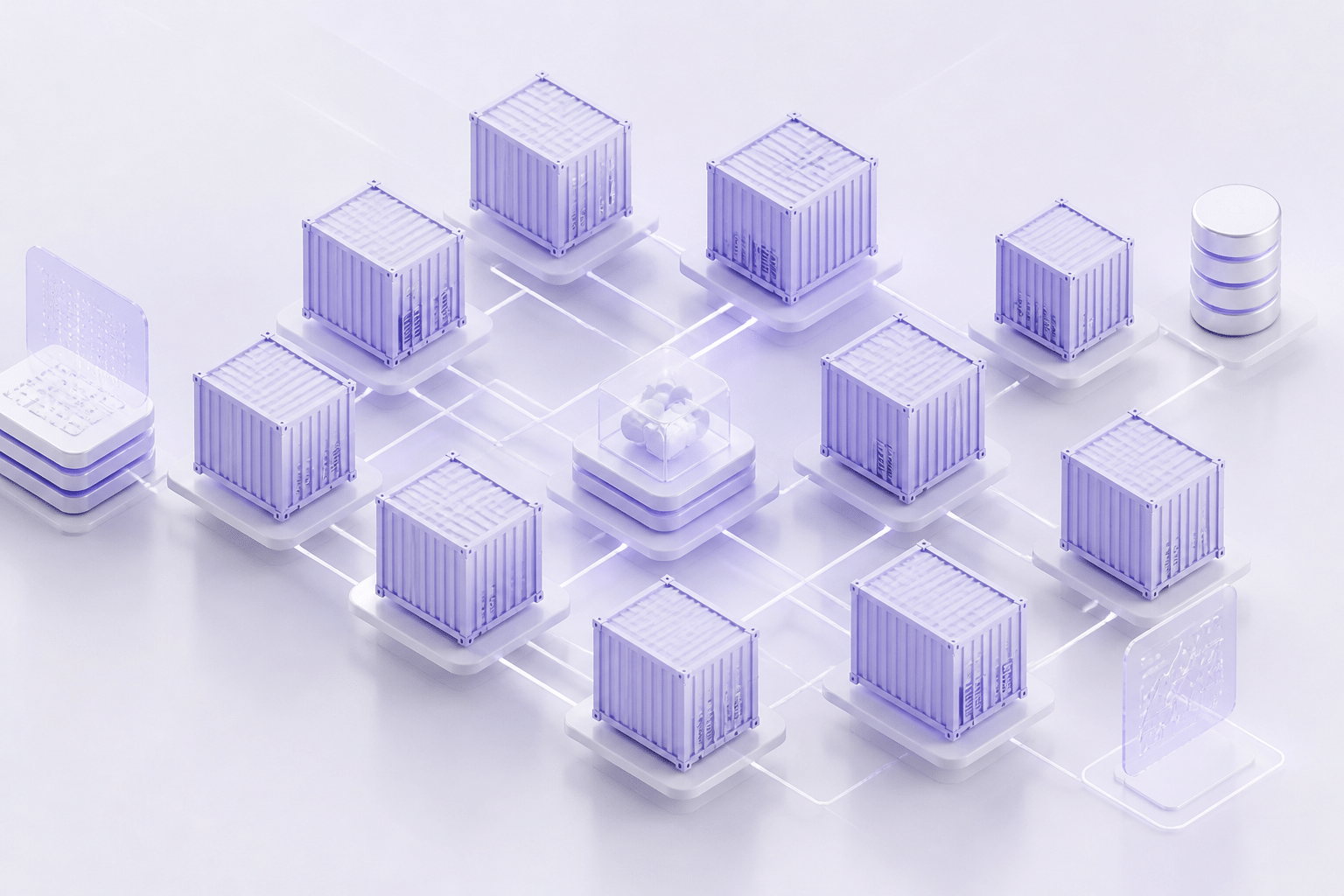
You can rent the best cloud platform on earth and still ship slowly. Why? Because the way you build the app matters just as much as where it runs.
That's where architecture comes in. Let's look at three patterns that help modern cloud-native enterprise applications move faster.
Monolith vs. Microservices: One Big Box or Many Small Ones
A monolith is one big application. Payments, accounts, notifications, reports, all packed into a single codebase. Change one small thing and you have to test and release the whole thing. Scary. Slow.
Microservices split that big box into smaller services. Each one does one job, and each has its own team and release schedule. One team can update the payment service on Tuesday without touching anything else.
Codebase | One shared codebase | Many small, separate services |
Releases | The whole app ships together | Each service ships on its own |
Scaling | Scale the entire app | Scale only the busy service |
If something breaks | Can take down everything | Problems stay mostly contained |
Best fit | Small apps, early products | Large, fast-changing systems |
That table is the diagram version of the idea. Picture one big block on the left, and a cluster of small connected blocks on the right.
Here's a real example. A government-sponsored housing-finance enterprise broke a mortgage application into 16 microservices running on Amazon EKS. The case study reports better scalability, development speed, and deployment agility. It doesn't share dollar savings, so I won't invent any.
And microservices aren't free. More moving parts means more to monitor. For a small app, a well-organized monolith is often the smarter call.
Serverless: Pay Only When Something Happens
Serverless sounds like there are no servers. There are. You just don't manage them. With tools like AWS Lambda or Azure Functions, your code runs only when an event triggers it, like a file upload or a payment confirmation. You pay for the run time, not for idle servers.
That makes it a great fit for bursty, event-driven jobs inside a bigger system. One 2026 industry summary says API backends make up about 42% of serverless workloads, with data processing at 28%. Think document processing, customer notifications, and fraud alerts.
But it's not for everything. A workload that runs flat out all day is often cheaper on regular servers. Use serverless for the spiky stuff.
Hybrid and Multi-Cloud: Don't Put Every Egg in One Basket
Some companies run in more than one cloud. Others mix public cloud with their own data centers. That's multi-cloud and hybrid.
Why bother? A few good reasons:
Less lock-in. You keep the option to move if prices or terms change.
Data rules. Some laws say certain data must stay in a specific country or region.
Cost fit. Different providers can be cheaper for different workloads.
How common is it? One broad benchmark reports that 86% of organizations use a multi-cloud strategy and 70% use hybrid cloud. That isn't a Fortune 500 number, so read it as a general trend.
The catch is complexity. Two clouds means two sets of tools, skills, and bills. Many teams get help from enterprise IT consulting partners like Buildera to decide where each workload belongs.
Once your architecture is set, the next question is what to do with the old systems still holding you back.
The Modernization Pathway: Strategic Cloud Migration for Legacy Enterprise Systems
You've picked a model. You've sketched an architecture. Now comes the part that keeps CTOs up at night: what do you actually do with the old stuff?
Here's the good news. You don't have to treat every legacy system the same way. Smart legacy system modernization is really about sorting, not rushing.
The 6 R's, Explained Without the Buzzwords
Most cloud migration for enterprise teams starts with the "6 R's." Each one is a different level of effort, cost, and payoff. Think of it like fixing up a house. You can move in as is, repaint, or knock the whole thing down.
Strategy | What it means | Effort | Cost | Business payoff |
|---|---|---|---|---|
Rehost | Lift and shift to cloud servers, no changes | Low | Low upfront | Fast exit from the data center, few new benefits |
Replatform | Small tweaks, like moving to a managed database | Low to medium | Low to medium | Less maintenance, some savings |
Repurchase | Swap the app for a SaaS product | Medium | Varies | Retire custom code you never needed |
Refactor / Rearchitect | Rebuild into cloud-native pieces | High | High | Best scalability and speed long term |
Retire | Switch off apps nobody uses | Very low | Saves money | Smaller bill, smaller risk |
Retain | Leave it where it is for now | None | Ongoing | Buys time for a better plan |
Rehosting is the speed pick. Rearchitecting is the payoff pick. Neither is "right" on its own.
A Simple Way to Pick the Right R
OK, so how do you decide? Skip the giant spreadsheet. Ask each application these questions, in order. Think of it as a decision tree you can run in a meeting.
Does anyone still use it? No? Retire it.
Does a good SaaS product already do the job? Yes, and it isn't what makes you special? Repurchase.
Is it tied to a hard deadline, like a data center lease ending? Yes? Rehost now, improve later.
Does it need to scale, change fast, or support new features? Yes? Rearchitect.
Would a small change, like a managed database, remove most of the pain? Replatform.
Is it risky, regulated, or too tangled to touch today? Retain, and revisit in six months.
Then score each app on two things: how much the business needs it, and how hard it is to move. High need and low difficulty goes first. That gives you a cohesive plan instead of a pile of random projects. (Plenty of teams bring in enterprise IT consulting partners like Buildera for this scoring step, since an outside view helps cut through office politics.)
Where Migrations Go Sideways
I'd love to say this always goes smoothly. It doesn't. One 2025 analysis cited by Kogifi found that 37% of cloud migration projects fail to meet their goals, and 31% missed their planned timelines. Treat those numbers as estimates, since "failure" means different things to different teams. Still, the pattern is worth noticing.
Here are the usual traps:
Underestimating complexity. Old systems hide odd dependencies and custom rules that nobody wrote down.
Weak data migration planning. Messy or inconsistent data moves over just as messy as before. Clean it first.
No clear business case. "We moved to the cloud" isn't a result. Pick measures like operating cost, release speed, or month-end close time.
Going big bang. One giant cutover means one giant risk.
The fix for that last one is going in phases. A 2026 case study of a mining company moving off JD Edwards ran each wave in parallel with the old system for 60 days before switching over, and it reported zero production downtime. Slower? A bit. Safer? Absolutely.
Once your systems are on solid ground, the fun part starts: using the cloud's built-in services to build things you couldn't before.
Accelerating Innovation with Cloud-Native Services
Once your systems are running in the cloud, the real fun starts. Because now you can borrow tools that would take years to build yourself.
This is where enterprise software development stops feeling like maintenance and starts feeling like building again.
Pipelines That Ship Code While You Sleep
A CI/CD pipeline is just an assembly line for software. A developer saves code, and the system builds it, runs tests, and pushes it out. No late-night manual releases. No "who has the deployment checklist?" panic.
Cloud platforms make this much easier. Services like AWS CodePipeline, Azure DevOps, and GitHub Actions give you build servers on demand, so tests run in parallel and finish fast.
Does it pay off? The gap between teams is big. One 2025 survey analysis found only 16.2% of organizations deployed on demand, while 23.9% shipped less than once a month. And 39.5% of teams had change failure rates above 16%. A pipeline alone won't fix that (you still need good tests and monitoring). But it's the foundation.
Let the Provider Handle the Plumbing
Here's a question worth asking your team. How many engineers are babysitting things your customers will never see?
Managed services take that load off. The provider runs the database, the message queue, and the Kubernetes control plane. You focus on the product.
Take Kubernetes. One 2026 comparison estimates self-hosted setup at 2 to 8 hours, versus roughly 10 to 30 minutes on managed options like EKS, AKS, and GKE. Real production work takes longer, of course. Another analysis from HostingX suggests self-managed operations can tie up one to two senior engineers, around $200,000 to $400,000 a year. That's a vendor estimate, so treat it as a rough guide.
Managed doesn't mean hands-off. You still own your costs, security settings, and app reliability.
Top 5 Cloud Services That Supercharge Development Teams
Cloud CI/CD tools (GitHub Actions, AWS CodePipeline): automatic builds, tests, and releases.
Managed databases (Amazon RDS, Azure SQL Database): backups and patching handled for you.
Managed Kubernetes (EKS, AKS, GKE): container orchestration without running the control plane.
Message queues (Amazon SQS, Azure Service Bus): services talk to each other without breaking when one is slow.
AI/ML and analytics platforms (AWS SageMaker, Google BigQuery): insights and predictions without building a data lab.
Turning Data Into New Features
Number five is where custom enterprise software gets interesting. BigQuery can search huge datasets in seconds. SageMaker helps teams train and deploy models without managing the hardware underneath.
Think demand forecasts inside a retail app, or risk scoring inside a lending portal. Same cloud solutions for business, just pointed at a new problem.
Case study box-out: Wondercraft
Wondercraft started as an audio content tool. After its 2025 move to Google Cloud, it used Gemini and Veo models to launch a video platform. The company reported a 20% increase in monthly subscriptions and a 20% drop in churn. It also estimated its addressable market grew by as much as 1,000 times. Those are company-reported numbers, but the point stands: managed AI helped it launch a whole new product, not just cut hosting bills.
Not every company needs a video platform. But most have data sitting unused, and that's a good place to start. Of course, more services mean more places to lock things down, so next we'll talk security.
Fortifying Your Assets: Security and Compliance in the Cloud

Here's a question that trips up a lot of smart teams. If your cloud provider runs the data center, who's actually in charge of security?
Both of you. Just not for the same things.
The Shared Responsibility Model, Minus the Jargon
Think of renting an apartment. The landlord handles the building, the front door lock, and the roof. You handle your own door key and who you let in. If you leave the window open, that's on you.
Cloud works the same way. The provider secures the underlying stuff. You secure what you put on top. And the line moves depending on the service model we talked about earlier.
Model | Provider secures | You secure |
|---|---|---|
IaaS | Physical data centers, hardware, core networking | Operating system, patches, network settings, apps, data, access |
PaaS | Everything in IaaS, plus the runtime and platform | Your code, your data, who can get in |
SaaS | Nearly the whole stack, including the app itself | User accounts, permissions, and the data you load in |
Notice what never moves? Your data and your access rules. Those are always yours.
Three Habits That Prevent Most Headaches
I can't give you a perfect breach statistic here (I couldn't find a trustworthy 2025 to 2026 breakdown). But security tools keep pointing at the same culprits: misconfigurations, too many permissions, and public exposure. One 2026 overview of cloud security software says leading platforms now look at all of those together instead of one at a time. Good. That's how attackers think, too.
So for secure cloud development, start with these:
Identity and access management (IAM). Give people and services only the access they need. Turn on multi-factor sign-in. Remove old accounts and unused keys.
Encryption. Protect data in transit (moving between systems) and at rest (sitting in storage). Manage your keys carefully.
Network setup. Use private networks (VPCs) and tight security groups. Is that database really supposed to face the internet? Almost never.
And automate the checking. Cloud security posture management tools scan for open buckets and risky settings continuously, not once a year before an audit.
Staying Compliant Without Losing Your Mind
If you're in healthcare, you'll think about HIPAA. In retail or payments, PCI DSS. Major providers like AWS, Azure, and Google Cloud publish audit reports and offer services that support these rules. Handy, right?
But here's the catch. A provider being certified doesn't make your app compliant automatically. Compliance is shared, just like security. You still have to configure things correctly, keep logs, and prove it.
Tools such as AWS Config, Azure Policy, and Google Security Command Center can watch your settings against your rules and flag drift. Many teams bring in enterprise IT consulting partners like Buildera to map those rules to real controls before launch.
Secure and compliant? Good. Next, let's look at where all of this is heading.
From IT Cost Center to Innovation Engine: Your Next Move in Enterprise Software
Remember that CTO from the start, the one waiting five months on a simple payment option? She doesn't have to stay there.
Here's what we covered. The cloud isn't just someone else's server room. It's a platform for building software that bends with demand, ships faster, and uses your data in smart ways. The wins are real, but they come from planning, not from a purchase order.
Looking ahead, Gartner predicts that by 2030, 80% of organizations will shrink big engineering teams into smaller, AI-augmented ones. Smaller teams with the right cloud foundation can do a lot. Smaller teams stuck on 15-year-old systems? Not so much.
So who helps you get there? Honestly, a partner who gets both the tech and the business goals. Someone who'll tell you which apps to retire, which to rebuild, and which to leave alone for now. That's the kind of work Buildera does every day, from custom enterprise software development to legacy modernization and cloud migration.
You don't need a giant plan this week. Try this instead:
List your top 10 applications.
Mark each one: needed or not, easy to move or hard.
Pick one low-risk app and start there.
That's the beginning of a roadmap. Rough is fine (mine always starts rough).
Ready to turn your IT budget from a maintenance bill into a growth engine? Let's talk about your cloud strategy.
Ready to build software that actually works for your business?
Free discovery call · 15 minutes · No obligation