
Introduction: Why Communication Is the Bedrock of Successful Custom Software Projects
Ever been on a project where the code looked fine, but everything still felt messy? That usually isn’t a code problem. It’s a talk problem.
A lot of software work goes off track because people stop talking clearly. In one PMI study summary, poor communication showed up as a top reason projects fail, and the money at risk can be huge. PMI’s Pulse of the Profession report puts $75 million of every $1 billion spent on projects at risk because of weak communication. That’s a big deal. Really big.
And here’s the part that matters for you: this is not just about bugs or bad code. It’s about missed details, fuzzy goals, slow replies, and people assuming the other side “gets it.” They usually don’t. Not at first.
If you’re hiring a software development company or working with software developers for the first time, this guide gives you a clear path. We’ll show you how to build a simple software project communication plan, how to speak up without sounding technical, and how to turn your custom software development partner into a true teammate instead of just a vendor.
That shift changes everything. Better questions. Fewer surprises. Less scope creep. More trust. And yes, better custom software project success and higher ROI.
So if your custom software development company feels more like a black box than a partner right now, you’re in the right place. Let’s fix that.

Phase 1: Laying the Foundation with Pre-Project Alignment
You know that weird moment when everyone says “we’re aligned,” but three weeks later the room feels like four different projects? Yep. That’s usually what happens when the setup work gets rushed.
The fix starts before a single line of code is written. A strong discovery phase helps your custom software development company learn your business goals, your users, and what success should look like. And honestly, that shared understanding is half the battle.
A detailed discovery workshop can save you from messy rework later. It gives your team a place to talk through the product idea, the target users, the pain points, and the results you want to see. Think of it as the first real handshake between you and your custom software development partner. One source of truth. Fewer “wait, I thought you meant…” moments. PMI’s communication report even links weak communication to a huge chunk of project risk, which is why this step pays off fast.
Build a shared vision early
A good project brief is not just paperwork. It should spell out:
The business problem
The main users and their needs
The product roadmap
What’s in scope and what’s not
Success metrics
Open questions and risks
If you’re working with software developers, this brief becomes your north star. Add user personas too. Not fancy ones. Just plain, useful profiles like “operations manager at a 200-person retail company” or “patient services lead at a healthcare group.” That kind of detail keeps the software development agency from guessing.
Define who owns what
This part saves a ton of confusion.
Role | Who it is | What they handle |
Product Owner | Client side | Sets priorities, gives business feedback, approves scope |
Project Manager | Software development agency | Runs the schedule, shares updates, tracks blockers |
Developers | Outsourced development team | Build the product and flag technical risks |
QA | Usually the agency or shared team | Checks bugs, test results, and release readiness |
The big rule here is simple. One person should be the main contact on each side. Not five. Not “just email everyone.” That turns normal questions into group chat soup.
And if your team is using agile communication practices, set response-time rules now. For example: urgent issues within 1 to 2 business hours, normal questions within 1 business day, and non-urgent notes within 24 business hours. Clear beats clever.
Getting this right upfront helps custom software project success later, because nobody has to guess who decides what. That’s the kind of calm every software project communication plan should aim for.

Phase 2: Building Your Communication Framework and Cadence
Ever notice how a project can feel calm on Monday, then weirdly shaky by Thursday? That usually happens when the communication rules are fuzzy. Not the code. The chatter.
Here’s the fix: pick the right tool for each kind of message. Use Jira for task tracking and status, Slack or Teams for quick day-to-day talk, Confluence or Notion for docs and decisions, and email for formal sign-off. Simple, right? But people mix these up all the time. Then someone asks, “Wait, where was that approved?” and suddenly nobody trusts the paper trail.
For example, if your custom software development company is sharing a bug, Jira is the place. If your outsourced development team needs a fast answer about a test build, Slack works better. If you’re locking a scope change or budget note, email gives you a clean record. The rule is pretty basic: right tool, right message.
Set a meeting rhythm that doesn’t eat the week
Agile meetings can sound like jargon soup, but they’re really just check-ins with a purpose.
Meeting | What it’s for | Why you should care |
Daily stand-up | Quick updates on progress, blockers, and next steps | Keeps small issues from growing legs |
Sprint planning | Chooses what the team will build next | Helps you see what’s realistic |
Sprint review or demo | Shows finished work and gets feedback | Lets you react before it’s too late |
Retrospective | Talks about what worked and what didn’t | Helps the team get better over time |
Sprint demos are a big deal for clients. You get to see real screens, real progress, and real tradeoffs. No guessing. And if something feels off, you can say it early instead of finding out near launch day. That alone can help custom software project success.
Set response times before the panic starts
This one saves a ton of stress.
Agree on what “urgent” means. A production outage? Urgent. A typo on a draft page? Not urgent. Then set simple service level targets like this:
Urgent issues: response within 1 to 2 business hours
Normal questions: response within 1 business day
Non-urgent notes: response within 24 business hours
Production incidents: same-day escalation
Also, response and resolution are not the same thing. That part trips people up. A quick “Got it, we’re on it” is a response. Fixing the issue may take longer, and that’s fine if everyone knows the timing.
One more thing: write decisions down after calls. Not a giant novel. Just a short recap in your software project communication plan. Who decided what. What changed. What happens next. That tiny habit keeps your custom software development partner and your team on the same page, which is half the battle when you’re managing a development team.
And if things start to feel messy, Radixweb can help bring order to the chaos with a practical, plainspoken approach to working with software developers, product engineering, and IT consulting. Less guessing. More progress. That’s the goal.
Phase 3: Mastering Day-to-Day Interactions and Feedback
You know that awkward moment when a demo looks fine, but your gut says, “Wait... that’s not what we meant”? Yeah. That’s where day-to-day communication makes or breaks a project.
Write user stories like a human
A good user story keeps the focus on the person using the product, not on the code. Use this simple format:
As a [user], I want to [action], so that [benefit].
That tiny template helps your custom software development company turn a business need into something developers can build without guessing. For example:
As a customer, I want to filter products by price, so that I can stay within my budget.
As a project manager, I want to create custom task lists, so that I can track work more easily.
Compare that with “Add a price filter” or “Make the app better.” Those are tasks, not stories. One tells the team what to build. The other tells them why it matters. Big difference.
If you’re working with software developers, this format also helps trim scope creep before it starts. And yes, scope creep can get pricey fast. Some project studies tie unmanaged scope creep to budget overruns of around 27%, so a clear story is not just neat paperwork. It’s money saved.
Give feedback that a team can act on
“I don’t like it” is honest. But it’s not very useful.
Try this instead: “The login button on the mobile view is too small and hard to tap. Can we increase its size by 20%?” Now the outsourced development team knows what’s wrong, where it happens, and what to change. That kind of feedback helps a software development agency move faster and with less back-and-forth.
A quick rule: describe the problem, the screen, the device, and the result you want. If you can, add a screenshot. That little extra step saves a ton of “can you show me again?” messages.
Read weekly updates without getting lost
Weekly status reports should not read like mystery novels. You want four things:
Section | What to look for |
Shipped | What got finished this week |
In Progress | What the team is building now |
Next | What’s coming next |
Blockers | What needs your help or decision |
If a report doesn’t mention blockers, ask about them. If it doesn’t show progress against sprint goals, ask for that too. And if the update is full of technical jargon, ask for a plain-English version. You’re not being difficult. You’re doing your job.
Here’s the real win: when you keep feedback sharp, stories clear, and updates simple, your custom software development partner can actually act like a partner. And that’s where custom software project success starts to feel a lot more real.
If you want help tightening up communication, Radixweb works with businesses that are hiring a software development company and want a smoother, less stressful build. Better questions. Better replies. Better outcomes. Plain and simple.
Phase 4: Navigating Difficult Conversations with Confidence
The tricky talks are the ones people avoid. And that’s usually where projects slip.
Scope creep: catch it early
Scope creep is just new work sneaking in after the plan is set. A tiny request can turn into a big budget bite fast. One report tied unmanaged scope creep to an average budget overrun of about 27%, which is why a simple change request process matters scope creep and budget overrun data.
Here’s a plain way to handle new feature asks:
Write the request in one sentence.
Ask what problem it solves.
Check the impact on time, cost, and testing.
Decide if it waits, swaps with something else, or moves ahead.
That’s it. No drama. No side quests.
A good custom software development company should be able to say, “Good idea, let us scope that.” Not “Sure, we’ll squeeze it in.” Big difference.
Delays and missed deadlines
But what if the timeline slips anyway? First, don’t lead with blame. Lead with curiosity.
Try: “Can you walk me through what slowed things down?” or “What’s blocking the next step right now?” Those questions open the door. They don’t slam it shut.
Usually, delays come from unclear needs, surprise technical work, or too many changes at once. Once you know the root cause, you can reset the plan with your software development agency and move on with fewer bruised feelings.
And yes, write down the new date, the owner, and the next check-in. Otherwise you’re just hoping. Hoping is not a plan.
Technical disagreements without the sting
You do not need to be a developer to question a technical choice. You’re allowed to ask. In fact, you should.
A simple phrase works well:
“Can you help me understand the pros and cons of this approach versus [other option]?”
That keeps the talk friendly and useful. It also helps your outsourced development team explain tradeoffs in plain English.
If you want, Radixweb can help you with this part too. They work with businesses that are hiring a software development company and need calmer, clearer conversations along the way.
Quick phrases that keep talks productive
Situation | Better way to say it |
New feature request | “Can we look at the time and budget impact first?” |
Missed deadline | “What changed, and what do we need to adjust?” |
Technical disagreement | “Can you show me the tradeoffs?” |
Scope change | “What gets added, and what gets pushed back?” |
These small phrases help a lot. They keep everyone focused on the work, not the heat.
And that’s the real goal with any custom software development partner. Not perfect agreement. Just clear talk, honest tradeoffs, and a plan people can trust.
Phase 5: The Unsung Hero: Documentation as a Communication Tool
Ever had a project where the team finished the build, then everyone kind of vanished? That after-launch silence can feel odd. Like, wait... who remembers how any of this works now?
That’s why documentation matters so much. A shared wiki in Confluence, Notion, or even a clean internal docs space becomes your single source of truth. Decisions live there. Meeting notes live there. Designs, change logs, and open questions live there too. No more repeating the same conversation five times because someone missed the call. Been there. Nobody likes it.
Good documentation also helps future-you. Or future teammates. Or that new engineer who joins in six months and needs to get up to speed fast. Ask your custom software development company for more than just the code. You want API docs, architecture notes, setup steps, and a plain-English guide for release and support. That way, if you’re managing a development team later, you’re not stuck guessing how the app was stitched together.
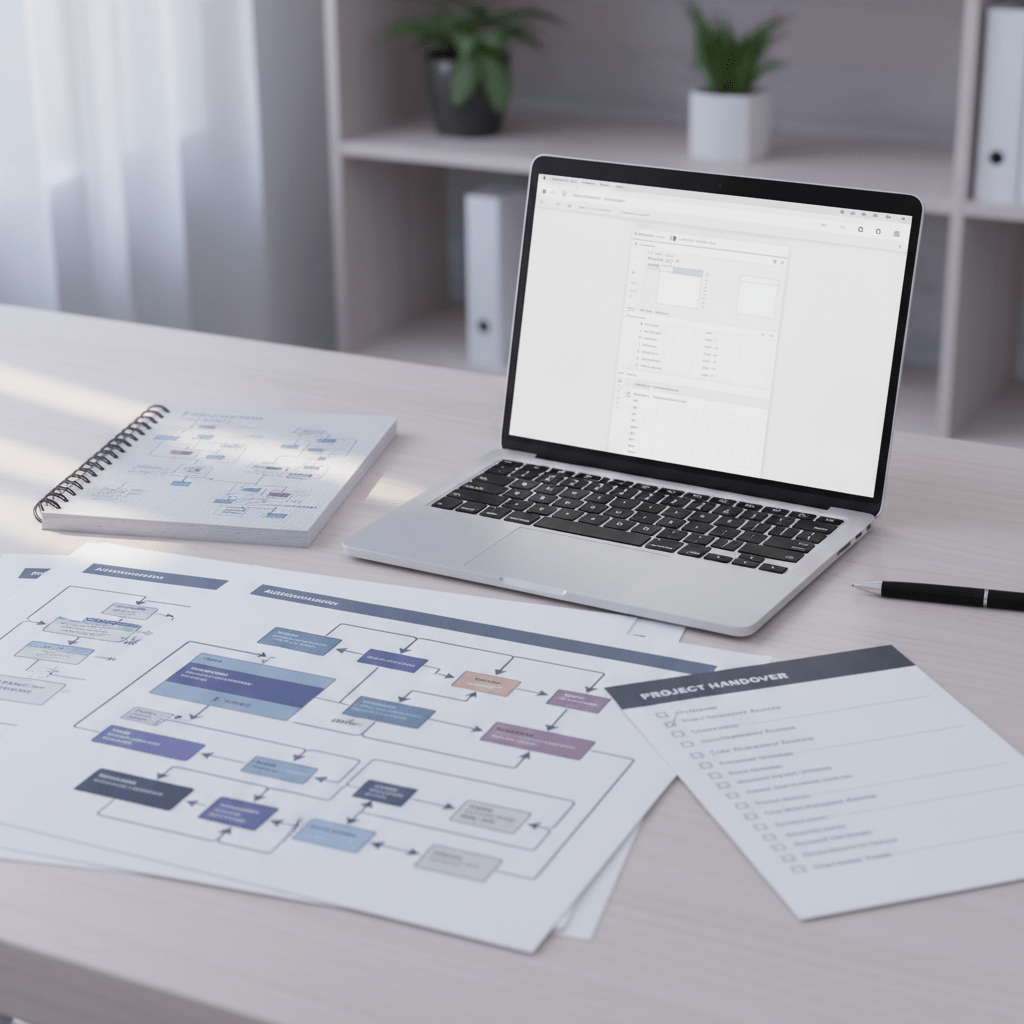
Here’s a simple handover checklist:
Handover item | What you should get |
Scope summary | What was built and why |
Architecture notes | How the system is set up |
API docs | Endpoints, auth, inputs, outputs |
Test records | What was checked and signed off |
User guide | How people use it day to day |
Deploy notes | How to release and roll back |
Support guide | Known issues and who to contact |
And don’t skip the why behind the docs. As Atlassian’s software documentation guide notes, strong documentation helps teams keep knowledge in one place and makes handoffs a lot smoother (Atlassian on software documentation best practices).
Also, write the handover like a real person would read it at 4:30 p.m. on a Friday. Short sentences. Clear labels. A few screenshots if needed. Pretty nice, right?
A solid handoff gives your custom software development partner a clean finish, but it also gives your team a better start for the next phase. That’s the whole point. Less scramble. More control. Better custom software project success.

Conclusion: Your Communication Commitment with Your Software Partner
Good software doesn’t just come from good code. It comes from good talks. Simple, clear, steady talks.
If we’ve learned anything here, it’s this: a custom software development company works best when both sides stay open, honest, and organized. First, align early. Then build a communication framework. After that, keep feedback specific, handle hard conversations without drama, and keep your docs in one place. That rhythm helps custom software project success a lot more than guesswork ever will.
And the stakes are real. PMI says poor communication puts $75 million of every $1 billion spent on projects at risk, which is a pretty loud warning to all of us. PMI’s Pulse of the Profession report makes the point clear. Communication isn’t extra. It’s part of the build.
So before your next meeting with your custom software development company, use your checklist. Look at your software project communication plan. Pick one thing to improve this week. Maybe it’s faster replies. Maybe it’s clearer user stories. Maybe it’s finally writing down decisions after calls.
One small fix can change the whole project.
That’s how strong partnerships grow. Not by luck. By habit.
Ready to build software that actually works for your business?
Free discovery call · 15 minutes · No obligation