
Introduction: Bridging the Gap Between Development and Operations
Ever sat in a release meeting where everyone looks tense? The dev team says the code is ready. Ops says not so fast. And somehow a small update turns into a week-long argument. That old “wall of confusion” can slow everything down and make systems feel shaky.
That’s the pain point DevOps is built to fix. Not by magic. Not by more meetings, either. It helps teams ship faster, break less stuff, and work like one crew instead of two camps. When dev and ops share goals, releases stop feeling like a fire drill.
The payoff can be huge. DORA research says elite teams deploy on demand, often many times a day, while lower-performing teams may release only once a month or even less. They also recover faster and see fewer failed changes, which means less stress for everyone and fewer late-night alerts. You can read more in the DORA State of DevOps research.

But this article isn’t just about speed. We’ll walk through the full devops lifecycle in a simple way, from devops culture and agile and devops habits to infrastructure as code, continuous integration and continuous delivery, devops automation tools, and devsecops principles. Plus, we’ll look at what high-performing teams do in real life so you can spot the gaps in your own software development lifecycle (sdlc).
If your team is stuck in handoffs, slow releases, or cleanup mode after every deploy, you’re in the right place. Let’s make it less painful. And a lot more workable.
1. The Foundation: Why a DevOps Culture is More Important Than Tools
Ever seen a team buy the fanciest automation tool on the market, then still ship code like it’s 2011? Yeah. That happens a lot.
Here’s the thing. DevOps development is not first a tool problem. It’s a people problem. A culture problem, really. The best devops culture is built on shared ownership, trust, and a simple idea: we all care about the same outcome. Not “my part is done, good luck.”
That’s a big shift from old-school silos. In a siloed setup, developers build, ops gets stuck fixing, and blame starts flying the second something breaks. One team throws code over the fence. The other team catches the mess. Fun for nobody.
Cross-functional teams work differently. Dev, ops, QA, and security sit closer together, share the same goals, and talk earlier. That sounds small, but it cuts out a ton of delay. It also fits right into agile and devops thinking, where fast feedback matters more than giant handoffs.
The CALMS framework gives this idea a clear shape: Culture, Automation, Lean, Measurement, and Sharing. Culture comes first for a reason. If people don’t feel safe speaking up, they’ll hide problems until they explode later. And that’s usually way worse.
Blameless post-mortems are a good example. After an outage, the goal is not to find the person to blame. It’s to ask: what failed in the system, and how do we stop it next time? Etsy is known for using this approach and for building shared on-call habits that helped them move toward 50+ deployments a day. That kind of change doesn’t happen because of a shiny dashboard. It happens because people stop being afraid to tell the truth.
You can also see the business side pretty clearly. DORA research shows elite teams deploy on demand, often many times a day, while lower performers may release once a month or even less. And high-performing teams are twice as likely to hit or beat their business goals. So culture is not soft stuff. It affects delivery, speed, and stress levels across the whole software development lifecycle (sdlc).
Want a good next step? Start with one question in your team retro: “What made this release harder than it needed to be?” That one question can open the door to better devops best practices, better devops lifecycle habits, and way less finger-pointing.
If your team needs help modernizing the way people and systems work together, Buildera can help with custom software development, legacy modernization, and IT consulting that fits real business goals.
2. Version Control: The Single Source of Truth for DevOps Development
I once saw a team lose half a day because two people edited the same config in different places. One was in a shared drive. One was on a laptop. Classic mess. Nobody was happy.
That’s why Git-based version control sits at the center of devops development. It gives every team one place to track code, configs, and changes. One source of truth. Not five copies and a prayer.
When everyone works from the same repo, it gets easier to see what changed, who changed it, and why. That traceability matters in the full devops lifecycle, especially when a release goes sideways and you need answers fast. It also fits neatly with agile and devops habits, where small changes move quicker than giant surprise dumps.
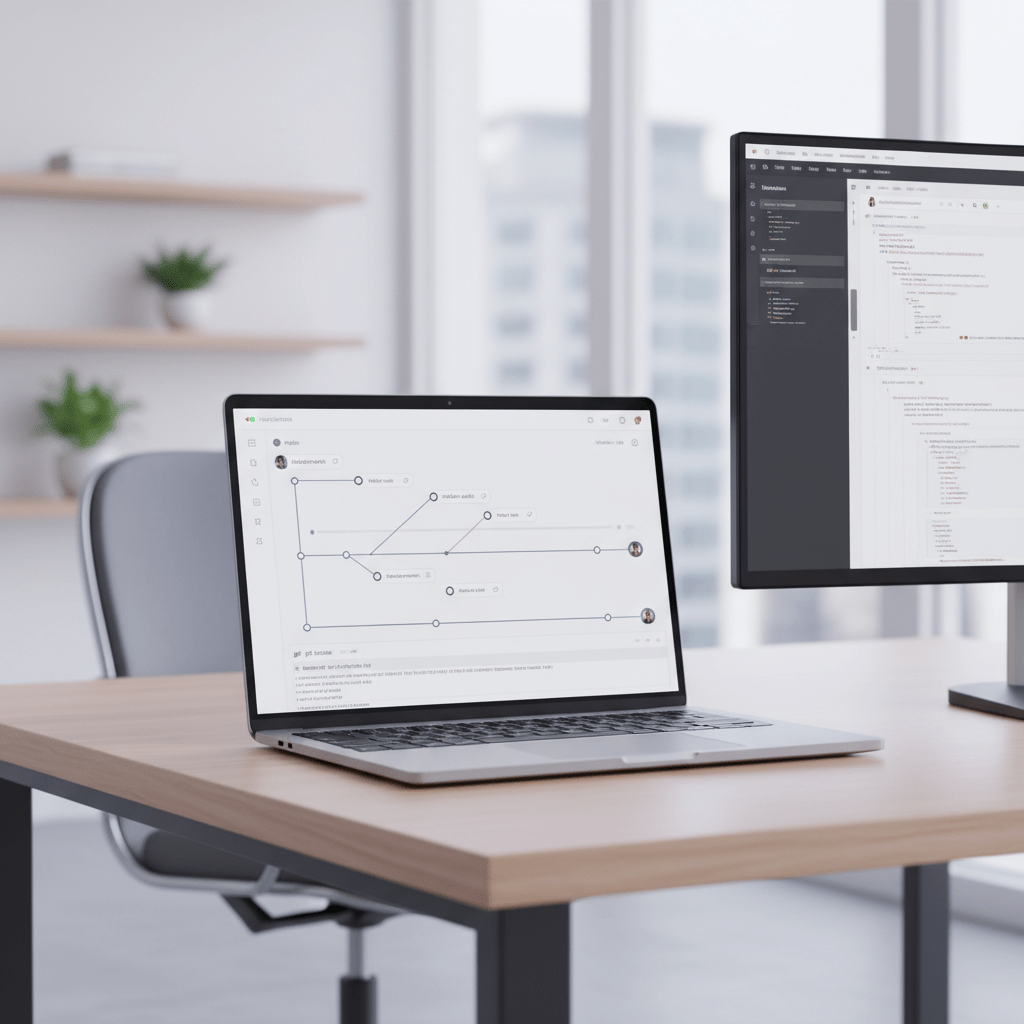
Pick a branching style that matches your team
And no, there isn’t one perfect branching model for everyone. Shocking, I know.
Here’s a simple look at the big ones:
Branching style | Best for | Watch out for |
GitFlow | Teams with scheduled releases and more control | Long-lived branches can slow feedback |
GitHub Flow | Teams shipping often with PRs and short branches | Needs good testing and branch rules |
Trunk-Based Development | Teams with strong CI and fast merge habits | Needs discipline and smaller changes |
Trunk-Based Development is usually the best fit for modern continuous integration and continuous delivery. Developers merge to main often, sometimes daily, so conflicts stay small and feedback stays quick. GitFlow can still work for software with formal release trains, but it can get heavy fast. GitHub Flow sits in the middle and works well for teams that want a lighter path.
The key idea is simple. Keep branches short-lived. Keep merges small. Avoid the giant “we’ll fix it later” branch. That road leads straight to merge hell.
Pull requests should help people think, not just tick boxes
A good pull request is more than a rubber stamp. It should answer a few basic questions: What changed? Why did it change? What should the reviewer look at first?
That means smaller PRs, clear notes, and real review comments. If a PR is 1,200 lines long, it’s probably too much to read well before lunch. Maybe after lunch too.
Commit messages matter too. A commit like fix stuff tells nobody anything. But feat(auth): add OAuth2 login support gives real context and makes it easier to trace changes later. Conventional commits help teams scan history, write release notes, and spot risky areas without digging through noise.
Here’s the deal: version control is not just for storing code. It supports devops automation tools, safer reviews, and cleaner handoffs across the software development lifecycle (sdlc). And if your team is looking for help modernizing old workflows, Buildera can help with custom software development, legacy application modernization, and IT consulting that fits the way real teams ship work.
3. Continuous Integration (CI): Building a Fast Feedback Engine
Ever pushed code and then spent the rest of the day wondering if you broke something? Yep. We’ve all been there. That sinking feeling is exactly why CI matters.
Continuous Integration, or CI, means code gets built and tested every time someone pushes a change to version control. Not later. Not after lunch. Right away. The goal is simple: catch bugs early, spot broken merges fast, and stop small issues from growing teeth.
That matters a lot in devops development. Without CI, teams can drift into what people call integration hell. Two good changes land at the same time, and suddenly they don’t play nice together. Then the bug hunt starts, and everyone loses an afternoon they’ll never get back.
CI also gives developers time back. Instead of manual checks and last-minute scramble work, the pipeline does the boring stuff for you. Nice, right?
What a CI pipeline usually looks like
Think of CI as a little assembly line. Simple. But pretty powerful.
Step | What happens | Why it helps |
Trigger | A commit or pull request starts the pipeline | Catches problems right after a change |
Build | The app is compiled or packaged | Makes sure the code can actually run |
Unit and integration tests | Tests check code behavior and system fit | Finds broken logic before release day |
Static analysis | Tools scan for code smells and policy issues | Spots problems people might miss |
Artifact generation | A deployable file gets created | Gives the team one trusted build to ship |
That flow looks basic, but the magic is in the repeatability. Same steps. Same order. Every time. And because the feedback comes fast, developers can fix things while the change is still fresh in their heads.
Now, you might wonder, what makes CI feel trustworthy? A lot of it comes down to stable tests. If tests are flaky, the whole system starts to feel noisy and people stop believing the results. That’s bad. Really bad. A CI system people don’t trust is just an expensive alert machine.
Some teams also pair CI with trunk-based development so changes land in the main branch often, sometimes daily. That keeps merges small and the pipeline calm. Bigger branches can work, sure, but they tend to create more drama later.
And the upside shows up in the business too. The DORA State of DevOps research says elite teams deploy on demand, recover in under an hour, and keep change failure rates at 5% or less. That kind of speed and stability doesn’t happen by luck. It usually starts with strong CI habits.
If you want to get started, keep it simple:
Run builds on every push
Keep tests small and fast
Fail the pipeline early
Fix flaky tests fast
Store build artifacts in one place
A good CI setup is not flashy. It just works. And once it does, releases stop feeling like roulette.
If your team is still doing manual checks, wrestling old release steps, or trying to patch together a shaky pipeline, Buildera can help with custom software development, legacy modernization, and IT consulting that fits the way your team actually ships work.
4. Continuous Delivery/Deployment (CD): Releasing Software with Confidence
You know that tiny pause right before a release? The one where everyone pretends to be calm, but nobody really is? Yep. CD is built for that moment.
Here’s the simple split:
Continuous Delivery means your code is ready for production, and a human gives the final click.
Continuous Deployment means every build that passes checks goes straight to production automatically.
Same family. Different level of trust. Continuous delivery gives teams a safe pause point. Continuous deployment removes that last manual gate. That can feel scary at first. It usually does.
But the goal is not speed for speed’s sake. It’s safer releases with less drama. And less drama is nice.
How teams release without waking up the whole company
A solid devops development setup usually leans on release patterns that lower risk. These are the big ones:
Release pattern | What it does | Why teams like it |
Blue-Green deployment | Runs two live environments, then switches traffic over | Fast rollback and little downtime |
Canary release | Sends a small group of users to the new version first | Catches bugs before full rollout |
A/B testing | Shows different versions to different user groups | Helps teams compare behavior and results |
Blue-Green is great when you want a clean switch. Canary releases are smart when you want to test the waters first. A/B testing is more about product choices, like which button text gets more clicks or which checkout flow keeps people moving.
And then there are feature flags, also called toggles. Honestly, these are one of the best tricks in modern devops best practices. A feature flag lets you deploy code without fully turning it on. So the code can live in production, hidden behind a switch, while your team tests it with internal users or a small customer group. That means deployment and release no longer have to happen at the same time. Nice, right?
This is why teams that use continuous integration and continuous delivery well can move with more calm. The pipeline does the heavy lifting, but humans still keep a hand on the wheel when needed.
What gets you from CD to full deployment?
Not every team should jump straight to full continuous deployment. That move works best when a few things are already in place:
Strong automated tests
Clear monitoring and alerting
Quick rollback options
Feature flags for tight control
A team that trusts the pipeline
Without those pieces, full automation can turn into a fast way to make a mess. And nobody wants that.
The business upside is real too. DORA research shows elite teams deploy on demand, often many times a day, with change failure rates at 5% or less and recovery in under an hour. Low performers may deploy once a month or even less, with failure rates that can climb to 46% to 60% DORA State of DevOps research. That gap affects more than engineering pride. It affects revenue, customer trust, and how often your team gets pulled into fire drills.
There’s also the cost of waiting. Gartner has estimated IT downtime at about $5,600 per minute. That’s the kind of number that makes a release rollback look pretty cheap.
If your team is still hand-checking every release, Buildera can help with custom software development, legacy modernization, and IT consulting that fits your real delivery flow. And if you want a practical next step, start by adding one feature flag to your next release. Small move. Big relief.
5. Infrastructure as Code (IaC): Treating Your Infrastructure Like Software
You know that moment when a server works in test, then falls apart in production for no clear reason? Annoying. And way too common.
That’s where infrastructure as code, or IaC, steps in. Instead of clicking around in a console and hoping you remember every setting, you write the setup in code files. Then you can build the same environment again and again without guesswork. Same result. Less stress.
This is a big deal for devops development because it helps teams stop saying, “It works on my machine.” That phrase has caused enough headaches for one lifetime. With IaC, dev, ops, and security can all see the same versioned setup, which makes the whole devops lifecycle easier to trust.

Why IaC saves so much pain
The biggest win is consistency. If your staging app uses one database size and production uses another, you can spot it fast. No more mystery drift. No more tiny manual changes hiding in five places.
IaC also makes recovery much easier. If something breaks, you can rebuild from code instead of trying to copy old settings from memory. That helps with reproducible environments, faster testing, and cleaner software development lifecycle (sdlc) habits.
And yes, teams are using it a lot. HashiCorp’s 2023 survey said 77% of organizations are using or planning to use IaC HashiCorp’s State of the Cloud survey. That tracks. Once people try it, they usually don’t want to go back.
Declarative vs. procedural: two ways to write IaC
There are two main styles, and they solve the same problem in different ways.
IaC style | How it works | Common tools | Good fit for |
Declarative | You describe the final state you want | Terraform, Pulumi, AWS CloudFormation | Teams that want clear desired-state setup |
Procedural | You write the steps to get there | Ansible, Chef | Teams that need step-by-step control |
With declarative tools, you say what the system should look like. The tool figures out the rest. Terraform is a common choice for cloud setup across different providers. Pulumi is a nice pick if your team likes real programming languages. CloudFormation works well inside AWS.
Procedural tools work more like a recipe. First do this, then do that. Ansible is great for config work and app setup on existing servers. Chef takes a similar path. Some teams like this because it feels more direct. Others find it a little more fiddly. Depends on the job.
What IaC looks like in real life
A team can store network rules, server sizes, storage settings, and access controls in version control. That means changes go through review, just like app code. Better traceability. Better rollback. Fewer surprises.
And when someone asks who changed what at 2:14 p.m. last Tuesday, the answer isn’t a shrug. It’s in Git.
Actually, wait, there’s a better part too. IaC also helps security teams spot risky changes before they reach production. That matters, because manual changes are where a lot of bad outages start.
Here’s the deal: if your team is still configuring infrastructure by hand, Buildera can help with cloud migration, legacy modernization, and custom software development that fits the way real teams work. One small step could be moving one service to IaC first. Not everything. Just one. Then build from there.
6. Observability: Understanding the 'Why' Behind System Behavior
You know that moment when a service slows down and everyone starts guessing? The app is fine. No, wait, the database is the problem. Or maybe it’s that one payment step. That guessing game gets old fast.
That’s where observability comes in. It’s the next step beyond simple monitoring. Monitoring tells you, “something looks off.” Observability helps you ask, “why is this happening?” without having to guess the right metric ahead of time. Pretty handy, right?
In devops development, that matters a lot. A healthy setup needs more than alerts. It needs context. Observability gives teams a clearer view across the full devops lifecycle, so they can spot issues, fix them faster, and keep the software development lifecycle (sdlc) moving.

The three pillars of observability
Most teams talk about three main signals:
Pillar | What it shows | Why it helps |
Metrics | Numbers over time, like CPU use or error rate | Quick health checks and trend spotting |
Logs | Time-stamped event records | Details about what happened and when |
Traces | The path a request takes through systems | Shows where a slow request got stuck |
Metrics are the broad view. Logs are the breadcrumbs. Traces are the path. Put them together, and you stop poking at the dark.
Actually, wait, there’s a better way to think about it. Metrics tell you there’s smoke. Logs show the sparks. Traces help you find the fire.
Why observability cuts downtime pain
When a release breaks, every minute counts. Gartner has estimated IT downtime at about $5,600 per minute, which is a pretty wild number when you say it out loud. So if observability helps a team shave even 10 minutes off MTTR, that’s real money saved.
And it’s not just about money. It’s also about calm. Teams with strong observability can move through incidents with less panic, less blame, and way less “who touched this last?” energy. That fits right in with devops best practices and devsecops principles, too, because security events and weird system behavior show up faster.
A quick note on OpenTelemetry
A lot of teams are standardizing on OpenTelemetry, or OTel. It gives you one open way to collect metrics, logs, and traces, then send them to tools like Prometheus, Grafana, Jaeger, or Datadog. So you’re not stuck in one vendor’s box.
If you want a practical next step, start with one service. Add tracing. Then add logs that match the trace IDs. Small move. Big payoff.
And if your team needs help wiring observability into a larger devops development plan, Buildera can help with custom software development, legacy modernization, and IT consulting that fits your real workflow.
7. DevSecOps: Bringing Security In Early
You know that nervous little pause before a release? The one where someone asks, “Wait, did security check this yet?” Yeah. That’s the spot DevSecOps tries to fix.
DevSecOps means security joins the DevOps lifecycle from the start, not at the end like a last-minute gatekeeper. The idea is pretty simple. Build security into the work as you go, so problems show up while they’re still cheap and easy to fix. Not after the code is live and everybody is staring at the same alert screen.
That lines up with devops development, devops culture, and even agile and devops habits. Security is not just one team’s job. It’s shared. Dev, ops, QA, and security all have a hand in it.
What shifting left looks like
“Shifting left” just means moving security checks earlier in the software development lifecycle (sdlc). Not later. Earlier. Way earlier, if you can.
Here are three practical moves teams use all the time:
Security step | Where it fits | What it catches |
SAST | In CI, during the build | Code flaws, weak patterns, risky logic |
SCA | In CI, before merge or release | Bad dependencies and known package risks |
DAST | In staging, against a running app | Real-world issues in live-like testing |
SAST, or Static Application Security Testing, scans source code before it ships. SCA, or software composition analysis, checks the open-source packages and libraries your app depends on. DAST, or Dynamic Application Security Testing, pokes at a running app in staging to see how it behaves from the outside.
That mix works well with continuous integration and continuous delivery because security checks can run right in the pipeline. No extra handoff. No waiting around for a separate review queue to clear. Nice, right?
Why this saves pain later
Security bugs are expensive when they sneak into production. IBM’s Cost of a Data Breach Report 2023 puts the average breach at $4.45 million IBM’s breach cost report. That number tends to wake people up pretty fast.
But the bigger shift is cultural. When teams say, “We build it, we own it,” security starts to feel like part of the work, not a wall at the end. That’s the DevSecOps mindset. Shared responsibility. Fewer surprises. Less blame.
And if your team needs help adding secure delivery practices to a bigger devops lifecycle, Buildera can help with custom software development, legacy modernization, and IT consulting that fits how real teams ship work.
Conclusion: The DevOps Journey is a Marathon, Not a Sprint
DevOps development isn’t one big switch you flip. It’s more like cleaning out a garage one box at a time. Slow at first. Way better later.
We’ve covered the big pieces: devops culture, version control, continuous integration and continuous delivery, infrastructure as code, observability, and devsecops principles. They all connect. One weak spot can slow the rest down. But when they work together, the software development lifecycle starts to feel a lot less tense.
And the data backs that up. DORA says elite teams deploy on demand, often many times a day, while lower performers may deploy only once a month or even less. That gap shows up in lead time, change failure rate, and recovery time too. Big deal.
So where do you start? Don’t try to fix everything this week.
Pick the single most painful manual step in your release process and create a plan to automate it in the next two weeks. Maybe it’s a build step. Maybe it’s a test. Maybe it’s the release approval nobody likes. Small win. Then the next one.
If your team needs a hand modernizing old systems, tightening delivery, or building a better path forward, Buildera can help with custom software development, legacy application modernization, cloud work, and IT consulting that fits real business goals.
Ready to build software that actually works for your business?
Free discovery call · 15 minutes · No obligation